
Insights
How To Post On Linkedin – 5 Steps To Reach More People
On Digitals
12/02/2026
50
How to post on LinkedIn effectively starts with understanding your audience, content format, and posting goals. This guide breaks down practical tips to help you boost reach, engagement, and consistency. Let’s dive into everything you need to know to create impactful LinkedIn posts!
How to post on Linkedin – A basic guide
Learning how to post on LinkedIn starts with setting a clear goal for each post, whether the focus is sharing valuable insights, building professional authority, or encouraging meaningful engagement from your network. Understanding your audience’s needs, interests, and challenges helps shape a message and tone that feel relevant and authentic. Clear intent ensures your content delivers value instead of simply adding noise to the feed.
Choosing the right content format is essential for improving visibility and performance on the platform. Text posts, images, carousels, and videos each support different communication styles and engagement goals. Testing and comparing multiple formats over time helps you identify what resonates most with your audience. Understanding the right LinkedIn post format helps structure content clearly and improves readability, making it easier for audiences to engage with your posts.
Consistency and interaction play a major role in long-term LinkedIn growth and credibility. Posting regularly helps build familiarity, trust, and stronger connections with your network. Actively responding to comments and joining conversations increases reach, engagement, and overall content impact.
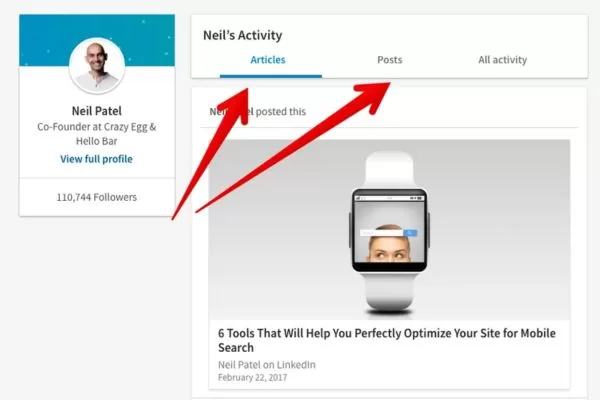
Core foundations that shape effective and goal-driven LinkedIn content
How to post on Linkedin directly – Useful guidelines
Posting on LinkedIn is technically simple, but many people still feel unsure about where to start. If you’re asking “exactly how do I post on LinkedIn?”, follow these step-by-step actions to get your first post live. These steps clearly explain how to make a post on LinkedIn from start to finish.
Here are the basic steps to post on LinkedIn:
Step 1: Open LinkedIn on your browser or mobile app and log in to your account.
Step 2: Go to the homepage, where you’ll see the “Start a post” option at the top of your feed.
Step 3: Click the “Start a post” text box to open the post creation window.
Step 4: Choose your content format based on what you want to share:
- Text-only posts for quick thoughts, tips, or updates
- Image or video posts to increase visibility and engagement
- Document posts (PDFs or slides) for educational or in-depth content
- Polls to spark interaction and gather opinions
- Articles for long-form content published directly on LinkedIn
Step 5: Write and format your content, adding hashtags, mentions, or emojis if relevant.
Step 6: Review your post, then click Publish to share it with your network. Each LinkedIn post should be reviewed carefully to ensure clarity, accuracy, and alignment with your posting goals.
While publishing a post is easy, how to post on LinkedIn effectively is what truly matters for attracting attention and engagement. That means starting with a strong hook, sharing real value, and keeping your tone professional yet conversational to encourage meaningful interaction.
Key content formats for LinkedIn posts
When posting on LinkedIn, choosing the right post type plays a key role in how your content is discovered, consumed, and engaged with. Each format serves a different purpose and supports specific communication goals. Below are the most common LinkedIn post types you can use to reach and engage your audience effectively:
Text-only posts
Text-only posts are one of the easiest ways to learn how to post on LinkedIn when sharing thoughts, insights, or questions with your audience. This format works best when the message is clear, focused, and written in a conversational yet professional tone. A strong hook in the first two lines helps capture attention and encourages readers to engage through comments.
Image and video posts
Image and video posts naturally stand out in the LinkedIn feed and tend to generate higher visibility. Using high-quality visuals, infographics, or short videos can help communicate ideas faster and make content more memorable. Video posts are especially effective for explaining complex topics, sharing stories, or showcasing products and services. Many high-performing LinkedIn post examples rely on visuals to boost retention and engagement.
Linkedin articles
LinkedIn Articles are a powerful format for understanding how to post on LinkedIn with long-form, in-depth content. This post type is ideal for thought leadership, expert opinions, and detailed guides that require more context. Well-structured articles with clear insights can help build credibility and long-term authority on the platform.
Document posts
Document posts allow you to share PDFs or slide decks directly in the LinkedIn feed, making educational content easy to consume. This format works well for reports, case studies, frameworks, and step-by-step guides. Document posts often lead to higher saves and longer engagement compared to standard posts.
Polls
Polls are an interactive way to practice how to post on LinkedIn while encouraging quick engagement from your audience. They are effective for collecting opinions, understanding industry trends, or starting discussions with minimal effort from users. Polls also increase visibility by inviting participation from people who may not usually comment.
Event promotion
Event promotion posts help spread awareness for webinars, workshops, or in-person events within your professional network. Using LinkedIn’s event tools allows you to reach relevant audiences and spark conversations around your event topic. This post type is effective for building anticipation and driving registrations before the event takes place.
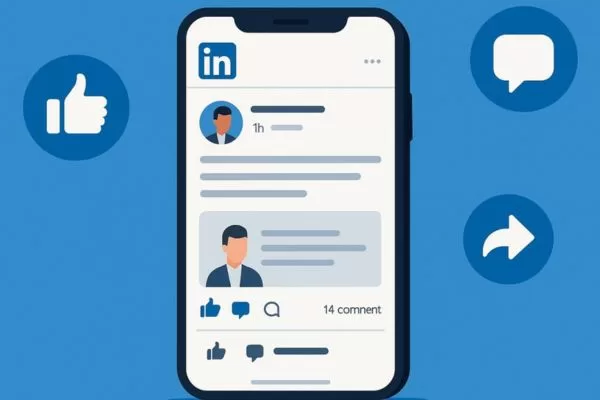
An overview of content formats designed for varied engagement goals
How to increase interaction on LinkedIn posts
To make your LinkedIn posts more engaging, focus on delivering clear value and speaking directly to your audience’s needs. Strong hooks, relatable insights, and a conversational tone help turn passive readers into active participants. Following proven LinkedIn post best practices helps maintain consistency and performance:
- Hook readers immediately: When learning how to post on LinkedIn, remember that the opening lines determine whether someone clicks “See more,” so lead with a strong question, quick insight, or bold opinion.
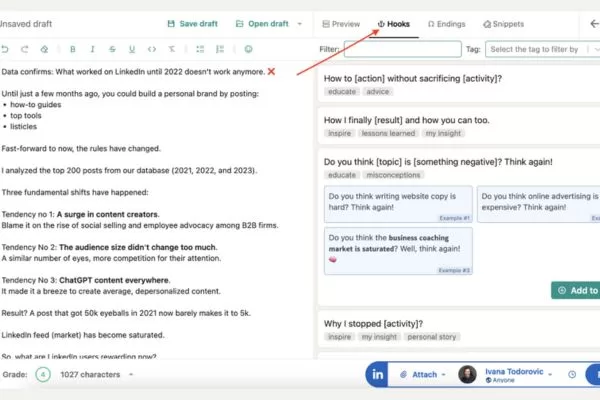
- Optimize for readability: Keep posts between 1,200 and 2,500 characters, using short paragraphs and clear, simple language for easy scanning. These guidelines align closely with recommended LinkedIn post specs for visibility.
- Leverage visual content: Carousels, videos, and infographics usually gain more reach, while polls naturally encourage interaction.
- Use hashtags with intent: Add 2–5 relevant hashtags aligned with your topic or industry to reach the right audience.
- Engage quickly: Responding to comments early helps maintain momentum and shows you value your community.
- Post consistently: Sharing content 3–5 times per week strengthens visibility, and scheduling tools can help you stay organized.
- End with a clear CTA: Invite opinions, ask questions, or encourage discussion to drive engagement.
- Share links thoughtfully: Place external links in the comments with proper context instead of the main caption.
- Track and refine: Review performance data to understand what works and continuously improve your strategy.

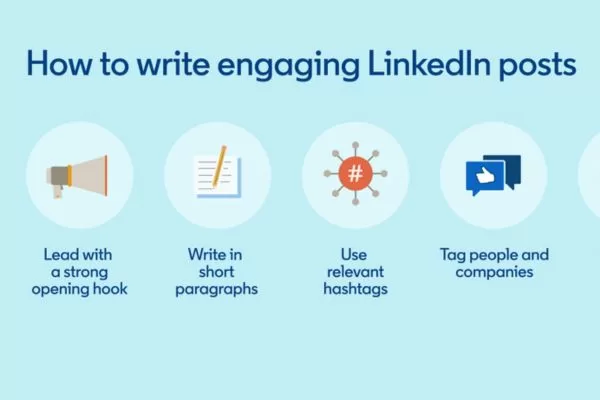
Key elements that influence interaction, visibility, and reader interest
What should you post on LinkedIn to get engagement?
Choosing the right content to share is essential when learning how to post on LinkedIn, as it helps you build credibility, grow your network, and stay aligned with your professional goals. The key is to post content that delivers real value while clearly reflecting your expertise and perspective.
Below are practical content ideas to guide what you should post on LinkedIn consistently and effectively:
Industry insights and news
Sharing industry trends, updates, and news shows that you stay informed and relevant in your field. Adding your own commentary helps contextualize why the information matters. This type of content positions you as an engaged professional rather than just a content sharer.
Professional achievements
Celebrating milestones is a smart way to show how to post on LinkedIn when building a personal brand. Promotions, certifications, awards, or completed projects highlight growth and credibility. Adding a short lesson or takeaway makes the post more meaningful and relatable.
Though leadership
Thought leadership content allows you to share opinions, frameworks, and deeper insights based on experience. These posts demonstrate how you think, not just what you know. Over time, this helps establish authority in your niche. Publishing deeper ideas through LinkedIn articles allows you to expand on complex topics more effectively.
Tips and advice
Offering practical guidance is a strong example of how to post on LinkedIn if you want consistent engagement. Career tips, productivity ideas, or industry-specific advice provide immediate value. Clear, actionable takeaways make these posts easy to save and share.
Blog and website content
Sharing excerpts or summaries from your blog or website helps extend the reach of your long-form content. Instead of dropping a link, highlight the main insight readers will gain. This approach keeps your posts valuable without feeling promotional.
Work projects and portfolio examples
Showcasing projects is another effective way to demonstrate how to post on LinkedIn using real-world experience. Visual formats like images, videos, or carousels make your work easier to understand. Explaining the challenge and outcome adds depth beyond the final result.
Company values and team moments
Behind-the-scenes content humanizes your brand or organization. Sharing team moments, work processes, or company values builds trust and authenticity. This type of content is especially effective for employer branding.
Inviting guidance from professionals
If you’re unsure how to post on LinkedIn, asking thoughtful questions is a simple and effective approach. Questions invite conversation and encourage others to share experiences. This content strengthens relationships and boosts engagement naturally.
Curated industry content
Sharing relevant content from others shows that you actively follow your industry. Adding your own insight explains why the content is worth your audience’s time. This positions you as a thoughtful curator rather than a passive reposter. Curating trusted resources is often overlooked when deciding what to post on LinkedIn regularly.
Using Linkedin features
Using polls, hashtags, or LinkedIn Live is another practical way to apply how to post on LinkedIn with more variety. These features boost visibility and drive interaction. Rotating formats keeps your feed dynamic and engaging.
Building engagement in comments and inbox
Posting doesn’t stop once you hit publish. Responding to comments and messages is a key part of how to post on LinkedIn effectively. Active engagement signals professionalism and helps build stronger connections.
Relevant topics
Sharing quotes can be effective when they align with your professional values or industry themes. To apply how to post on LinkedIn with quotes, always add your own perspective. A short explanation turns a simple quote into meaningful content.
Content categories that support credibility, relevance, and professional growth
How the 40/40/20 strategy works for Linkedin posts
Posting on LinkedIn is simple, but posting with intention is what drives real results. If you’re unsure how to post on LinkedIn in a way that supports your marketing goals, the 40/40/20 framework offers a clear and effective structure.
Here’s how the 40/40/20 framework works:
- 40% expertise-driven content: Share knowledge, insights, and experience-based lessons that genuinely help your audience. The focus is on education and value, not self-promotion.
- 40% engagement-focused content: Create posts designed to spark conversation, such as asking questions, sharing opinions, or tagging relevant people to invite discussion.
- 20% product or offer content: Talk about your services or products in a subtle way through case studies, results, or real examples of how you’ve helped others.
Using this framework helps you balance authority, interaction, and promotion. It allows you to build trust, stay visible, and promote your offerings naturally – without coming across as overly sales-driven.
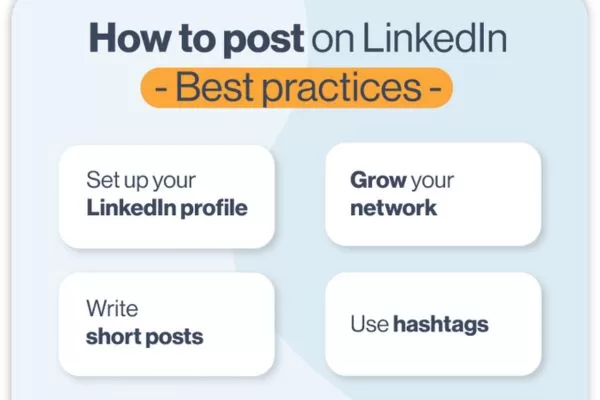
A balanced content framework combining authority, engagement, and promotion
How to maintain consistent posting on LinkedIn
Posting on LinkedIn isn’t just about what you share – it’s also about how often and when you post. The right balance of frequency and timing can significantly improve reach, visibility, and engagement.
Consistent frequency
Consistency is essential when learning how to post on LinkedIn effectively and build long-term visibility. Posting on a regular schedule keeps your profile active and helps your audience recognize and trust your voice. A consistent flow of valuable content strengthens engagement and supports steady growth over time.
Quality over quantity
Posting more often does not guarantee better results if the content lacks value. High-quality, well-structured posts are more likely to attract meaningful interactions and shares. Focusing on relevance and usefulness ensures each post contributes positively to your LinkedIn presence.
Share on LinkedIn at the optimal time
Understanding how to post on LinkedIn also means knowing when your audience is most active. Posting during optimal time slots increases early engagement, which helps boost overall reach. Regularly reviewing analytics allows you to fine-tune timing and maximize performance.
Posting rhythm and timing that support long-term visibility and trust
Top FAQs on how to post on LinkedIn
These frequently asked questions cover the most common challenges professionals face when creating LinkedIn content. Use them as a quick guide to understand how to post on LinkedIn more effectively and with confidence.
How can beginners post on LinkedIn?
To begin, go to your LinkedIn feed and click the “Start a post” box at the top. From there, you can choose multiple formats such as text posts, carousels, polls, images, or videos depending on your goal. Understanding how to post on LinkedIn starts with selecting the right format and sharing content that fits your audience and objective.
Are LinkedIn posts beneficial for professionals?
Yes, LinkedIn posts are a powerful way to build visibility and credibility within your industry. They help you share expertise, connect with professionals, and support long-term personal branding. With a clear content strategy, LinkedIn posting can open doors to new opportunities and meaningful relationships.
Is everyday posting on LinkedIn too much?
Posting daily can work well if you consistently deliver useful and relevant content. The key to how to post on LinkedIn effectively is balancing frequency with quality rather than posting just to stay visible. Monitoring engagement helps you decide whether daily posting supports your goals or needs adjustment.
How does LinkedIn distribute your posts?
Once published, your post is shown in the feeds of your connections and followers. People can interact by liking, commenting, or sharing, which increases visibility beyond your immediate network. Knowing how to post on LinkedIn strategically helps maximize reach, engagement, and professional credibility over time.
How to post on LinkedIn for better engagement?
To improve engagement, focus on clear messaging, strong opening lines, and consistent posting habits. When learning how to post on LinkedIn, prioritize value-driven content, invite conversation with questions or CTAs, and actively respond to comments to extend reach and visibility.
Common questions addressing clarity, strategy, and posting confidence
Conclusion
How to post on LinkedIn effectively comes down to consistency, value, and understanding your audience’s needs. By combining clear messaging, the right post formats, and a strategic posting schedule, you can build credibility and meaningful engagement over time.
For brands and professionals looking to scale results, On Digitals provides the expertise and tools to turn LinkedIn content into real business impact.
Read more