
Insights
LinkedIn Company Page – How To Turn Views Into Leads?
On Digitals
12/02/2026
19
LinkedIn company page is a powerful channel for building brand credibility and visibility on this platform. It helps businesses share updates, attract followers, and engage the right audience effectively. Let’s explore how to optimize your page, content strategy, and posting consistency!
LinkedIn company page: An overview
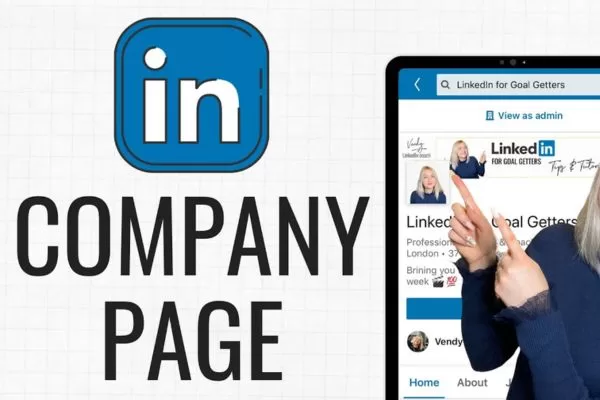
A LinkedIn Business Page, also known as a Company Page, is a dedicated profile that represents your organization on LinkedIn. It acts as a standalone digital presence where members can learn about your brand, values, and activities. Companies use this page to share news, updates, events, and job opportunities.
Linkedin company page is designed to focus entirely on your business rather than an individual. It allows you to showcase key information such as products, services, culture, and career opportunities in one place. This makes it easier for potential customers, partners, and talent to understand who you are and what you offer.
Unlike personal profiles, Business Pages include customizable sections like Home, About, Products, Posts, Jobs, and People. These sections help structure your content and present a professional image while still highlighting the human side of your company. Pro tip: using a clear LinkedIn strategy ensures your page supports marketing, sales, and employer branding goals effectively.
A dedicated professional space representing an organization on LinkedIn
Do businesses really need a LinkedIn company page?
Businesses need a company page to build credibility and maintain a professional brand presence. It also helps companies connect with audiences, share updates, and support long-term growth.
Turning Linkedin into leads
LinkedIn is widely recognized as a powerful platform for identifying, attracting, and nurturing high-quality prospects, especially for B2B businesses looking to reach decision-makers. Research shows it is 277% more effective at generating qualified leads than other social networks, making it a strategic channel for growth. This advantage allows companies to focus on quality rather than volume in their lead pipelines.
A Linkedin company page helps centralize brand messaging and guide potential customers through the early stages of awareness and consideration. By consistently sharing relevant insights and updates, businesses can build trust before any direct sales interaction takes place. As a result, leads generated through this channel are often warmer, better informed, and more likely to convert.
Support closer employee relationships
Most professionals maintain an active LinkedIn presence, making the platform ideal for strengthening connections between employees and the brand they represent. A company page provides an official space where employees can engage with, follow, and promote company content. This creates visibility that feels authentic rather than promotional.
When employees list the company as their workplace, it immediately adds social proof and credibility. Mentions, tags, and interactions in posts extend reach into personal networks that brands cannot access alone. Over time, this collective activity helps build a strong and trusted professional ecosystem.
Share-worthy content strategy
Audiences are far more likely to engage with content that delivers value and is easy to share within their professional networks. High-quality posts encourage followers to amplify your message organically, extending reach well beyond your existing audience. This turns everyday engagement into long-term brand advocacy.
A Linkedin company page supports a wide range of content formats, including long-form posts, short updates, videos, and visual assets. Different formats appeal to different consumption habits and increase overall engagement. Consistent, authentic publishing helps maintain visibility and audience interest.
Showcase new solutions
Many LinkedIn users follow brands specifically to stay informed about new products, services, and innovations. The platform offers a professional environment where businesses can introduce offerings with clear explanations and context. This helps audiences quickly understand relevance and value.
Including links within posts allows users to explore additional details on your website. This drives targeted traffic and supports lead generation efforts. Over time, consistent product updates reinforce expertise and market positioning.
Enhance search presence
Search engines frequently rank LinkedIn pages highly, making them valuable for online discoverability. A Linkedin company page that is optimized with accurate information and relevant keywords can appear prominently in search results. This increases brand exposure beyond LinkedIn itself.
Regular posting and engagement also contribute to stronger visibility signals. Built-in analytics help track traffic sources and user behavior. These insights support ongoing SEO and content optimization decisions.
Gain a competitive edge
In competitive markets, differentiation is essential for long-term success. LinkedIn allows businesses to highlight awards, achievements, company news, and industry recognition in one centralized location. This helps build stronger authority and long-term credibility.
Sharing culture, values, and behind-the-scenes stories adds a human dimension to the brand. Visual elements such as images, graphics, and storytelling improve memorability. Together, these factors help create a distinctive and trustworthy brand presence.
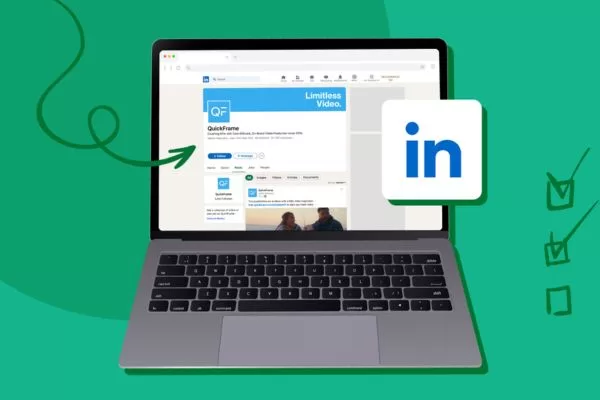
An essential foundation for credibility and consistent brand communication
A clear process for setting up a professional business presence
Creating a LinkedIn company page is a simple process that helps your company build a professional presence on the platform. Follow these steps to set up your page correctly and start engaging your audience:
Step 1: Open your personal LinkedIn account
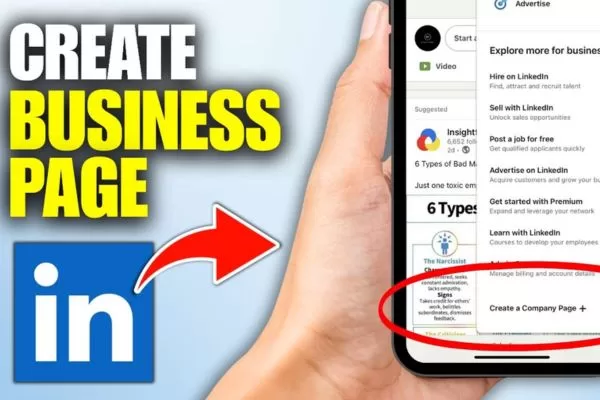
To get started, sign in to your personal LinkedIn profile, as a personal account is required to create and manage a business page. From the top navigation bar, open the For Business menu to view available options.
Scroll to the bottom and select Create a Company Page+ to begin the setup process. This action officially begins the process of how to create a company page on LinkedIn using your personal admin account.
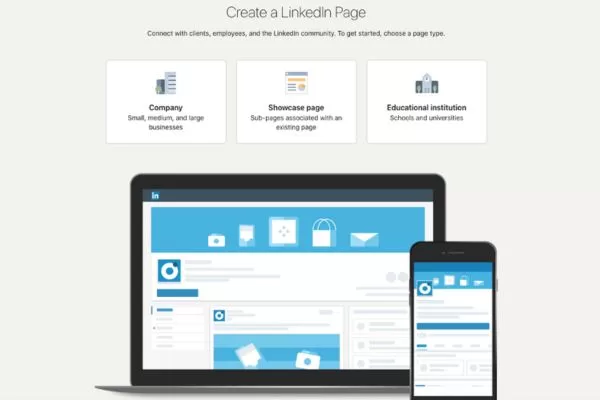
Step 2: Pick a page type to set up
A new page will appear with three different options for the type of page you want to set up. At this stage, LinkedIn create company page options are displayed based on your organization type. You can choose from the following, depending on your organization’s goals, structure, and how you plan to use LinkedIn.
- Linkedin Company Page: To create a page for a small, medium, or large non-educational business.
- Showcase Page: To create a sub-page that is linked to an existing company page. Avoid choosing this option if you are building your LinkedIn page from scratch.
- Educational Institution: To create a page for a school, university, or other educational organization.
- Select the page type that matches your business. Choosing the correct page type is a key requirement when you create a company page on LinkedIn from scratch.
Step 3: Set up your company details
After selecting the Company Page option, a new screen appears prompting you to enter key details about your business. Pages with fully completed profiles receive up to 30% more weekly views and are more likely to be prioritized by the LinkedIn algorithm.
The first three fields focus on your company’s core identification, including:
- Name: Enter your company name exactly as you want it displayed on your page. Using the official name helps improve search visibility and recognition.
- Linkedin public URL: When you type in your company name, Linkedin automatically suggests a public URL based on that name. You can edit this URL to make it more distinctive and easier for people to remember.
- Website: Add your company’s website URL so visitors can quickly access your site and learn more about your products or services.
As you complete the form, LinkedIn displays placeholder text to guide you on what information to enter in each field when setting up your LinkedIn company page. Additional controls, such as validation rules and conditional logic, help prevent duplicate page names and ensure accurate setup.
Step 4. Complete your company details
Next, you’ll need to add more information about your business so LinkedIn can correctly understand and categorize it. These details help improve discoverability and ensure your page reaches the right audience.
Industry
Select the industry that best describes your business from LinkedIn’s predefined list to ensure your LinkedIn company page is categorized correctly. This helps LinkedIn classify your company accurately and recommend it to users interested in that industry. If your exact industry is unavailable, choose the closest relevant option or the one that encompasses an entire sector you’re in.
Company size
Choose your company size based on your current number of employees. LinkedIn uses this data to group businesses into small, medium, or large categories. This also helps tailor features and insights specific to your company stage. And with that, your business can find more relevant connections and avoid biting off more than you can chew.
Company type
Select the organization type that best represents your business, such as privately held, public company, nonprofit, or partnership. These options help LinkedIn better contextualize your operations and credibility. Make sure all required fields are completed accurately, as a well-optimized profile improves visibility and performance for your Linkedin company page.
Step 5: Upload company logo and tagline
The next step is to upload your company logo, which plays a key role in brand recognition. LinkedIn recommends using a 400 × 400 pixel logo in JPG, JPEG, or PNG format to ensure optimal display. Your logo should reflect your brand personality through consistent colors, style, and visual identity that align with your industry and vision.
Linkedin company page also requires a clear and compelling tagline that appears directly below your company name and logo. This tagline should summarize your unique selling proposition in a concise, professional way, helping visitors quickly understand your value. With a 120-character limit, keep it short, avoid slang, and focus on clarity before confirming your authorization and clicking Create Page.
Step 6: Finalize your LinkedIn profile
Once your business page is created, you’ll be redirected to a new screen where you can complete your company profile. At the top of the page, you’ll see a progress meter that tracks how much of your profile has been filled out. Below the meter, action cards highlight any incomplete sections, making it easy to see what still needs attention.
A structured process for building a professional brand presence
How to run a LinkedIn company page successfully
Creating a Company Page is only the first step toward building a strong presence on LinkedIn. Like any social platform, growing an audience and maintaining engagement requires time, consistency, and the right strategy. With a structured approach, managing your page can become both effective and scalable.
LinkedIn page admin management
To manage a LinkedIn company page, you need admin access first. Once you’re set up, LinkedIn provides built-in tools that let you control content, engagement, and performance directly on the platform.
- Sign in to your LinkedIn account and go to your homepage.
- On the left side of the homepage, locate the My Pages section, which displays all pages you manage. Select the company page you want to work on.
- You’ll be taken to the admin dashboard, where you can complete your profile and manage your feed, page activity (comments, mentions, reactions, reposts), and overall page settings. This LinkedIn company page dashboard centralizes all administrative and performance-related activities.
- Use LinkedIn’s native analytics to monitor performance, including visitors, followers, leads, and content results. You can filter data by date, content type (organic or sponsored), and audience demographics, then export reports as needed.
- Add competitor pages to track their follower growth, organic content performance, and trending posts for competitive insights.
Streamline LinkedIn management with tools
Managing a LinkedIn company page becomes more effective when you use a dedicated social media management tool. If your business is active on multiple platforms, handling everything from one centralized dashboard helps save time, reduce manual work, and maintain consistency across channels, including LinkedIn.
These tools allow you to plan, schedule, publish, and monitor content more efficiently while keep tracking of performance in one place. They also support collaboration, analytics, and reporting, making it easier to scale your Linkedin efforts, improve engagement, and optimize your overall social media strategy without relying solely on native platform features.
Ongoing actions required to maintain growth and engagement
9 proven tips for Linkedin company page success
Building a successful company page on Linkedin requires more than just setting it up. These proven tips will help you optimize your page, increase visibility, and drive consistent engagement. Together, they reflect LinkedIn company page best practices used by high-performing brands.
Create an effective profile image and banner
Your profile image is often the first visual impression users have when discovering your brand on LinkedIn. A strong logo helps build recognition and credibility, and a Linkedin company page with a profile image can attract significantly more visitors than one without. For best results, use the same logo across platforms and resize it to meet LinkedIn’s image requirements.
The banner image above your logo provides more flexibility for visual storytelling. This space can be used to highlight products, showcase brand values, or reinforce messaging through visuals. While there are size guidelines to follow, the banner allows creative freedom to strengthen your overall brand presence.
Build a keyword-rich “About us” section
Strong visuals may catch attention, but clear messaging is what convinces visitors to stay and learn more. A well-written About Us section should be concise, easy to read, and limited to 2,000 characters while clearly explaining who you are and what you do. Use simple language supported by keyword research so your message is accessible and searchable.
Your About Us section on a LinkedIn company page should tell your company story and clearly communicate the value of your products or services. It should answer key questions such as who you are, where you operate, what you offer, your values, brand voice, and how people can contact you. Reviewing other Company Pages can also provide inspiration and help you refine how your profile details appear on the page.
Keep your company page active
An active posting schedule is essential for maintaining visibility and engagement on LinkedIn. Companies that share content weekly often experience significantly higher interaction, making consistency a key factor in page performance. Frequent updates keep your brand fresh in followers’ minds.
LinkedIn supports a wide range of content formats, giving you flexibility in how you communicate with your audience. This flexibility answers the common question of what to post on LinkedIn company page. Mixing formats helps prevent content fatigue and allows you to deliver value in different ways. Below are the most effective content types to include in your strategy.
Long-form posts
On a LinkedIn company page, this platform allows brands to publish in-depth content directly on the platform. These posts are ideal for sharing expertise, insights, and industry perspectives in a more detailed format. Adding visuals and links enhances readability and keeps users engaged longer.
Visual posts
Images help break up text and make posts more eye-catching in the feed. Collections of multiple images or simple graphic designs often perform better than single visuals. Even basic, well-designed visuals can significantly increase interaction.
Video content
Video is one of the strongest engagement drivers on LinkedIn. Short videos and live sessions are popular LinkedIn company post examples for boosting interaction. Short, informative videos and live sessions encourage longer viewing times and more reactions. Authentic, informative videos tend to perform best.
Documents and slide decks
On a LinkedIn company page, uploading PDFs or presentations lets you share structured ideas in a scroll-friendly format. These posts work well for guides, reports, and educational content. They motivate users to save and share the content.
Employee-focused content
Highlighting team members, milestones, and achievements humanizes your brand. Recognition posts help build trust and show company culture in action. This type of content resonates strongly with professional audiences.
Curated and reshared content
On a LinkedIn company page, sharing relevant industry articles or reposting content where your brand is mentioned keeps your page active without always creating new material. It also positions your brand as informed and connected. Tracking trends keeps your content relevant.
To maximize results, plan your content around peak engagement times and maintain a consistent publishing schedule. Using planning and scheduling tools can help you stay organized and post strategically.
Increase your follower base
Building an audience on LinkedIn can be achieved through a mix of organic tactics and paid promotion. From inviting existing connections to boosting visibility with ads, LinkedIn offers multiple ways to attract the right followers. A balanced approach helps you grow steadily while staying relevant.
You can invite first-degree connections to follow your page, apply audience targeting to posts, experiment with hashtags, and encourage employees to engage and share content. Promoting your page across your website, email signatures, and other social channels further expands reach. Together, these actions help drive long-term growth for your Linkedin company page.
Launch a career page
Research shows that employer branding plays a major role in recruitment success. According to Glassdoor, 69% of job seekers are more likely to apply to a company that actively promotes its culture online, while LinkedIn reports candidates are 1.8 times more likely to apply when they are familiar with a company.
LinkedIn Career Pages offer a powerful way to support hiring by highlighting company culture, values, and employee experiences, although this feature is paid. Case studies show strong results, with some organizations seeing significant increases in job clicks and a meaningful share of applications coming directly through LinkedIn after launching a Career Page.
A branded destination supporting recruitment and employer visibility
Set up a product page
A Product Page allows you to showcase individual products or services directly within your Company Page. Each page acts as a dedicated space to highlight what makes a specific offering valuable and relevant to your audience.
You can present key benefits, share videos and images, gather community reviews, and feature existing customers for added social proof. This makes it easier for potential customers to understand your offering and build confidence before taking the next step on a LinkedIn company page.
Follow LinkedIn’s latest algorithm shifts
Like most social platforms, LinkedIn regularly updates its algorithm to prioritize content that drives meaningful engagement. Staying informed about these changes helps you adapt your strategy and avoid missing opportunities to improve reach and visibility.
LinkedIn often gives early traction to accounts that adopt new features first. By paying attention to product launches and beta features, you can gain an algorithmic advantage and stay ahead of competitors.
Stay active in comment threads and DMs
A strong LinkedIn presence depends on two-way communication, just like any other social platform. When people comment on your posts or send private messages, timely replies show that your brand is attentive and engaged.
Responding consistently helps build trust, strengthen relationships, and reflect your brand values in real interactions. While community management can be time-consuming, using a centralized social inbox can help you manage conversations more efficiently on a LinkedIn company page.
Launch a digital event experience
Livestreaming is an effective way to grow your community and draw attention to your Company Page. You can host keynote-style talks, online ceremonies, or live demos to showcase your expertise and engage followers in real time. These events help position your brand as active, credible, and worth following.
LinkedIn provides built-in tools to promote virtual events through native event pages, shareable posts, and clear call-to-action buttons. Attendees receive notifications and reminders before the event, making it easier to drive attendance. During and after the livestream, you can interact via live chat and repurpose highlights on your Company Page to extend reach.

Practical guidelines used by high-performing brand pages
FAQs about the Linkedin company page in detail
Below are some of the most common questions businesses have when setting up and managing a presence on LinkedIn. These answers will help you understand how to use your page more effectively and avoid common mistakes.
What is the role of a Company Page?
A LinkedIn company page is designed to represent your business on the platform and act as a central hub for brand communication. It allows you to share updates, showcase products or services, and build credibility with a professional audience. Over time, it also supports brand awareness, recruitment, and lead generation efforts.
Who is responsible for page administration?
Only users with assigned admin roles can manage and edit a Company Page. Different admin levels control access to posting, analytics, and page settings. This setup helps maintain consistency and security across all page activities.
How often is it ideal to publish posts?
For best results, a LinkedIn company page should post consistently, ideally at least once per week. Regular posting keeps your brand visible in followers’ feeds and encourages ongoing engagement. Consistency matters more than volume, so focus on quality and relevance.
What content formats drive the strongest results?
Educational posts, industry insights, behind-the-scenes updates, and employee-focused content tend to perform well. Visual formats such as images, videos, and document posts usually generate higher engagement. Using multiple formats keeps content fresh and engaging.
How does a Company Page support scaling?
A LinkedIn company page supports growth by attracting the right audience and building long-term trust. It can drive traffic to your website, support recruitment, and strengthen thought leadership. When paired with analytics and targeting, it becomes a valuable channel for strategic growth.
Common questions that clarify usage, roles, and best practices
Conclusion
A LinkedIn company page is a powerful asset for building credibility, increasing brand visibility, and reaching the right audience on LinkedIn. When optimized properly and supported by consistent, valuable content, it can drive marketing performance, support recruitment, and enable long-term business growth. With a strategic approach and expert execution from On Digitals, your brand can turn LinkedIn into a sustainable growth channel.
Read more