
Insights
LinkedIn Content Calendar – What Should You Post Weekly?
On Digitals
11/02/2026
22
LinkedIn content calendar helps you plan posts strategically and stay consistent on this platform. It keeps your content organized and aligned with business goals. Let’s explore how to build a calendar that saves time and boosts engagement!
What does a Linkedin content calendar mean?
A content calendar is a structured way to plan and manage what you post on LinkedIn. It helps organize ideas, set posting dates and times, and maintain a consistent publishing rhythm. This approach makes your posting schedule easier to follow and measure. Reviewing a simple Linkedin content calendar example can clarify how planning translates into real posting workflows.
This system acts as a central hub for your LinkedIn content calendar. You can store drafted posts, visualize topic frequency, and plan content ahead of time. As a result, content creation feels more organized and less rushed.
These planning tools range from simple spreadsheets to advanced scheduling platforms. Some solutions integrate with Notion to support drafting, tagging, and visual uploads. Once scheduled, posts can be published automatically at the chosen time.
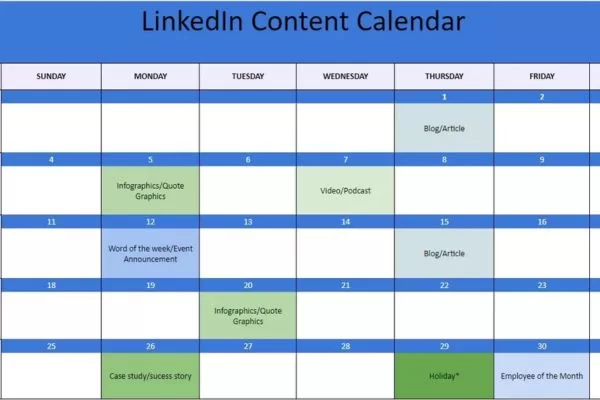
Meaning and purpose behind structured LinkedIn content planning
Advantages of a LinkedIn content calendar
Using a LinkedIn content calendar helps you plan posts more effectively and stay consistent over time. It also keeps your content organized, making your overall LinkedIn strategy easier to manage and scale.
More reliable posting rhythm
A LinkedIn content calendar helps you maintain a steady posting schedule without overwhelming your audience. It ensures your content appears regularly, improving visibility and engagement over time. Consistency becomes easier when everything is planned in advance.
By mapping posts ahead, you reduce daily decision-making and last-minute pressure. This structured approach keeps your workflow predictable and manageable. As a result, your LinkedIn presence feels more professional and reliable.
Hands-free posting
Manual posting requires constant attention and increases the risk of missed updates. Advanced scheduling tools allow you to prepare posts in advance and publish them automatically. This frees up time so you can focus on strategy instead of execution.
Automation also reduces human error and posting delays. Once content is scheduled, it goes live at the right time without extra effort. This makes long-term planning far more efficient.
Data-driven analysis
A LinkedIn content calendar provides a central place to monitor performance across posts. You can review real-time metrics to see what resonates with your audience. These insights help you adjust content quickly and strategically.
Tracking results in one system makes patterns easier to spot. You can identify top-performing topics, formats, and posting times. In the long run, decisions become more strategic and guided by data.
Evergreen content hub
A content calendar doubles as a storage hub for evergreen posts and creative assets. A well-maintained content calendar for LinkedIn makes it easy to reuse proven posts while keeping your strategy organized. Everything is organized in one place, making content easy to find and reuse. This eliminates wasted time searching through folders or email threads.
Having a centralized library also supports content repurposing. You can quickly update or reschedule high-performing posts. This keeps your strategy efficient and scalable.
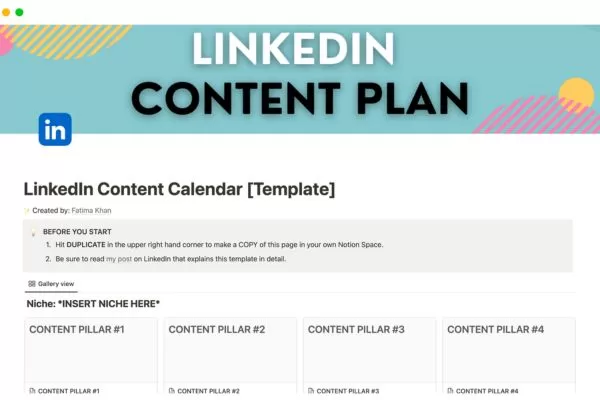
Key benefits of planning content ahead on LinkedIn
What components should your Linkedin content calendar have?
Before diving into the how-to section, it’s important to review the core elements every LinkedIn content calendar should have. The structure can vary based on your strategy size, team, and workflow. However, the following components are essential for effective planning:
- Date and time: The scheduled publishing moment
- Post type: The format of the content (story, update, thought, etc.)
- Post topic: The main subject of the post
- Target audience: The specific group the content is for
- Author: Who is responsible for creating the post
- Call-to-action (CTA): The action you want readers to take
- Assets: Images, videos, or supporting materials included
- Tags and hashtags: Keywords associated with the post
- Platforms (optional): Other platforms where the content will be shared
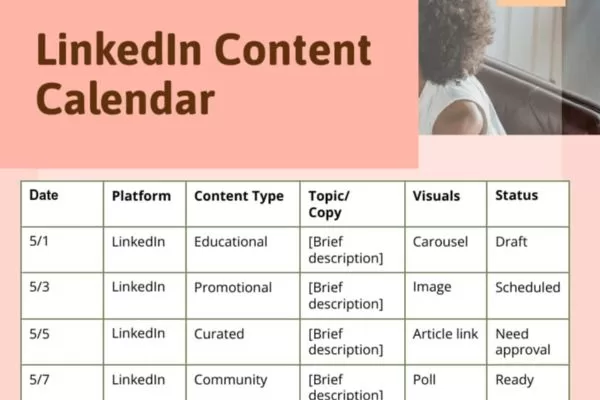
Essential elements every effective LinkedIn planning system needs
How to set up a Linkedin content calendar
Setting up a LinkedIn content calendar helps you plan posts in advance and stay consistent with your publishing schedule. It gives you a clear structure to organize ideas, assign tasks, and manage posting more efficiently.
Set your audience and content goals
Start by identifying who you want to reach on LinkedIn and what you want to achieve. A clear understanding of your audience helps you create relevant content, while a defined goal ensures every post supports a specific outcome such as awareness, engagement, or leads. For B2B brands, using a Linkedin content calendar template B2B helps align posts with longer sales cycles and decision-maker intent.
Develop content formats and relevant topics
LinkedIn content calendar once you clearly understand who you want to reach and why, you can start brainstorming post types and topics. A simple and effective method is to create a matrix using a spreadsheet. In the first column, list ten key problems your target audience faces.
Across the top row, add different content formats such as stories, how-to posts, giveaways, quick thoughts, and updates. Each cell then represents a potential topic that solves a specific problem using a specific format. This framework helps you generate scalable Linkedin content calendar ideas without relying on last-minute inspiration.
For example, if the problem is SaaS founders struggling with bookkeeping and the format is a giveaway, the topic becomes obvious. You could offer something like a free three-month accounting service tailored to SaaS founders. This scenario is a clear Linkedin content calendar example that shows how problems and formats combine into actionable post ideas.
Find the right Linkedin content calendar software
Spreadsheets can work, but they come with clear limitations compared to dedicated tools like Scheduled. Using a structured Linkedin content calendar template makes it easier to move from simple spreadsheets to scalable tools without losing clarity.
You can’t easily draft posts, track approvals, or see what’s scheduled to publish, and performance data quickly becomes hard to manage as metrics change over time.
With Scheduled, you can draft posts, move them through review and approval, and schedule publishing directly from Notion, all in one streamlined workflow LinkedIn content calendar.
Scheduled also preserves your post formatting during automated publishing, including text styles, images, and videos. Built-in analytics provide clear insights into post performance, helping you optimize results and build a more effective LinkedIn content calendar. One user, Clément Marianne from Gaspatch.io, even reduced costs by over 10× after switching to Scheduled without losing key features.
Develop and schedule content
With a well-defined strategy in place, you can begin filling your calendar with a diverse mix of content types and setting up automated publishing. At this stage, a reusable Linkedin content calendar template helps standardize how posts are written, reviewed, and scheduled. Using a dedicated tool like Scheduled allows you to write, edit, and schedule posts from one centralized platform, making the entire process smoother and more efficient.
When it comes to posting frequency, a steady rhythm of two to five posts per week helps maximize reach without overwhelming your audience when using a LinkedIn content calendar. This balance ensures your content stays visible in feeds while still leaving room for engagement on each post.
Once your content goes live, regularly review performance data to see which formats and topics resonate most with your audience. By adjusting your strategy based on these insights, you can strengthen your brand voice, focus on content that drives results, and build a loyal, engaged audience over time.
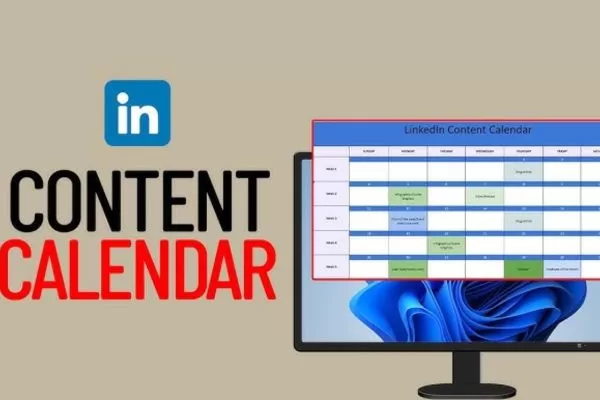
Step-by-step structure for organizing LinkedIn posting workflows
Top tools for managing a Linkedin content calendar
Using dedicated tools makes LinkedIn content planning more structured and manageable. They help streamline workflows and keep your strategy on track. This stage is often overlooked when explaining how to create a LinkedIn content calendar, but it strongly impacts execution.
LinkedIn Post Scheduler
A LinkedIn post scheduler helps you plan and publish posts in advance to maintain a consistent posting schedule. It ensures your content goes live at the right time without manual effort. This is especially useful for teams managing multiple campaigns or accounts.
These tools typically support scheduling posts for specific dates and times, along with bulk scheduling for faster planning. Many also include analytics to track engagement and performance over time. Buffer is a popular example that lets you schedule LinkedIn posts while providing insights to measure results and optimize future content.
Content creation AI
A content creation AI tool helps generate engaging and relevant ideas for your LinkedIn posts with less manual effort by supporting a LinkedIn content calendar. By using predefined themes or prompts, it enables faster content ideation while maintaining consistency in tone and messaging. This is especially helpful for marketers and creators producing content at scale.
Key features often include automated content generation, customizable templates for different post types, and direct integration with LinkedIn for easy sharing. Frase.io is a strong example, offering AI-assisted, SEO-friendly content creation with clear structure. It helps streamline writing while ensuring posts remain optimized and ready for publishing.
Platform for scheduling and monitoring social content
A social media management platform provides a centralized space to plan, schedule, and analyze content across multiple social channels, including LinkedIn. It helps streamline workflows by keeping all publishing and monitoring activities in one place. This makes it easier to manage consistent messaging across platforms.
LinkedIn content calendar key features typically include cross-platform content management, team collaboration tools, and detailed performance analytics. These capabilities support better coordination and data-driven decisions. Hootsuite is a well-known example that enables scheduling, monitoring, and analytics for LinkedIn alongside other social networks.
Hashtag research tool
A hashtag research tool helps improve LinkedIn visibility by identifying relevant and trending hashtags for your content. It ensures your posts reach the right audience and gain better exposure. This is especially useful for optimizing discoverability on LinkedIn.
Key features often include hashtag suggestions based on industry or topic, analysis of hashtag popularity and engagement, and seamless LinkedIn integration within a LinkedIn content calendar workflow. Hashtagify is a well-known example that allows you to discover, track, and analyze hashtags. It provides valuable insights into trends and performance to support smarter hashtags.
Analytics and reporting tool
An analytics and reporting tool helps you understand how effective your LinkedIn content strategy really is. It provides clear insights into post performance and audience behavior. This supports smarter decisions and strategic refinement.
Key features typically include detailed performance metrics for each post, audience engagement analytics, and actionable recommendations for optimization. Sprout Social is a strong example, offering robust reporting tools to measure LinkedIn performance and overall social media results.
Team workflow coordination tools
Key features often include hashtag suggestions based on industry or topic, analysis of hashtag popularity and engagement, and seamless LinkedIn integration to support a LinkedIn content calendar. Hashtagify is a well-known example that allows you to discover, track, and analyze hashtags. It provides valuable insights into trends and performance to support smarter hashtag use.
Key features often include task assignment and tracking, version control for content edits, and real-time collaboration. These tools make it easier to manage workflows and meet deadlines. Following Linkedin content calendar best practices helps teams stay aligned without slowing down production. Asana is a popular example that supports team collaboration, task management, and real-time communication for content teams.
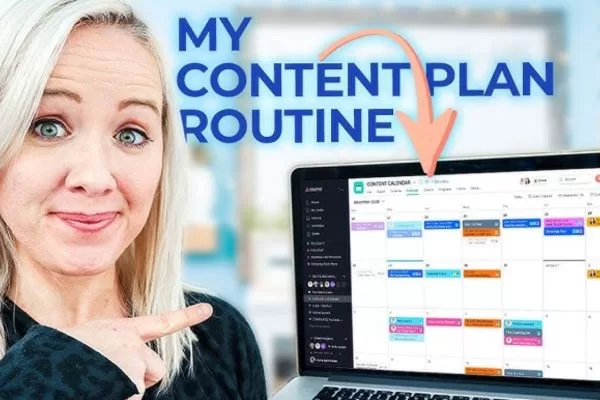
Popular tools that simplify LinkedIn content planning workflows
Proven practices for engaging LinkedIn content
Following best practices for engaging LinkedIn content helps your posts capture attention and encourage interaction. A clear strategy focused on value, relevance, and consistency can significantly improve engagement.
Leverage real-world moments
Storytelling creates stronger connections than polished messaging, as authenticity consistently drives engagement. Embracing unexpected moments and leaning into personality-driven stories can be more effective than playing it safe. The key takeaway is that being real and distinctive helps you stand out and stay memorable, even when feedback is unexpected in a LinkedIn content calendar.
Hook-driven opening that sparks curiosity
On LinkedIn, only the first one or two lines appear before a post is cut off, making your opening a make-or-break moment. This is where you need to hook the reader with a question, a bold opinion, or an eye-catching statistic. A strong first line creates curiosity and motivates people to click “see more” and keep reading.
Provide takeaways that support real action
Your audience isn’t looking for a diary or a play-by-play of your day; they want insights they can apply, share, or act on. Even when you’re telling a personal story, there should be a clear lesson or takeaway. The goal is to leave readers thinking, “This was genuinely useful to me.”
Build on content that already works
You don’t need to reinvent the wheel every week when a post already performs well. Repurpose strong ideas by changing the format, refreshing the insight, or adapting them for a slightly different audience. This approach helps extend reach, boost engagement, and turn passive readers into more active followers or leads within a LinkedIn content calendar.
Spark discussions that feel genuine
LinkedIn’s algorithm prioritizes engagement, especially comments, but generic prompts like “What are your thoughts?” rarely spark real discussion. Instead, design your post to invite responses naturally by sharing an opinion, posing a real dilemma, or highlighting a behind-the-scenes moment with others involved. When the context feels authentic, people jump in organically, turning the comment section into an active conversation rather than forced engagement.
Proven principles behind high-performing LinkedIn content engagement
Frequently asked questions (FAQs) about Linkedin content calendars
Below are some of the most common questions people ask when planning and managing LinkedIn content. These answers will help you understand how content calendars work and how to use them effectively.
What exactly is a LinkedIn content calendar?
A LinkedIn content calendar is a planning system used to organize, schedule, and manage LinkedIn posts in advance. It helps you map out what to post, when to post, and what goal each post supports. Using one makes your content strategy more consistent and easier to scale.
What makes a content calendar useful for LinkedIn?
A content calendar helps you stay consistent without posting randomly or forgetting to publish. It reduces last-minute stress and improves content quality by allowing more time for planning and review. Over time, this leads to better engagement and stronger results.
What is the ideal planning timeframe for LinkedIn content?
A content calendar is typically planned on a weekly or monthly basis, depending on how complex your workflow is and how often you publish. Planning at least one month ahead gives you enough flexibility to react to timely topics while still staying organized within a LinkedIn content calendar. This approach helps balance structure with adaptability, allowing you to stay consistent without feeling restricted.
Can individuals benefit from using a content calendar?
Yes, content calendars are just as useful for individuals and small teams as they are for large organizations. Even a simple setup can help solo creators stay organized and consistent. The key is choosing a system that fits your scale and resources.
Which platforms help organize LinkedIn posting schedules?
A LinkedIn content calendar can be managed using spreadsheets, Notion, or dedicated scheduling tools. Advanced platforms offer automation, analytics, and collaboration features to streamline workflows. The best tool depends on your posting frequency, team size, and reporting needs.
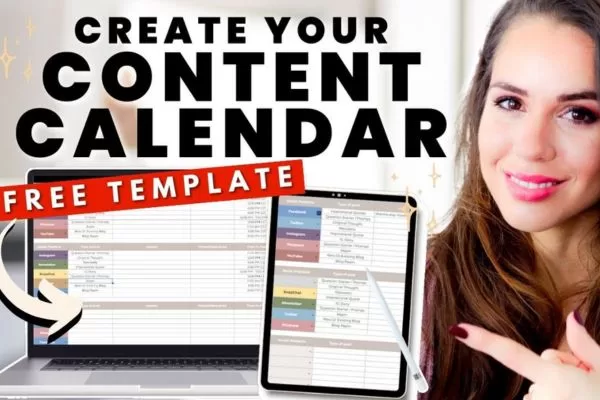
Common questions around planning and scheduling LinkedIn content
Conclusion
LinkedIn content calendar helps you plan strategically, stay consistent, and create content that drives meaningful engagement over time. By organizing ideas, schedules, and performance insights in one system, you can focus more on quality and results.
If you’re looking to build a scalable LinkedIn strategy, On Digitals can help you turn planning into measurable growth.
Read more