
Cumulative Layout Shift: Practical Guide for SEO and Business Decisions
Vincent
14/01/2026
44
Cumulative Layout Shift is a Core Web Vitals metric that measures unexpected visual movement during a page visit. In 2026, SEO teams should treat CLS as part of a broader Core Web Vitals optimization workflow, especially when reviewing mobile UX, ad slots, embedded content, font loading, and conversion paths where layout shifts can create misclicks or user hesitation.
What Cumulative Layout Shift means and when it matters
Cumulative Layout Shift measures how much visible content moves unexpectedly while users view a page. It matters when a visitor starts reading, tapping, or filling a form, then the layout jumps because late-loading content changes the page structure.
Web.dev defines CLS as a metric for visual stability. A good CLS score is 0.1 or less, while a score above 0.25 is poor. Google recommends meeting the good threshold for at least 75% of page visits.
CLS is different from a planned animation. A menu expanding after a user taps it is expected. A banner pushing the CTA downward while the user is about to click is a layout stability issue.
| CLS situation | User impact | Business risk |
| Hero image loads late | Content jumps downward | Weak first impression |
| Ad slot changes size | Reading flow breaks | Lower trust |
| Form field shifts | Tap lands in wrong place | Lead loss |
| Font swap moves text | Paragraph reflows | Poor readability |
| Embed appears late | Page structure changes | Session friction |
CLS matters most on mobile because small screens make shifts easier to feel. A minor movement on desktop can become a frustrating interruption on a narrow viewport.
Why Cumulative Layout Shift affects SEO, user experience, and conversions
Cumulative Layout Shift affects SEO because visual stability is part of Core Web Vitals. It affects user experience because shifting content makes a page feel unreliable. It affects conversions when forms, buttons, product options, or ad placements move during the decision path.
Google lists CLS as one of the Core Web Vitals alongside LCP and INP. The recommended threshold for CLS is 0.1 or less.
For marketers, CLS should be read as a behavior risk. If a CTA shifts after the user starts moving toward it, the page creates hesitation. If a product option moves because an image finishes loading late, the user may lose confidence.
| Page type | CLS risk | Priority level |
| Landing page | CTA movement | High |
| Product page | Variant selector shift | High |
| Blog article | Reading interruption | Medium |
| Publisher page | Ad slot movement | High |
| Service page | Form movement | High |
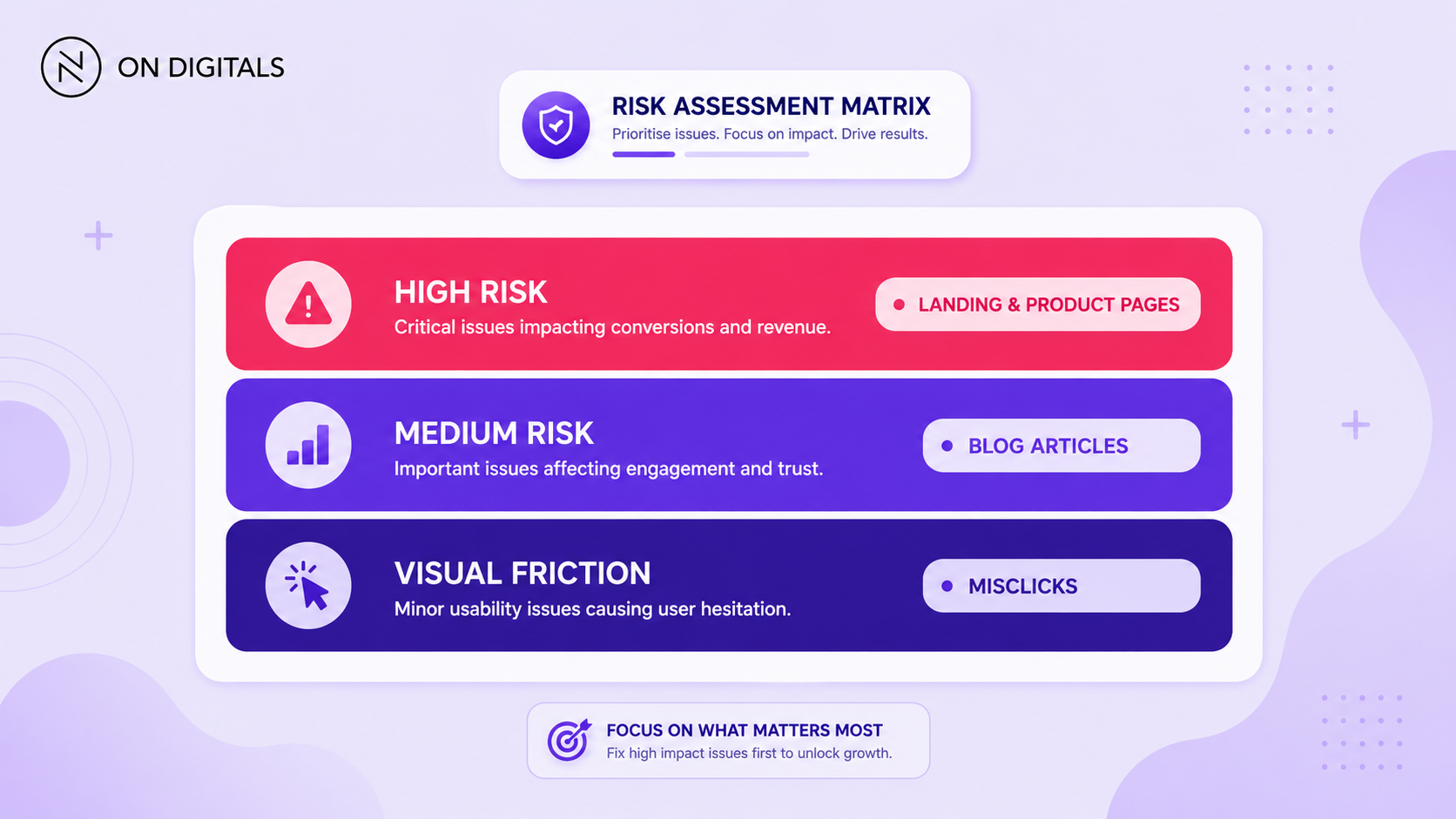 CLS is a severe behavioral risk. If a call-to-action or product option moves unexpectedly, it directly causes misclicks, hesitation, and lost leads on your highest-priority pages.
The PSI score can hide the real issue if teams only look at the number. A page needs stable content where users make decisions, especially above the fold and near conversion elements.
Minimize layout shift from ads and late-loaded content
Late-loaded content is one of the most common causes of CLS. Ads, embeds, review widgets, cookie banners etc. often arrive after the first paint. When the page has no reserved space, existing content moves.
Google Publisher Tag documentation explains that layout shift can occur when a visible element changes position or size, which then affects surrounding content. Dynamic ad behavior can create serious usability problems when containers are not planned properly.
For ad-heavy pages, the fix starts with slot planning. Reserve enough space before the ad request happens. Avoid placing unstable slots directly above key content or CTA areas.
| Late element | CLS prevention |
| Display ad | Reserve slot height |
| Video embed | Use aspect-ratio container |
| Review widget | Load inside fixed wrapper |
| Cookie banner | Overlay instead of pushing content |
| Social embed | Reserve expected block space |
For publishers and ecommerce sites, CLS is often a revenue trade-off issue. Ads and widgets can support monetization, while unstable implementation can reduce trust. The better approach is to keep the element while controlling its layout impact.
How Cumulative Layout Shift is measured
CLS is measured from unexpected layout shifts that happen during a page visit. The browser watches visible elements and calculates how much the layout moved. The score reflects the impact of the movement and the distance it traveled.
Web.dev explains that the Layout Instability API reports a layout-shift entry when a visible element changes its start position between two frames. Unstable elements are the visible elements that moved.
A lower score means the page stayed more stable. A higher score means users saw more unexpected movement.
| CLS range | Interpretation | Action |
| 0.1 or less | Good | Monitor |
| Above 0.1 to 0.25 | Needs improvement | Review templates |
| Above 0.25 | Poor | Prioritize fixes |
Field data and lab data may differ. Field data reflects real user visits. Lab data shows what happens in a controlled test. If Search Console flags CLS but Lighthouse does not, test several real pages from the same template and inspect how ads, fonts, or dynamic blocks behave.
Optimize Cumulative Layout Shift with page-level fixes
The best CLS fixes usually happen at template level. Fixing one URL helps only if the issue is isolated. When the same component appears across service pages, product pages, or articles, the team should treat it as a shared layout rule.
Start with the component that moves first. Then check whether that component appears near a high-value action. A small shift in the footer is usually less urgent than a shift above the main CTA.
| Cause | Fix direction |
| Image without dimensions | Add width, height, or aspect-ratio |
| Late banner | Reserve space or use overlay |
| Font swap | Preload key font and tune font-display |
| Embed injection | Set wrapper dimensions |
| Ad refresh | Keep container size stable |
| Dynamic form block | Load placeholder before content |
For mobile pages, pay close attention to above-the-fold content. A shift near the first CTA can hurt conversion even when the total CLS score looks moderate.
Step-by-step framework for marketers and SEO teams
A CLS workflow should start with real-user impact, then move into element diagnosis. This keeps the fix tied to user experience instead of turning the audit into a generic performance checklist.
Use this workflow:
- Choose priority pages
Start with pages that support leads, sales, paid campaigns etc. - Check field data first
Use PageSpeed Insights or Search Console Core Web Vitals to see whether real users are affected. - Find the moving element
Use DevTools Performance recording or Lighthouse diagnostics to locate layout shifts. - Match the shift to a page component
Identify whether the issue comes from media, ads, fonts, banners, embeds etc. - Reserve layout space
Add dimensions, wrappers, aspect-ratio rules, or placeholders before the element loads. - Validate on mobile
Test the same page on mobile viewports because shifts often feel worse there. - Retest the template
Check several pages from the same template before marking the fix complete. - Monitor field data
Lab results can improve quickly. Field data needs real visits before the trend changes.
This framework gives SEO, design, and development teams a shared way to discuss CLS. It also helps the team decide whether one URL needs a fix or the whole template needs cleanup.
Common mistakes, risks, and quality checks
Most CLS mistakes happen when teams fix visible symptoms without reserving layout space. The page may look fine during one desktop test, while mobile users still see movement because a widget, font, or banner behaves differently in production.
Use this QA table before publishing:
| Mistake | Risk | Better action |
| Checking desktop only | Mobile shifts remain hidden | Test mobile first |
| Ignoring ad slots | Publisher pages stay unstable | Reserve ad containers |
| Loading embeds without wrappers | Content jumps late | Add fixed containers |
| Relying only on Lighthouse | Field issues may be missed | Check CrUX or GSC |
| Optimizing images without dimensions | Shift remains | Add sizing attributes |
| Fixing one URL only | Template issue continues | Test URL group |
A good CLS fix should answer one question: which visible element moved, and how did the fix reserve space before users saw the page?
If that answer is unclear, the task needs better diagnosis before development starts.
Tools and metrics to review before publishing
CLS review works best with a focused tool stack. PageSpeed Insights shows page-level lab and field context. Search Console groups URLs with real-user Core Web Vitals issues. Chrome DevTools helps identify the element that moved.
| Tool | Role | Best use |
| PageSpeed Insights | Field and lab view | Page-level CLS review |
| Search Console CWV report | URL group monitoring | Template prioritization |
| Chrome DevTools | Layout shift inspection | Debugging |
| Lighthouse | Lab audit | Pre-release QA |
| WebPageTest | Filmstrip view | Visual shift review |
Review these areas before launching a template update:
- CLS score for mobile.
- Shift locations near CTA blocks.
- Image and video dimensions.
- Ad container behavior.
- Font loading behavior.
- Embed placeholders.
- Cookie banner placement.
This release check helps prevent CLS from returning after design changes. It also keeps visual stability connected to user actions, not just a technical score.
FAQ about Cumulative Layout Shift
What is a good CLS score?
A good CLS score is 0.1 or less. A score above 0.25 is considered poor, while values between those ranges need improvement. Google recommends meeting the good threshold for at least 75% of page visits.
What causes high Cumulative Layout Shift?
High CLS often comes from images without dimensions, ad slots that resize, embedded content that loads late, font swaps, or dynamic blocks inserted above existing content. The issue appears when the browser has to move visible elements after users have already started viewing the page.
How do I reduce CLS on mobile?
Start with the mobile PSI report, then identify the element that moves. Reserve space for images, ads, embeds etc. Review font loading and avoid placing unstable dynamic blocks above key conversion areas. Test the template across several mobile pages before closing the task.
Do ads affect CLS?
Ads can affect CLS when their containers resize after the page starts rendering. Google Publisher Tag guidance recommends planning ad slot behavior to reduce unexpected layout movement. Stable ad containers help protect both user experience and monetization.
Does CLS affect SEO rankings?
CLS is part of Core Web Vitals, which contributes to Google’s page experience signals. A better CLS score helps create a more stable page experience. SEO performance still depends on intent fit, content value, authority, and other systems.
Conclusion
Brands should use CLS to protect mobile trust and conversion paths.
Cumulative Layout Shift should help teams find the parts of a page that feel unstable to users. A strong workflow starts with field data, identifies the moving element, then fixes the template so key content stays in place.

NEWEST POSTS
- Advertising Industry In Vietnam: The 2026 Trends, Channels and Market-Entry Strategy
- Best SEO Company in Vietnam: Latest Shortlist For Businesses
- How To Leverage Social Media For Customer Service Like A Pro?
- Social Media Post Tips – 8 Ways To Boost Engagement
- How To Use Social Media for Sales – In-depth Beginner Guide
Read more