
How to Use Google Trends for YouTube: Topic Research and Upload Timing
Vincent
20/01/2026
34
Google Trends for YouTube is the YouTube Search filter inside Google Trends that shows video search interest by keyword, country, and time range. YouTube creators and B2B marketing teams use it to validate video topics, detect rising queries, plan upload timing, and select regional targets before producing new content.
What is Google Trends for YouTube?
Google Trends for YouTube is a search filter inside Google Trends that switches the data source from Google Web Search to YouTube Search.
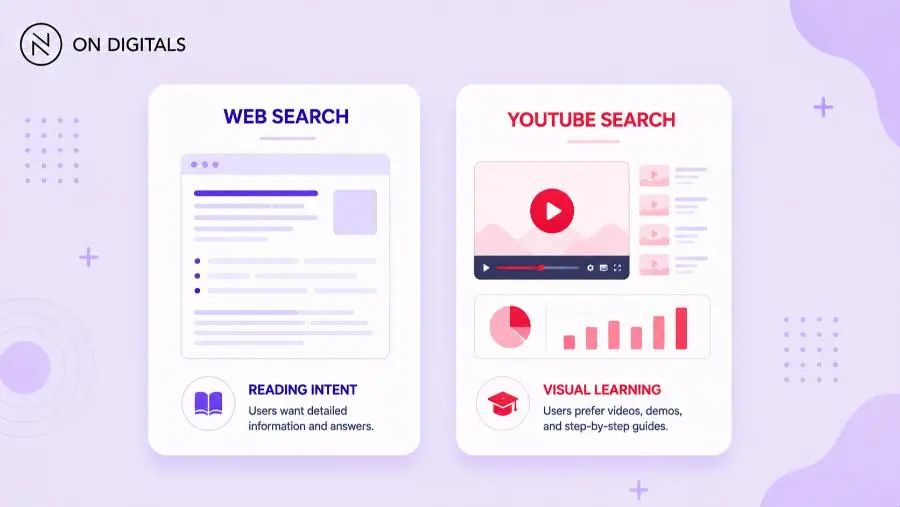
The filter sits in the Search type dropdown at the top of any Google Trends results page. Switching from Web Search to YouTube Search pulls a separate dataset based only on queries entered inside YouTube. Web Search and YouTube Search often disagree on the same keyword because user intent inside YouTube leans heavily toward visual learning, tutorials, reviews, and entertainment.
Interest scores range from 0 to 100 and are relative, not absolute. A score of 100 marks the peak interest for the selected keyword and timeframe. Two keywords compared on the same chart share the same scale, but the score does not represent search volume in numeric terms.
Tools such as vidIQ, TubeBuddy, or YouTube Studio Search Insights can complement Trends when teams need volume estimates.
Why YouTube creators and B2B marketers should use Google Trends?
YouTube creators use Google Trends to confirm that a video idea has real audience demand before scripting and shooting. The tool also signals when interest is declining, helping teams retire weak topics early instead of investing production hours into a fading trend.
Producing video without demand validation is one of the costliest mistakes on YouTube. A single B2B explainer typically takes 8 to 20 hours across scripting, filming, editing, and thumbnail design. Filtering Google Trends through the YouTube lens reduces the risk of investing those hours into a topic that no audience is actively searching for.
For B2B marketers, the YouTube filter is particularly useful for ABM and product-marketing content. Topics like ERP implementation timeline, Salesforce vs HubSpot, or SaaS pricing models often have very different YouTube curves compared to web search.
Visual learning intent is stronger for setup, comparison, and demo content, which makes YouTube a high-value channel for top-of-funnel education and bottom-of-funnel buyer validation.
How young audiences search differently across platforms?
Research into search trends among Gen Z and younger millennials shows that YouTube is increasingly used as a how-to and long-form discovery engine, while TikTok serves entertainment and short-answer intent, and Google remains dominant for transactional and research-heavy queries.
This means:
- A topic trending on TikTok may arrive on YouTube 2 to 4 weeks later as audiences seek more depth on the same subject.
- A topic ranking on Google web search may never appear as a YouTube trend if the intent is primarily reading-based.
- Google Trends YouTube Search can function as an early signal for topics that are crossing from short-form social into long-form video demand.
For creators, this platform migration pattern is a content opportunity. If a topic is spiking on general web search but has only moderate YouTube interest, you may be early. If YouTube Search interest is already high, you are entering a competitive space. Understanding where a topic sits in that journey helps you time your content better.
How to access YouTube data inside Google Trends?
To pull YouTube-specific data inside Google Trends, change the Search type filter from Web Search to YouTube Search at the top of any results page. Then adjust country, time range, and category to match your channel audience. The chart refreshes to show interest scores based only on queries typed inside YouTube, plus separate related-topic and related-query panels.
- Open trends.google.com and enter a primary keyword.
- Click the Web Search dropdown above the chart.
- Select YouTube Search.
- Set country to your target market or Worldwide for global topics.
- Set time range to Past 12 months for tactical planning or Past 5 years for seasonality.
- Review the Related topics panel for broader audience interests.
- Review Related queries sorted by Rising to find emerging searches.
- Cross-check rising queries against YouTube Search autosuggest before scripting.
How to find rising video topics with Google Trends?
Rising video topics appear in the Related queries panel when sorted by Rising instead of Top. Queries labeled Breakout had a search increase of over 5,000%, while percentage labels show smaller spikes. Creators should cross-check rising queries against YouTube Search autosuggest to confirm that the spike is video-driven rather than driven by a news headline that will fade within days.
Breakout queries are powerful but volatile. A Breakout label means the query had close to zero baseline before the spike, which often signals either a genuinely emerging topic or a one-time news event. An algorithm update, product launch, or celebrity mention can push a query into Breakout for a week and then disappear.
To separate evergreen rising topics from short-lived spikes, compare the past 90 days against the past 5 years. If the rising query also appears stable across the longer timeframe, it is a stronger candidate for video investment. Topics tied to recurring events such as annual industry conferences, fiscal year cycles, or product launch seasons usually show clean repeating patterns.
How to time YouTube uploads using Trends data?
Upload timing affects how YouTube’s recommendation system distributes a new video during its first 24 to 48 hours. Google Trends reveals weekly and seasonal demand patterns when the time range is set to Past 5 years. For B2B topics like year-end marketing budget, demand often spikes between October and January, so videos published in September can capture early-cycle search interest.
Seasonality is one of the most underused signals in YouTube planning. A clean annual curve usually means the topic has predictable demand, while a flat line suggests evergreen demand that benefits more from format quality and SEO than from timing. Spiky charts with no pattern usually point to news-driven topics that need rapid-response publishing.
Weekly cycles also matter for B2B audiences. Business decision-makers search heavily Tuesday through Thursday, while consumer entertainment topics peak on weekends. Publishing one to three days before the expected demand peak gives the recommendation system time to test impressions during the rising portion of the curve.
How to combine Google Trends with YouTube Studio?
Google Trends shows public search demand, while YouTube Studio Search Insights shows what your existing audience types into YouTube and into your channel. Used together, they reveal demand that is broad but not yet covered by your channel, and demand that your audience signals but you have not addressed. The overlap is where new video topics typically convert subscribers and watch time fastest.
| Aspect | Google Trends YouTube filter | YouTube Studio Search Insights |
| Data scope | All YouTube users in the selected country | Your channel and your audience |
| Volume metrics | Relative interest score (0–100) | Search volume buckets and trend lines |
| Best use | Topic validation, seasonality, regional targeting | Content gap, viewer-specific demand |
| Time range | 2008 to present | Last 28 days and last 365 days |
| Audience signal | Public market signal | First-party channel signal |
Common mistakes when using Google Trends for YouTube
- Reading the 0 – 100 score as absolute search volume instead of relative interest.
- Ignoring the Search type filter and using Web Search data for YouTube decisions.
- Building a plan from a short window such as past 7 days, which exaggerates noise.
- Trusting Breakout queries without checking whether they are news-driven.
- Comparing two keywords across different regions or timeframes without normalizing.
- Skipping cross-validation with YouTube autosuggest and YouTube Studio Search Insights.
- Targeting a global trend without confirming that the chosen country shows the same curve.
Frequently Asked Questions (FAQs)
Does Google Trends show actual YouTube search volume?
Google Trends does not show absolute search volume. The 0–100 score is relative interest within the selected time range, region, and category, normalized to its peak. For absolute volume estimates, creators usually combine Trends signals with YouTube autosuggest depth, vidIQ, TubeBuddy, or YouTube Studio Search Insights before scripting a video.
How is Google Trends for YouTube different from Web Search Trends?
Web Search shows queries typed into Google, including informational, navigational, and transactional intent. YouTube Search shows queries typed directly inside YouTube, which lean toward how-to, tutorial, review, and visual learning intent. The same keyword can have very different curves in each source, so creators should always use the YouTube filter when planning videos.
Can B2B marketers use Google Trends for YouTube?
Yes. B2B marketers use Google Trends for YouTube to validate explainer videos, demos, customer-story videos, and thought-leadership episodes. The filter confirms whether decision-makers search YouTube for the topic, instead of only reading articles. It is especially useful for SaaS, manufacturing, and finance, where visual learning demand is strong for setup and comparison content.
How far back does Google Trends YouTube data go?
Google Trends YouTube data is available from 2008 onward, when the YouTube search filter was added. Web Search data extends back to 2004. For long-term seasonality, creators can set the time range to 2008 to present to confirm whether a topic has stable demand, a clear annual cycle, or a one-time spike tied to an external event.
Should Google Trends drive the full YouTube content plan?
No single tool should drive a full content plan. Google Trends is best used as a validation layer alongside YouTube Studio Search Insights, audience comments, competitor channel analysis, and the channel’s own publishing data. Used together, these sources reveal both market-level demand and channel-specific demand, leading to stronger topic and timing decisions.

NEWEST POSTS
- Advertising Industry In Vietnam: The 2026 Trends, Channels and Market-Entry Strategy
- Best SEO Company in Vietnam: Latest Shortlist For Businesses
- How To Leverage Social Media For Customer Service Like A Pro?
- Social Media Post Tips – 8 Ways To Boost Engagement
- How To Use Social Media for Sales – In-depth Beginner Guide
Read more