
How To Do A SEO Audit That Turns Findings Into a Growth Roadmap?
Vincent
20/03/2026
26
A SEO audit reviews how a website is crawled and measured. It checks all the technical, on-page and off-page elements. For B2B and ecommerce teams, the goal of SEO audit is simple: know what to fix first and why it matters.
Most audit guides stop at the checklist, and that approach will not contribute to the best strategy; instead, a practical gap. It’s all because teams still need to decide which issue gets the budget first. A better audit connects evidence with business impact, then gives each task an owner and roadmap.
What is a SEO audit?
A SEO audit is a health check for how well a site can be found and measured in search. It reviews the technical setup and the page experience. It also checks whether content matches search intent and whether organic traffic creates business value.
A basic website SEO audit answers three questions:
- Can search engines access the right pages?
- Do those pages satisfy the query better than competitors?
- Can the business measure leads, sales, or assisted revenue from organic traffic?
That last question matters. Ranking recovery is useful only when the team can connect visibility with pipeline or revenue.
When should you run a SEO audit?
Run a SEO audit before strategy decisions and after traffic drops. It is also important before migrations or major website changes. For active SEO programs, a quarterly audit plus a monthly Search Console review catches problems before they become expensive.
Common triggers include:
- Organic conversions decline for more than two reporting cycles.
- A Core Update changes rankings across a topic cluster.
- A new CMS or language version is about to launch.
- Product or service pages grow faster than the internal-link structure.
- GA4, Google Tag Manager, or CRM attribution looks inconsistent.
- Competitors start winning featured snippets or AI Overview citations.
Large ecommerce or multilingual sites need a recurring audit process. Smaller B2B sites can usually combine quarterly audits with light monthly checks.
What tools do you need for a SEO audit?
You can start with some SEO tools. A complete workflow still needs evidence from crawlers and search platforms. Add analytics and speed testing, then use backlink context plus SERP comparison to make better decisions.
Free tools are enough for the first pass. Paid tools help when the site has many URLs or complex competitors.
How to do a SEO audit in 12 steps?
To do a SEO audit well, start with access and measurement. Then move into technical health, content quality, authority, and roadmap planning. This order avoids a common mistake: polishing titles before checking whether Google can index the page.
Step 1: Set the audit goal and business baseline
Define what the audit must protect or improve before opening a crawler. A blog refresh audit does not use the same metric as an ecommerce category audit or B2B lead audit.
Record the baseline:
- Organic sessions and engaged sessions in GA4.
- Leads, purchases, quote requests, or assisted conversions.
- Top landing pages by clicks and conversions.
- Priority keywords, services, products, or locations.
- Recent migrations, tracking changes, or campaign launches.
This step gives every finding context. A canonical issue on a high-revenue category page is not equal to a missing description on an old announcement.
Step 2: Crawl the site and map technical errors
Run a crawl to find broken pages and blocked paths. Check redirects and canonicals first. Then review duplicate URLs, missing tags, and broken internal links. Export the list, then separate urgent blockers from minor warnings.
Focus first on errors that affect discovery:
- 4xx or 5xx pages linked from important templates.
- Indexable duplicates from filters or parameters.
- Important pages blocked by robots.txt or noindex.
- Canonical conflicts on commercial pages.
- XML sitemap URLs that do not match the indexable page set.
For JavaScript-heavy sites, add a rendered crawl. If Google sees less content than users see, the fix is rendering support rather than another keyword rewrite.
Step 3: Check indexing in Google Search Console
Search Console shows whether Google is indexing the pages the business cares about. Compare submitted sitemap URLs with indexed and excluded pages, then match that data with the crawl results.
Review these reports:
- Page indexing: crawled but not indexed, discovered but not indexed, duplicate, alternate canonical, or excluded by noindex.
- Sitemaps: submitted URLs, processing errors, and outdated files.
- Manual actions and security issues: urgent risks that need immediate response.
- Core Web Vitals: page groups affected by LCP, INP, or CLS.
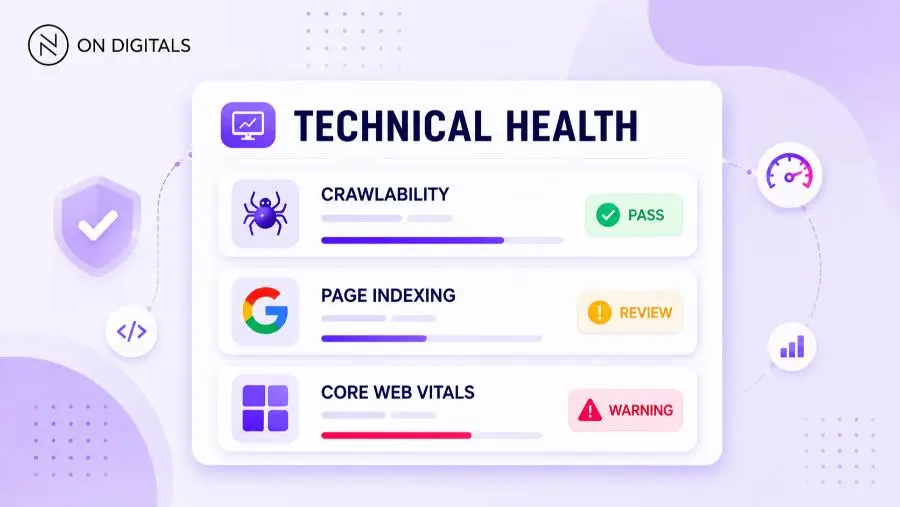
Do not panic over every excluded URL because faceted filters and login pages often should stay out of the index. The problem appears when service pages or strong articles are excluded without intent.
Step 4: Review site architecture and internal links
Internal links show Google how pages relate to each other. They also move authority from strong pages to pages that need support. A clear architecture helps service pages work with supporting blogs and case studies as one topic cluster.
Check whether important pages are reachable within three to four clicks from relevant hubs, then review anchors and breadcrumbs. Orphan pages, navigation gaps, and weak pillar-to-spoke links need separate review.
For On Digitals-style topic clusters, the pattern should be clear:
- Pillar page explains the broad service or strategy.
- Spoke articles answer narrower questions.
- Supporting blogs link back to the pillar with descriptive anchors.
- Service pages receive links from content that supports buyer intent.
Avoid forcing exact-match anchors. Descriptive anchors such as “technical SEO audit process” are safer and more useful.
How to audit content quality and search intent?
A content audit compares each page with its target query and business role. The goal is not to make every page longer. The real decision is page status: keep, update, merge, redirect, or rebuild.
Start with pages that already get impressions, clicks, leads, or backlinks. These assets usually recover faster than pages with no demand and no authority.
Step 5: Identify declining pages and keyword gaps
Use Search Console to compare the last 3 months with the previous 3 months. Filter for pages losing clicks or impressions, then review competitor keyword gaps where rivals rank and your site has no strong page.
Group findings by intent:
- Informational queries need a guide, checklist, or FAQ.
- Commercial investigation queries need comparison and partner selection criteria.
- Service queries need trust proof, process, and a clear CTA.
- Branded or local queries need stronger entity and location signals.
This grouping prevents cannibalization because two articles should not answer the same intent unless each has a clear role.
Step 6: Evaluate on-page SEO and snippet readiness
Review titles and meta descriptions first. Then check headings, image alt text, internal links, and schema. Each page should make the main answer clear in the first 100 words. Each major section should stand alone when copied into a search result or AI answer.
Check these details:
- Title tag: keyword near the front with a clear value.
- H1: different from the title and specific to the page angle.
- GEO paragraph: 40–60 words after H1 with concrete facts.
- H2 openings: 40–80 words that answer the section first.
- FAQ: placed before the conclusion with standalone answers.
A modern page also needs snippet-ready passages. Add direct answers and factual examples that search engines can quote without guessing context.
Step 7: Check content usefulness and E-E-A-T signals
Google is trying to judge whether a page is useful and credible. Keyword presence is only one signal. The audit should ask whether the page has real experience behind it.
Look for:
- Original examples, screenshots, workflows, or templates.
- Clear author or brand expertise.
- Practical warnings about common mistakes.
- Updated references to current tools or platform changes.
- A CTA that matches the reader’s stage.
For SEO topics, the article should practice what it teaches. A page about audits should have direct answers and internal-link logic. It also needs FAQ and a clear roadmap.
How to audit authority, backlinks, and brand signals?
A backlink audit checks whether the site has enough authority to compete. It also protects valuable equity from broken pages and risky link patterns. The goal is to recover useful signals and understand where competitors have stronger proof.
Useful checks include:
- Reclaim broken backlinks by redirecting or restoring linked pages.
- Review suspicious link spikes before assuming they are harmful.
- Compare competitor links for digital PR or partner opportunities.
- Track brand mentions that could become links or entity signals.
- Check local citations and reviews for location-based businesses.
If the site operates in Vietnam or Southeast Asia, local context matters. Regional media mentions and bilingual content may influence discovery even when they are not classic SEO backlinks.
How to audit analytics, conversions, and SEO ROI?
A SEO audit is incomplete if it cannot show which fixes may improve business outcomes. Organic traffic without reliable conversion tracking leaves the team guessing which pages deserve budget.
Review GA4, Google Tag Manager, and CRM handoff before finalizing priorities. At minimum, confirm that forms and key engagement events fire correctly. For ecommerce, check purchase events and product revenue attribution.
Then connect SEO issues to measurable outcomes:
| Finding | Evidence | Business Impact | Priority |
| Service page excluded from index | Search Console report | Lead page cannot rank | Critical |
| Duplicate blog intent | Query overlap | Visibility is split | High |
| Slow category page | PageSpeed and CWV data | Ranking and conversion risk | High |
| Missing FAQ | SERP has People Also Ask | Lower snippet readiness | Medium |
| Backlinks point to 404 pages | Backlink export | Lost authority | Medium |
This is where the audit becomes useful for leadership because the team can see why a fix matters and who owns the next action.
How to prioritize SEO audit findings?
Prioritize findings by impact and urgency. Then weigh effort against risk and business relevance. This framework keeps the team from spending weeks on cosmetic tasks while serious indexation or tracking issues wait behind minor metadata edits.
Use a simple scoring model:
| Score factor | Question | High score means |
| Impact | Will this affect traffic or leads? | Important pages are affected |
| Urgency | Is there an immediate indexing or security risk? | Delay creates measurable loss |
| Effort | How hard is the fix? | Low effort can ship fast |
| Risk | Could the change break UX or tracking? | Testing is needed |
| Revenue relevance | Does the page support a product or service? | Commercial value is clear |
A practical roadmap should include three groups:
- Fix now: blocked pages, broken tracking, and serious crawl errors.
- Fix next: content refreshes, internal links, schema, and Core Web Vitals groups.
- Monitor or backlog: minor metadata gaps and low-value pages.
How AI search changes the SEO audit process?
AI search adds another layer because visibility can happen through answers and citations. The audit should check whether answer engines can understand the brand and its key pages. Service names and entity signals need to be clear.
Start with pages that target informational or decision-stage queries. Review whether each page has concise answers and clear entities. Credible examples and structured sections should support the page. Add schema where it improves context, then run these checks:
- Does the page answer the main question within the first 100 words?
- Are H2 sections written as independent answers?
- Are service names, tools, locations, and brand entities clear?
- Does schema support Article, FAQPage, Service, or Organization context?
- Do AI tools mention competitors more clearly than your brand?
- Are claims conservative enough to be trusted and cited?
AI visibility should not replace technical SEO, but it gives teams another reason to make pages clearer and more factual. Strong pages are also easier to quote.
What should a SEO audit report include?
A SEO audit report should help decision-makers move from evidence to action instead of reading like a long export of warnings. The best format shows each issue with proof, affected pages, business impact, and a recommended fix. Add owner, priority, and timeline so the work becomes accountable.
A strong report usually includes:
- Executive summary: what works, what is risky, and what to fix first.
- Baseline: traffic, conversions, rankings, and index coverage.
- Technical findings: crawlability, speed, sitemaps, canonicals, and redirects.
- Content findings: intent gaps, cannibalization, decay, and E-E-A-T.
- Authority findings: backlinks, mentions, and competitor authority gaps.
- Analytics findings: GA4 events, conversion paths, and reporting issues.
- AI visibility findings: answer readiness, entities, FAQ, and schema.
- Roadmap: 30/60/90-day plan with owners and expected KPI movement.
For agency-client work, this structure makes accountability easier because SEO, content, design, and development teams can see where to help.
30/60/90-day SEO audit roadmap
After the audit, turn recommendations into a phased roadmap. Remove blockers first, rebuild quality next, then measure impact before the next cycle.
| Timeline | Focus | Typical actions |
| Day 1-3 | Stabilize | Fix index blockers, tracking errors, broken high-value links, sitemap issues |
| Day 31-60 | Improve | Refresh declining pages, merge cannibalized content, strengthen internal links |
| Day 61-90 | Grow | Build missing content, pursue authority opportunities, test AI optimization |
Keep the roadmap realistic because if every issue is urgent, nothing is truly prioritized.
FAQs
How long does a SEO audit take?
A small website can be reviewed in 1–3 days if tracking and access are ready. A mid-sized B2B or ecommerce site usually needs 1–2 weeks. Large or JavaScript-heavy websites may need more time because crawl depth and stakeholder review are more complex.
Can I do an SEO audit for free?
Yes. Start with Google Search Console and GA4, then add PageSpeed Insights plus manual SERP review for the first pass. These free tools can reveal indexing and speed gaps. Paid platforms help with competitor data and backlink review. They also make scale and recurring reports easier.
What is the difference between a technical SEO audit and a full SEO audit?
A technical SEO audit focuses on crawlability, indexation, and speed. It also reviews canonicals, redirects, sitemaps, schema, and architecture. A full SEO audit adds content quality and search intent. It also reviews backlinks and competitors. Analytics, conversions, and prioritization turn the audit into a business plan.
How often should a business run a SEO audit?
Run a full audit at least twice a year, or quarterly if SEO is a major growth channel. Also audit before migrations or after major algorithm changes. Run another review when organic conversions decline.
What should I fix first after a SEO audit?
Fix issues that block indexing or break tracking first, especially when high-value pages are affected. After that, prioritize content decay and cannibalization. Internal links and Core Web Vitals should follow based on business value. AI/snippet readiness belongs in the same priority review.
Conclusion
If you only take one idea from this guide, remember a SEO audit is only finished when the team knows what to fix first and how success will be measured.
That is where On Digitals usually starts the conversation. Our team reviews technical SEO and content quality as one growth system. Moreover, tracking and UX sit inside the same plan, as well as AI visibility, which lets us turn findings into a practical roadmap for your website.

NEWEST POSTS
- Advertising Industry In Vietnam: The 2026 Trends, Channels and Market-Entry Strategy
- Best SEO Company in Vietnam: Latest Shortlist For Businesses
- How To Leverage Social Media For Customer Service Like A Pro?
- Social Media Post Tips – 8 Ways To Boost Engagement
- How To Use Social Media for Sales – In-depth Beginner Guide
Read more