
Insights
How To Set Up A Tiktok Shop – 7 Easy Steps To Follow
On Digitals
18/03/2026
13
How to set up a TikTok Shop is the fastest way for brands and creators to start selling directly through short-form video and livestream commerce in 2026. This article shows the exact setup process, account requirements, product listing flow, and common mistakes to avoid when launching your shop. Let’s build your TikTok Shop step by step and turn views into real sales!
Why setting up a TikTok Shop matters for brands
Setting up a TikTok Shop helps brands shorten the path from discovery to purchase and turn attention into real revenue. In-app shopping on TikTok reduces friction during checkout, so potential buyers are less likely to lose interest or abandon their carts. This makes it easier to convert followers into customers without sending them to external websites. The platform is also a powerful discovery channel for younger audiences, making fast and simple purchasing a major competitive advantage.
Learning how to set up a TikTok shop also unlocks creator-led distribution, where products are introduced naturally through authentic content instead of direct sales messages. Brands can appear in multiple creative formats and storytelling styles, not just promotional videos. This approach improves trust, boosts engagement, and helps products fit organically into everyday content.
Key advantages for brands and sellers when launching a TikTok Shop include:
- Reach a broader pool of potential customers beyond your existing followers
- Build credibility and visibility through creator and influencer collaborations
- Place products in front of highly relevant niches and interest-based audiences
- Leverage trends and viral content to rapidly expand overall viewership
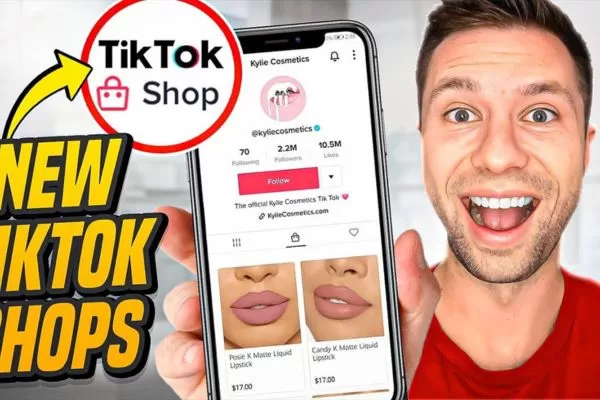
Exploring the benefits of social commerce for modern businesses
TikTok Shop: Prerequisites for opening your store
Before you can start selling on TikTok Shop, your business must meet several fundamental requirements, which are essential when learning how to setup TikTok Shop properly. Meeting these prerequisites helps your store operate smoothly and reach the right audience effectively:
- Your business must have an active TikTok Business Account.
- You need official business registration, such as a trade license, to prove legal operation.
- An existing product catalog and logistics system must be in place for order fulfillment.
- You should have a basic understanding of TikTok users, who are mostly young, digitally engaged, and respond well to authentic, creative content.
Before listing products, your business should also consider additional participation criteria that affect performance and compliance. Understanding these factors will help you avoid issues and maintain long-term success on the platform:
- TikTok may require your account to meet a minimum follower count, which varies by region or program.
- Your business should be aware of the cost structure: registration and listing are usually free, but sales commissions apply to completed transactions.
- Your store must comply with TikTok’s official guidelines, including content rules, advertising policies, and product quality standards.
TikTok Shop setup: Step-by-step process for sellers
Follow this simple walkthrough to launch your TikTok Shop smoothly and avoid common setup mistakes. You’ll learn exactly what to prepare, how to register, and how to get your shop ready to sell.
Step 1: Prepare your seller account
Start your setup by registering your store through TikTok Seller Center, the official portal for managing products, orders, and fulfillment, to learn how to open TikTok Shop correctly. You will need to prepare the following information before signing up:
- Country or region
- Full pickup or warehouse address
- Postal code
- Phone number
- Main contact person
You can register using your TikTok account, or choose to sign up with an email address or mobile number instead. Once your account is created, you will be asked to submit your warehouse or pickup location so the platform can arrange delivery and returns. This information is essential for enabling logistics services and order handling.
After entering your pickup details, you should also define your return address for customer refunds and product returns. If your return location is the same as your warehouse, you can simply select the option to use the same address. Finally, accept the platform terms and confirm your information to complete your seller registration.
Step 2: Upload documents to complete verification
To continue your setup, you must complete identity and business verification inside TikTok Seller Center. Please prepare the following documents before you upload them:
- Personal ID (passport, national ID, or driver’s license) for individual sellers, though this depends on rules and laws of your region.
- Identity document of a legal representative, director, or PSC for companies
- A valid business license, registration, or legal selling authorization
From your Seller Center dashboard, choose your business type and enter your shop name, which are key steps in how to get approved for TikTok Shop. The platform will then ask you to submit identity documents that match your selected business structure. This step confirms that your store is legally eligible to sell on TikTok.
During how to set up a TikTok shop, this verification stage is critical to unlocking product listing and sales features. Once all documents are uploaded, submit your application and wait for approval from the platform review team. If any file is rejected, you will receive an email with clear instructions on how to resubmit your documents.
Step 3: Configure your payout method
After your verification is approved, you need to connect a payout method before you can receive revenue from your store. This step is completed directly inside TikTok Seller Center and only takes a few minutes.
From your dashboard, select the Link Bank Account option and begin entering your payout details. Make sure all information matches your registered seller profile to avoid payment delays. This connection allows your earnings from TikTok Shop orders to be transferred to your bank safely.
If you are registering as an individual seller, the bank account name must match your personal registered name. For business sellers, the account name must be your official company name. Once everything is submitted, you will be able to start adding products and preparing your shop for sales.
Before linking your account, prepare the required banking information below to complete the setup faster without interruptions:
- Account name
- Bank name
- Account number
- Email address
- Building number
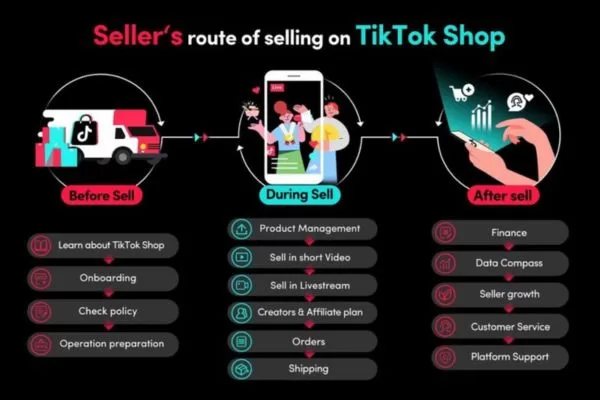
Detailed walkthrough outlining account, verification, and product preparation
How to upload and manage products in TikTok Shop
Now that your shop is ready, you can start building your product catalog and preparing items for sale. Follow the steps below to upload products correctly and make them available to buyers:
Step 1
Sign in to your TikTok Seller Center dashboard, then open the Products menu and choose Add New Product to understand how to sell on TikTok Shop efficiently. Alternatively, go to the Manage Products page and click the Add new product button to start creating a new listing.
Step 2
Enter your product’s basic details by adding a clear product name and choosing the most relevant category, which is part of how to list items on TikTok Shop correctly. The system will automatically suggest a category based on your title, but you can easily switch to a different option from the drop-down list if the suggestion isn’t accurate.
Depending on the product details you have already entered, you may be asked to submit brand information for verification. As part of the how to set up a TikTok shop process, any seller listing branded products must submit official certification to verify trademark ownership or authorized reseller status before the items can be approved for sale. Without valid certification, the product may be marked as unauthorized and will not be shown to shoppers.
You will also need to complete additional product attributes to help buyers make more accurate decisions. These fields vary by category but usually cover information such as style, fit, size type, material, pattern, care instructions, and design features. Providing complete and precise attributes improves product visibility and creates a clearer shopping experience for customers.
Step 3
Upload high-quality product images and videos to visually present your item to shoppers. It’s recommended to include at least three clear images so buyers can easily understand the product’s look and key features. Adding a short product video is also strongly encouraged, as it helps demonstrate real usage and highlights important details more effectively than images alone.
Step 4
Next, create a compelling product description that clearly explains benefits and unique selling points for shoppers. When learning how to set up a TikTok shop, this section plays a major role in helping buyers quickly understand why your product is worth purchasing. Keep each selling point under 250 characters, place them in separate short paragraphs, and pair each point with a relevant image or video for stronger impact.
Step 5
In the next section, you can complete your sales settings by defining whether the product is available for pre-order and configuring purchase options. You may also create multiple variations – such as color, size, or style—to offer more choices to buyers. When you enable variations, TikTok Shop allows you to manage up to 300 SKUs for a single product listing.
Step 6
Finally, complete the shipping setup for your product by entering logistics details such as package weight, item dimensions, and the estimated delivery fee. On TikTok Shop, supported parcel weights range from 1 pound up to 22 pounds, helping sellers accurately configure fulfillment and delivery options before publishing the listing.
After completing all required fields, you can either publish the product so it appears immediately in TikTok Shop or save it as a draft for further edits. This final review step in how to set up a TikTok Shop ensures your pricing, media, and logistics details are fully optimized before going live. You can always return to the draft later if you need to refine descriptions, images, or product variations.
If you manage a large catalog, manually creating each listing can quickly become inefficient. Instead of uploading products one by one, you can synchronize your inventory directly from your existing ecommerce platform such as Shopify. This integration allows you to import products in bulk, keep listings consistent across channels, and significantly reduce setup time for large stores.
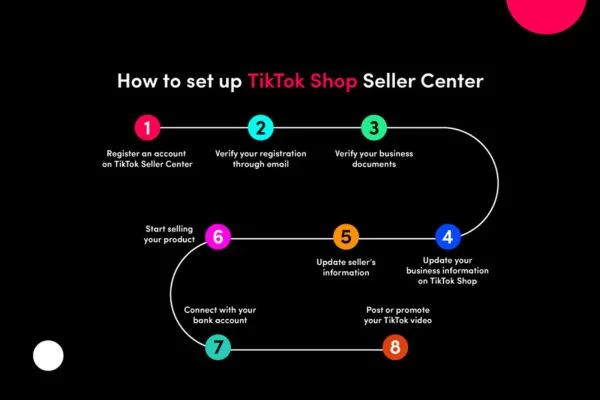
Instructions to create listings and enhance product visibility efficiently
How to market your TikTok Shop for better results
Once your products are live, the next step is to actively promote your TikTok Shop to reach more potential buyers and increase sales. Using a combination of organic content and paid strategies can help maximize your store’s visibility on the platform.
Craft creative TikTok clips to showcase products
Produce fun, educational, and creative videos that highlight your products and capture viewers’ attention. Incorporate storytelling, demonstrations, or tutorials to show how your items are used. Using how to set up a TikTok Shop effectively in your content can boost engagement and help products gain more visibility.
Select hashtags that increase reach
Add trending and niche hashtags that match your product and target audience. This improves the discoverability of your content, connecting your shop with shoppers who are actively browsing related topics. Choosing hashtags strategically increases the chances of appearing on the For You page of interested users.
Team up with TikTok creators
Partner with influencers to tap into TikTok’s unique trends, inside jokes, and subcultures. If you’re not fully familiar with the platform’s culture, letting influencers take the creative lead can help your content feel authentic and engaging. These creators understand what resonates with audiences and can craft content that naturally showcases your products.
Working with the right influencers also helps your products cut through the TikTok algorithm and reach new viewers. Focus on partners whose style and values align with your brand to maintain authenticity. For example, a vegan soap brand would benefit from collaborating with influencers who promote sustainable and cruelty-free products.
Inspire followers to create content for your shop
Motivate your customers to share photos or videos of your products and tag your shop. This creates social proof, builds trust with potential buyers, and encourages others to follow the trend. Highlighting authentic user experiences on TikTok can amplify your shop’s credibility and attract more followers.
Explore TikTok Ads to boost sales
Leverage TikTok’s ad formats such as in-feed ads, branded effects, or Spark Ads to reach a larger audience. Paid campaigns can complement your organic content by driving traffic directly to your TikTok Shop. Experimenting with different ad types helps identify the best approach to increase conversions and sales.
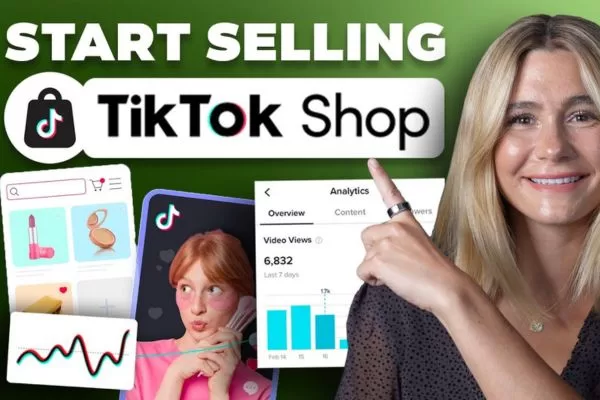
Strategies to boost audience reach and improve engagement organically
FAQs about how to set up a TikTok Shop
Many sellers have questions when starting on TikTok Shop. These frequently asked questions cover the most common concerns to help you launch smoothly and efficiently.
How can I start creating my TikTok Shop?
To start, you need a TikTok Business Account and access to the TikTok Seller Center. Then, register your business details, submit the required verification documents, and link your bank account. Once these steps are completed, you can begin adding products and creating your shop listings.
Who meets the requirements to sell on TikTok Shop?
Eligible sellers include individual business owners, registered companies, and creators who meet platform requirements. You must be located in a supported region and comply with TikTok’s content and commerce policies. Additionally, creators need a minimum number of followers and recent video activity to participate.
Which files must I submit to get approved on TikTok Shop?
Sellers must provide identity proof and business registration documents, depending on whether they are individuals or companies. During how to set up a TikTok Shop, this ensures that all sellers are legitimate and trustworthy. The platform may also require trademark certificates if you plan to sell branded products.
How do I publish my products on TikTok Shop?
Log into your Seller Center account and select Add New Product. Fill in all required fields, including product name, category, images, description, and shipping information. You can also create variations such as color or size to give buyers more options.
How do I make my TikTok Shop more visible to buyers?
Yes, promoting your shop is essential for visibility. You can create engaging TikTok videos, use relevant hashtags, encourage user-generated content, and run TikTok ads. Leveraging how to set up a TikTok Shop strategies effectively helps your products reach a larger audience and boosts conversions.
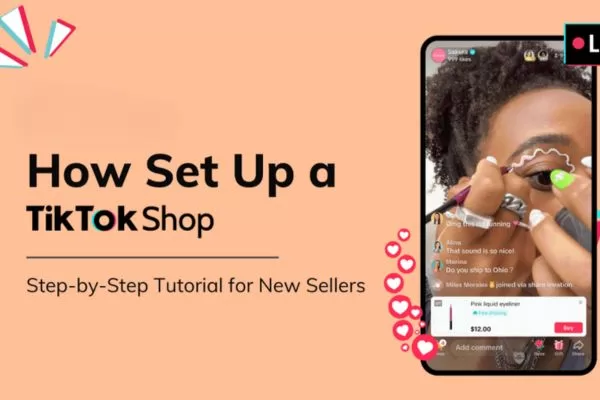
Answers to common concerns for smooth store launching
Conclusion
How to set up a TikTok shop is a straightforward process when you follow the steps of account creation, verification, product listing, and promotion carefully. Completing these steps helps your brand reach a wider audience, increase sales, and leverage TikTok’s unique social commerce features. Start growing your business today and let On Digitals help you maximize results on TikTok Shop, either with our social media content services or TikTok Ads services.
Read more