
PageSpeed Insights Mobile Optimization: Practical Guide for SEO and Business Decisions
Vincent
21/01/2026
45
PageSpeed Insights mobile optimization helps SEO teams improve how real mobile users experience a page. In 2026, a strong workflow uses the PageSpeed Insights report to read CrUX field data, diagnose INP issues, stabilize layout shifts, and connect mobile performance fixes with conversion paths instead of chasing a perfect PSI score.
What PageSpeed Insights mobile optimization means and when it matters?
PageSpeed Insights mobile optimization means using PSI’s mobile report to identify page speed, responsiveness, and visual stability issues on mobile devices. It matters when important pages lose users because content appears late, buttons react slowly, or layouts move during loading.
PageSpeed Insights reports user experience on mobile and desktop, using both lab data and field data. Lab data is collected in a controlled environment, while field data captures real-world user experience with a smaller metric set.
The mobile report deserves separate attention because mobile users often face weaker networks, smaller screens, and lower device capacity. Google also uses the mobile version of a site’s content for indexing and ranking through mobile-first indexing.
| Mobile PSI signal | What it usually means | Business risk |
| Poor LCP | Main content appears late | Higher landing page drop-off |
| Poor INP | Interactions feel delayed | Friction near forms or filters |
| Poor CLS | Layout moves unexpectedly | Misclicks and trust loss |
| High TTFB | Server responds slowly | Weak first impression |
| Heavy scripts | Main thread stays busy | Lower mobile responsiveness |
Use the mobile report first for pages tied to leads, sales, paid media, or organic visibility. Desktop performance still matters, while mobile usually reveals the harshest user experience.
Why mobile optimization affects SEO, user experience, and conversions?
Mobile optimization affects SEO because Google evaluates the mobile version of content for indexing and ranking. It affects conversions because mobile users leave faster when pages feel slow, unstable, or hard to use. PageSpeed Insights helps teams connect those user problems with measurable Core Web Vitals.
Google’s Core Web Vitals report in Search Console is based on actual user data for LCP, INP, and CLS. It groups URLs by performance status, which makes field performance useful for monitoring template-level issues.
For business teams, the point is not the score alone. A score can help summarize technical performance, while the underlying metric shows which user problem needs attention.
| Metric issue | User experience problem | Likely owner |
| Weak LCP | Main content loads too late | Frontend or hosting |
| Weak INP | Interaction feels delayed | Frontend or tag owner |
| Weak CLS | Layout jumps after loading starts | Design or frontend |
| Slow TTFB | Server delays first response | Hosting or backend |
| Heavy third-party code | Mobile thread gets blocked | Marketing ops or developer |
This makes PSI useful for prioritization. A slow hero section on a paid landing page deserves faster action than a minor warning on an old archive page.
How PSI mobile reports use CrUX field data?
PSI mobile reports use Chrome UX Report data when enough real-user data is available. CrUX shows how real Chrome users experience a page or origin, while Lighthouse lab data helps identify technical opportunities inside the PSI report.
This is why mobile PSI reports can differ from a clean lab test. Field data reflects real visitors across devices, networks, and page states. Lab data reflects one controlled test run.
| Data area | What it answers | How to use it |
| URL field data | How the exact page performs | Prioritize page-level fixes |
| Origin data | How the site performs broadly | Spot site-wide problems |
| Lab data | What PSI detects now | Debug technical causes |
| Opportunities | Estimated improvement areas | Build the task list |
| Diagnostics | Supporting technical detail | Brief developers clearly |
When URL field data is unavailable, PSI may show origin-level data instead. Treat that as context, not proof that every page in the template performs the same way.
A practical workflow is simple. Use field data to decide whether mobile users are affected. From there, use lab diagnostics to understand which technical fix should come first.
Differences between Field Data in PSI and CrUX?
Field Data in PSI comes from CrUX, but PSI shows it inside a focused page report. CrUX can also be used through other tools for deeper reporting. For daily SEO work, PSI gives a fast view of whether a URL or origin has enough real-user data to evaluate performance.
The difference matters because PSI does not always show exact URL data. Some pages lack enough traffic for URL-level reporting. In those cases, PSI may fall back to origin-level data, which can hide weak templates or high-value pages with limited visits.
Use this interpretation table:
| PSI situation | What to do |
| URL data appears | Use it for page-level priority |
| Only origin data appears | Test similar pages before deciding |
| No field data appears | Use lab data, then monitor after launch |
| URL data conflicts with lab data | Investigate real-user conditions |
| Mobile differs from desktop | Prioritize mobile user journeys |
The strongest reporting combines PSI with Search Console Core Web Vitals. PSI explains one URL in detail. Search Console shows broader URL groups based on actual user data.
Distribution and selected metric values
PSI reports metric values and user experience distribution, which helps teams see whether most mobile users are affected or only a weaker segment. That distinction matters because mobile performance problems are rarely uniform across all visitors.
Core Web Vitals use clear thresholds. LCP should occur within 2.5 seconds, INP should be 200 milliseconds or less, and CLS should stay at 0.1 or less for a good user experience.
| Core Web Vital | Mobile experience measured | Good threshold |
| LCP | Main content loading | 2.5 seconds or less |
| INP | Response after interaction | 200 milliseconds or less |
| CLS | Layout stability | 0.1 or less |
INP deserves special attention for mobile optimization. A page can load quickly but still feel slow when users tap menus, open filters, submit forms etc. On mobile, heavy JavaScript makes that issue more visible.
CLS also affects conversion paths. If layout shifts near a form, CTA, or product option, users can misclick. Fixing CLS often requires reserving space for media, stabilizing banners, and controlling late-loading widgets.
Step-by-step implementation framework for marketers and SEO teams
A PageSpeed Insights mobile optimization workflow should start with business-critical URLs, then move from field data into lab diagnosis. This order keeps the work tied to SEO and conversion value.
Use this workflow:
- Choose priority mobile pages: Start with landing pages, service pages, product pages etc. These pages influence revenue or qualified demand.
- Read PSI mobile field data first: Check whether URL-level data exists. If PSI only shows origin data, test similar pages in the same template.
- Find the weakest Core Web Vital: Treat LCP, INP, and CLS as different user problems. Each one needs a different fix.
- Use lab diagnostics to brief the fix: PSI recommendations help translate the issue into technical tasks. Keep the owner clear.
- Group pages by template: A slow blog template needs a different action plan from a lead form page.
- Fix the highest-impact issue first: Prioritize visible content, mobile interactions, and unstable layout areas before smaller warnings.
- Retest after deployment: Lab results can change immediately. Field data needs real mobile visits before the trend moves.
- Monitor before expanding the rollout: Validate one template before applying the same fix across the site.
This workflow prevents teams from treating PSI as a generic checklist. The goal is a better mobile journey on pages that matter to the business.
Common mistakes, risks, and quality checks
Most mobile optimization mistakes come from chasing the PSI score without reading the field data. A higher score may look good in reporting, while the actual user problem remains in INP, layout stability, or server response.
Use this QA table before assigning work:
| Mistake | Risk | Better action |
| Testing desktop only | Mobile friction stays hidden | Start with mobile |
| Chasing 100/100 | Low-impact work expands | Focus on CWV thresholds |
| Fixing every warning | Sprint loses focus | Prioritize by user impact |
| Ignoring INP | Forms and menus stay slow | Review JavaScript work |
| Ignoring CLS | Mobile CTAs feel unstable | Reserve layout space |
| Skipping field monitoring | Fixes remain unproven | Track PSI trend movement |
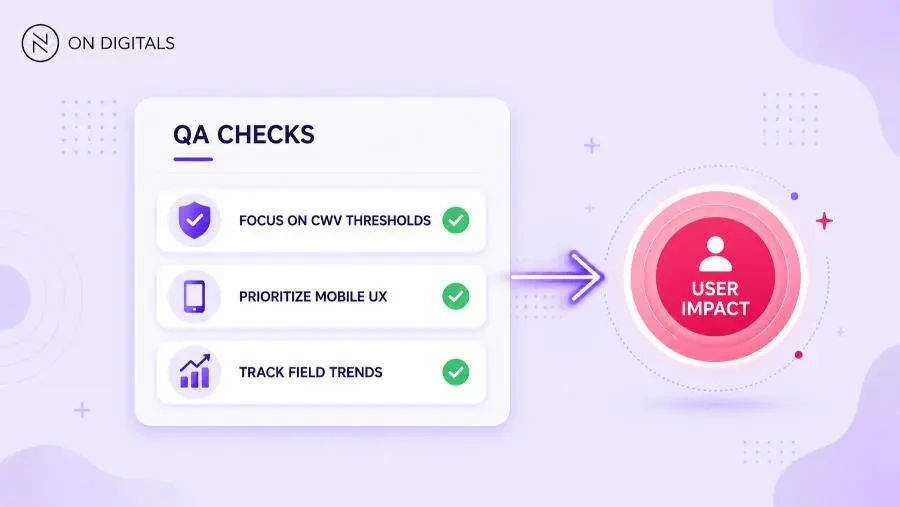 Focus your development resources on passing mobile Core Web Vitals thresholds on the templates that actually drive revenue.
A good task should answer one question: which mobile user problem will this fix reduce? If the answer is vague, the task needs better diagnosis before development starts.
Tools and metrics to review before publishing
PageSpeed Insights mobile optimization works best with a small tool stack. PSI gives page-level detail. Search Console shows mobile Core Web Vitals at scale. Lighthouse helps test technical fixes before real-user data updates.
| Tool | Role | Best use |
| PageSpeed Insights | URL-level mobile report | SEO and UX triage |
| Search Console CWV report | URL group monitoring | Template-level review |
| Lighthouse | Lab debugging | Pre-release validation |
| Chrome DevTools | Technical inspection | Network and main-thread review |
| Analytics or CRM | Business impact | Fix prioritization |
Review these areas before publishing a major mobile template change:
- LCP for the main content block.
- INP for forms, menus, filters etc.
- CLS near CTA sections.
- TTFB on mobile requests.
- JavaScript execution time.
- Third-party script impact.
- Mobile conversion path.
This keeps the release checklist focused. The aim is a mobile page that loads clearly, responds quickly, and supports the user’s next action.
FAQ about PageSpeed Insights mobile optimization
Why is my PageSpeed Insights mobile score lower than desktop?
Mobile scores are often lower because the mobile report reflects tougher user conditions. Mobile visitors may use weaker devices or unstable networks, while mobile pages often carry the same scripts as desktop. Focus on the weak metric rather than the score alone.
Which Core Web Vital matters most for mobile?
All three Core Web Vitals matter, but INP is often the hardest for modern mobile sites. JavaScript-heavy pages can load visibly, then respond slowly after a tap. Use PSI diagnostics plus DevTools to find long tasks and main-thread pressure.
Does PageSpeed Insights mobile performance affect SEO?
Mobile performance supports SEO because Google uses mobile-first indexing and Search Console Core Web Vitals relies on actual user data. The PSI score itself should not be treated as the ranking factor. The underlying user experience metrics matter more.
How often should teams check mobile PSI reports?
Check priority mobile pages after major releases, tracking changes, design updates, or campaign launches. For high-value templates, monthly review is useful. After a fix, use lab data first, then wait for field data to show real-user impact.
What should I fix first in a mobile PSI report?
Start with the weakest Core Web Vital on the most valuable page. If LCP is weak, review the main content and server response. If INP is weak, review JavaScript and interaction handlers. If CLS is weak, stabilize layout around media, banners, or CTA sections.
Conclusion
PageSpeed Insights mobile optimization should help teams fix the mobile problems users actually feel. A useful workflow starts with field data, identifies the weakest Core Web Vital, then uses lab diagnostics to assign technical work with a clear owner.

NEWEST POSTS
- Advertising Industry In Vietnam: The 2026 Trends, Channels and Market-Entry Strategy
- Best SEO Company in Vietnam: Latest Shortlist For Businesses
- How To Leverage Social Media For Customer Service Like A Pro?
- Social Media Post Tips – 8 Ways To Boost Engagement
- How To Use Social Media for Sales – In-depth Beginner Guide
Read more