
Difference Between SimilarWeb Trends and Google Trends: Data, Use Cases, and Pricing Compared
Vincent
28/01/2026
46
SimilarWeb Trends and Google Trends are two of the most common demand research tools, but they answer different questions. Google Trends shows relative interest in search queries on Google and YouTube, while SimilarWeb Trends shows estimated traffic, audience behavior, and channel performance for specific websites and apps. SEO and B2B teams often use both, in that order, for a complete view.
What is SimilarWeb Trends?
SimilarWeb Trends is the consumer and competitor intelligence platform from SimilarWeb that estimates all metrics related to audience demographics and digital channel performance. It combines panel data, ISP measurement, and direct measurement from participating sites.
Marketers use it to benchmark competitors, validate market share, and understand audience overlap across the digital landscape.
SimilarWeb data is modeled. The free tier shows total visits, traffic source split, and top-line engagement metrics for any public domain. The paid tier unlocks historical traffic going back several years, audience demographics, app data, and conversion estimates for ecommerce categories.
For B2B brands, the most useful feature is usually the channel mix breakdown, which reveals whether a competitor’s growth comes from organic search, paid ads, social, referral, or direct traffic.
What is Google Trends?
Google Trends is the free interest exploration tool from Google that shows relative search demand for any keyword over time. Marketers use it for seasonality detection, rising query discovery, regional targeting, and quick topic validation before producing content.
Because Google Trends is free and requires no login, it is often the first tool teams reach for in topic research.
Side-by-side comparison
| Criteria | SimilarWeb Trends | Google Trends |
| Data source | Panel + ISP + direct measurement | Google search data + YouTube search |
| Primary metric | Estimated visits, engagement, source mix | Relative interest score (0–100) |
| Granularity | Website and app level | Keyword and topic level |
| Geographic detail | Country, city, audience demographics | Country and sub-region |
| Volume data | Estimated visits and visit duration | None (relative only) |
| Channel mix | Direct, search, social, referral, paid breakdown | Search type only (Web, YouTube, Image, News, Shopping) |
| Historical range | Up to 3 years on paid tier | 2004 to present |
| Pricing | Free preview + paid plans | Free |
| Ideal user | Competitive strategist, B2B marketer | SEO, content, paid media planner |
| Best free use | High-level competitor traffic check | Full keyword and trend research |
When SimilarWeb Trends is the better choice?
SimilarWeb Trends is the better choice when the research question is about a specific website, competitor, or channel rather than a topic. It is the right tool for benchmarking traffic share, identifying which channels drive a competitor’s growth, and mapping audience overlap between two domains.
The paid tier becomes valuable when teams need historical traffic, conversion estimates, or app data.
Three common use cases where SimilarWeb wins:
- Competitor benchmarking. A B2B brand entering the Vietnam market can use SimilarWeb to see which competitors capture demand, how much traffic each receives, and how engagement compares across sites.
- Channel mix analysis. When a CMO asks why a competitor is growing, SimilarWeb shows whether the growth comes from organic search, paid media, referral partnerships, or direct brand demand. Google Trends cannot answer this.
- Audience overlap. SimilarWeb shows which other websites a competitor’s audience also visits, which helps with media planning, partnership targeting, and ABM list expansion.
When Google Trends is the better choice
Google Trends is the better choice when the research question is about a topic, keyword, or query rather than a website. Because it is free and requires no seat license, teams can use Google Trends without budget approval or procurement.
Three common use cases where Google Trends wins:
- Seasonality detection. A content team planning a year of editorial calendar can use Google Trends with a 5-year timeframe to find when each topic peaks. SimilarWeb does not provide query-level seasonality.
- Rising query discovery. Trends surfaces Breakout queries and rising related searches in real time, which is essential for trend-driven content and PR.
- Free topic validation. For early-stage research, a 10-minute Google Trends check can rule out low-demand topics before a paid tool is even opened.
How to use both tools together?
Most strong research workflows combine the two tools sequentially. Start with Google Trends to define topic demand and seasonality, then move to SimilarWeb to validate which competitors capture that demand and through which channels. Together they answer not only what the market wants, but who currently captures it and how.
A typical B2B workflow:
- Use Google Trends to map topic demand, seasonality, and rising queries for the next quarter.
- Note the top 3 competitor domains for each priority topic.
- Open SimilarWeb to check each competitor’s total traffic and channel mix.
- Identify which competitor wins which channel: SEO, paid, social, or direct.
- Decide where the brand can compete and where it should avoid.
- Build the content and channel plan with both demand data and competitive context.
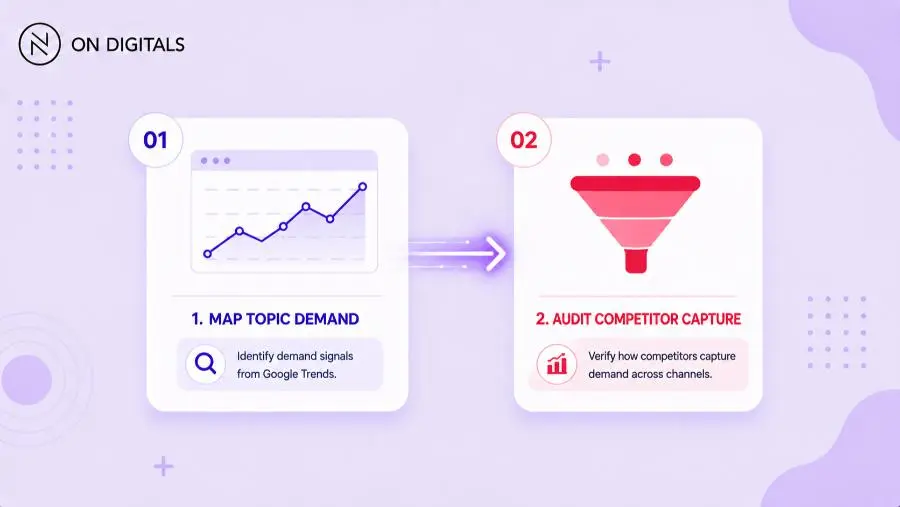
This sequence prevents the common mistake of producing content for a topic that has demand but is already saturated by a dominant competitor with strong domain authority.
Pricing and access
Google Trends is fully free, requires no account, and has no usage limits. There is no paid tier or premium dataset. This makes it the lowest-friction tool in any research stack.
SimilarWeb offers a free tier with limited domain checks per session, capped historical data, and basic engagement metrics.
Paid plans typically start in the low thousands of US dollars per year for individual users and scale up significantly for enterprise teams. Pricing is not published openly for most enterprise tiers and is negotiated through SimilarWeb sales.
For teams with no budget for paid intelligence tools, the free tier of SimilarWeb combined with Google Trends usually covers 60-70% of typical B2B research needs. Other research tools and trade-offs are covered in the Google Trends alternatives guide.
Common mistakes when comparing the two tools
- Treating the two tools as substitutes when they answer different questions.
- Using SimilarWeb’s traffic estimates as exact numbers rather than directional ranges.
- Comparing Google Trends scores across different timeframes without normalizing.
- Ignoring SimilarWeb’s accuracy gap on low-traffic domains, which often falls below useful thresholds.
- Skipping Google Trends because the team already pays for SimilarWeb, and missing free seasonality data.
- Relying on SimilarWeb channel mix for very small domains where the data sample is too thin.
Frequently Asked Questions (FAQs)
Is SimilarWeb more accurate than Google Trends?
Accuracy depends on the question. SimilarWeb estimates traffic and channel mix through panel and ISP modeling, which is directionally useful but not exact, especially for low-traffic sites. Google Trends shows real Google and YouTube search data but only in relative form. Neither tool is more accurate overall; each is more accurate for the specific question it is designed to answer.
Can I use SimilarWeb for free?
SimilarWeb offers a free tier that includes limited domain checks per session, basic traffic estimates, top traffic sources, and a partial geographic breakdown. Free access is enough for occasional competitor checks and high-level benchmarking. Teams that need historical data, audience demographics, app intelligence, or unlimited usage need a paid plan or enterprise contract.
Does Google Trends show competitor websites?
Google Trends does not show competitor website traffic or rankings. It only shows search interest in keywords, topics, and entities. To analyze a specific competitor domain, teams need a separate tool such as SimilarWeb, Ahrefs, or Semrush. Many B2B research workflows pair Google Trends with one of these to combine topic demand and competitive context.
Which tool is better for SEO?
For SEO topic research, Google Trends is the better starting point because it shows seasonality, regional demand, and rising queries for free. SimilarWeb is better for SEO competitive analysis, especially for understanding which competitor pages and channels drive a competitor’s traffic. Most SEO teams use Google Trends for topic discovery and SimilarWeb for competitor benchmarking in the same workflow.
Should B2B brands pay for SimilarWeb?
B2B brands benefit from a paid SimilarWeb plan when competitor benchmarking, channel mix analysis, and audience overlap become recurring quarterly questions. For one-off research or low-frequency reviews, the free tier and Google Trends usually cover the need. Paid SimilarWeb is more justified when the brand competes in crowded categories or relies on ABM, where audience overlap data drives target list selection.

NEWEST POSTS
- Advertising Industry In Vietnam: The 2026 Trends, Channels and Market-Entry Strategy
- Best SEO Company in Vietnam: Latest Shortlist For Businesses
- How To Leverage Social Media For Customer Service Like A Pro?
- Social Media Post Tips – 8 Ways To Boost Engagement
- How To Use Social Media for Sales – In-depth Beginner Guide
Read more