
What Is a URL Slug? SEO Meaning, Examples, and Best Practices
Vincent
27/05/2024
22
A URL slug is the readable part of a web address that identifies a specific page, usually near the end of the URL. Before users click, a clean slug can give them a quick idea of the page topic. Alongside core meta tags, it also supports on-page SEO clarity, while any slug change on an existing URL should be handled with redirects to avoid broken links.
What is a URL slug?
A URL slug is the unique text segment that identifies a page inside a URL. It usually appears after the domain name and folder path. MDN defines a slug as the unique identifying part of a web address, often placed at the end of the URL.
Example:
- https://ondigitals.com/url-slug/
In this URL, the slug is:
- url-slug
The slug helps describe the page topic in a way that is easier to read than an ID number or random parameter. For example, /url-slug/ gives users more context than /post?id=7291.
URL slug vs full URL vs permalink
These terms are related, but they do not mean the same thing. This difference matters during developer briefs, CMS updates, redirect planning etc.
| Term | Meaning | Example |
| Full URL | The complete web address | https://ondigitals.com/url-slug/ |
| Domain | The website address | ondigitals.com |
| Path | The section after the domain | /url-slug/ |
| URL slug | The page-identifying segment | url-slug |
| Permalink | The permanent URL for a page | Full page URL |
A CMS may label the field as “slug,” “URL slug,” “URL handle,” or “permalink.” The label changes by platform, while the SEO principle stays the same: the final URL should be clear and stable.
Why URL slugs matter for SEO
URL slugs matter because they improve clarity for users and search engines. Their impact should be understood as supportive, not as a major ranking shortcut. When a page has impressions but weak clicks, review the URL slug together with the SEO title tag because both elements help users understand the page topic before opening it.
Google recommends simple, descriptive URLs that are readable for users. Its URL structure documentation also recommends hyphens over underscores because hyphens separate words more clearly.
| SEO benefit | How the slug helps |
| User clarity | Shows what the page is about |
| Search context | Reinforces the main topic lightly |
| Link sharing | Makes copied URLs easier to understand |
| Site management | Keeps page groups easier to audit |
| Trust | Looks cleaner than random IDs |
A slug should not be stuffed with keywords. If the URL looks unnatural, it can reduce trust and make the page harder to share.
What makes a good URL slug?
A strong URL slug describes the page topic with only the words users need. The best version stays stable over time, so the team does not need to change the URL after every content update.
Use this checklist before publishing a new URL.
| Rule | Better practice |
| Use readable words | /technical-seo-audit/ |
| Keep it concise | Remove filler words |
| Use hyphens | /url-slug-best-practices/ |
| Use lowercase | Avoid mixed-case variants |
| Avoid special characters | Keep URLs simple |
| Match the page topic | Reflect the main intent |
| Keep it future-proof | Avoid dates unless needed |
Use readable words
Readable slugs help users understand the destination. A blog post about URL slug best practices should use a topic-based slug rather than a vague phrase.
Weak:
- /10-things-you-need-to-know/
Better:
- /url-slug-best-practices/
The better version is clearer because it names the actual topic.
Include the main keyword only when natural
A keyword can appear in the slug when it describes the page accurately. Before adding a phrase to the URL, confirm that it is the right keyword for the page instead of a loose topic idea. The slug does not need to repeat every keyword variation.
Good:
- /url-slug/
Too forced:
- /url-slug-seo-url-slug-best-url-slug-guide/
The second version looks spammy and gives users no extra value.
Use hyphens instead of underscores
Google recommends hyphens to separate words in URLs. Use:
- /url-slug-guide/
Avoid:
- /url_slug_guide/
Hyphens make each word easier to parse, while underscores can make the phrase look less readable.
Use lowercase characters
Lowercase slugs reduce confusion and help avoid duplicate-looking URLs. Some servers treat uppercase and lowercase paths differently.
Better:
- /seo-audit-checklist/
Riskier:
- /SEO-Audit-Checklist/
A consistent lowercase rule also makes URL audits easier.
Keep slugs future-proof
Avoid adding details that may change soon. A slug such as /best-seo-tools-2024/ becomes dated quickly if the page will be updated each year.
A more stable option:
- /best-seo-tools/
Use dates only when the page truly needs them, such as event pages, annual reports, or dated news articles.
URL slug examples by page type
Different page types need different slug decisions. A blog post can target a topic phrase, while a product or category page should stay close to the item or collection name.
| Page type | Weak slug | Better slug |
| Blog post | /10-tips-you-need-to-know/ | /url-slug-best-practices/ |
| Service page | /services-1/ | /technical-seo-services/ |
| Product page | /item-12345/ | /lightweight-running-shoes/ |
| Category page | /cat?id=22/ | /women-running-shoes/ |
| Local page | /location-page/ | /seo-agency-vietnam/ |
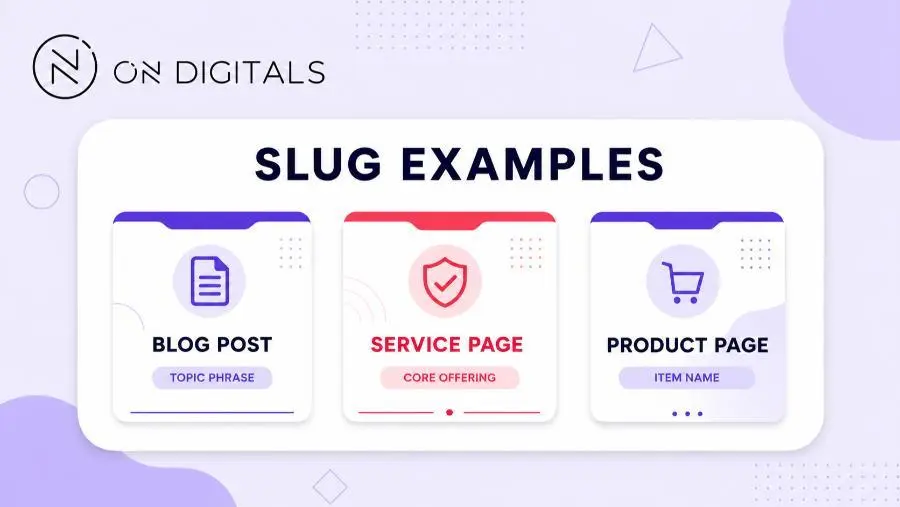
The better slugs work because they describe the page with fewer distractions. Service pages should reflect the offer. Product slugs need recognizable product context, while category slugs should avoid temporary filter parameters.
How to edit URL slugs in a CMS
Most CMS platforms let editors change the slug inside page settings. The interface changes by platform, so review the URL preview before publishing.
| Platform | What to check |
| WordPress | Permalink field or post URL slug |
| Shopify | Search engine listing URL handle |
| Squarespace | Page settings or item URL slug |
| Webflow | Slug field in page settings |
| Custom CMS | Confirm output with the developer |
For new pages, editing the slug before launch is usually safe. For published pages, treat any slug change as a URL migration because the old address may stop working.
What happens if you change a URL slug?
Changing a slug changes the page URL. The old URL can return a 404 error unless a redirect sends users and search engines to the new address.
Before changing an existing slug, use this safety checklist.
| Check | Why it matters |
| Does the page have rankings? | Protects existing visibility |
| Does the old URL have backlinks? | Preserves link value |
| Do internal links use the old URL? | Prevents broken navigation |
| Is the URL used in ads or QR codes? | Avoids campaign issues |
| Is a 301 redirect ready? | Sends users to the new URL |
| Was the sitemap updated? | Helps discovery after change |
For important pages, prepare the redirect before publishing the new slug. Google’s redirect guidance recommends using server-side redirects when a page has moved permanently.
A clean redirect path should send the old URL directly to the new one. Avoid redirect chains when possible.
Common URL slug mistakes
Slug mistakes are usually small, but they can create avoidable SEO and UX issues across a site.
| Mistake | Why it causes problems | Better fix |
| Default IDs | Users cannot understand the page | Use a descriptive slug |
| Very long slug | URL becomes hard to scan | Keep only useful words |
| Keyword stuffing | URL looks unnatural | Use the main topic once |
| Underscores | Words are less clear | Use hyphens |
| Mixed case | Can create duplicate-looking URLs | Use lowercase |
| Duplicate slugs | Pages become harder to manage | Make each slug page-specific |
| Changing old slugs without redirects | Users hit broken URLs | Add 301 redirects |
A product or category system can also create messy URLs when filters are indexed. In those cases, review the template and indexing rules before editing individual slugs.
URL slug audit workflow
A slug audit helps teams find unclear, duplicate, or risky URLs before they become larger site problems.
Use this process:
Export indexable URLs
↓
Find long, unclear, duplicate, or parameter-heavy slugs
↓
Prioritize high-value pages
↓
Decide keep vs change
↓
Prepare 301 redirects before launch
↓
Update internal links and sitemap
Start with pages that affect business performance. High-value service URLs usually deserve attention first, followed by product categories, traffic-driving blog posts, landing pages etc. Low-value archives can wait unless they create indexation or crawl issues.
| Page situation | Better action |
| New blog post | Use a concise topic phrase |
| Existing ranking page | Avoid changing unless necessary |
| Duplicate slug pattern | Make each slug more specific |
| Local page | Include location when it reflects intent |
| Product page | Use the product name or key attribute |
| Old campaign page | Check traffic before removal |
Changing every imperfect slug is rarely worth the risk. A slightly long slug on a ranking page may be better left alone if it already performs well.
URL slug FAQ
Is a URL slug the same as a URL?
No. The full URL includes the protocol, domain, path, and page address. The slug is only the page-identifying part inside that URL.
Should a URL slug include keywords?
A slug can include the main keyword when it describes the page naturally. Avoid adding keyword variations just to fit more terms into the URL.
How long should a URL slug be?
Keep the slug as short as possible while still describing the page. There is no perfect character count, but shorter descriptive slugs are easier to read and share.
What happens when I change a URL slug?
The page URL changes. If the old URL is not redirected, users may see a 404 error and search engines may need time to process the change.
Are hyphens better than underscores?
Yes. Google recommends hyphens for separating words in URLs because they make the URL easier to understand.
Can two pages have the same slug?
Two pages should not share the same slug in the same URL folder. A CMS may block duplicates or add extra characters, but each important page should have a distinct URL.
Why is it called a slug?
The term comes from publishing and journalism, where a slug identified a story or piece of content. On the web, it became a short label that identifies a page inside a URL.
Final thoughts
A URL slug should make the page easier to understand before anyone clicks. For new pages, use clear words, hyphens, lowercase text, and a stable topic phrase.
For existing pages, be careful before changing the slug. Review rankings, backlinks, internal links, campaign usage, and redirect plans first. A cleaner URL is useful only when the change does not create broken paths or unnecessary migration risk.

NEWEST POSTS
- Advertising Industry In Vietnam: The 2026 Trends, Channels and Market-Entry Strategy
- Best SEO Company in Vietnam: Latest Shortlist For Businesses
- How To Leverage Social Media For Customer Service Like A Pro?
- Social Media Post Tips – 8 Ways To Boost Engagement
- How To Use Social Media for Sales – In-depth Beginner Guide
Read more