
Insights
Google Core Web Vitals Optimization & Page Speed
On Digitals
09/12/2025
11
Slow loading times and unstable layouts are major UX issues that quietly damage rankings. As Google prioritizes real user experience, brands can no longer overlook performance gaps. In this guide, On Digitals explains the essentials of core web vitals optimization and page speed, showing how these metrics expose hidden technical problems and how to fix them. You’ll get a clear, practical roadmap to boost stability, speed, and overall SEO performance.
What is core web vitals optimization?
Google’s Web Vitals simplify performance by focusing on three key metrics that directly reflect real user experience. Instead of guessing which factors matter, site owners can track how quickly content loads, how stable the layout is, and how responsive interactions feel-issues that often lead to user frustration and site abandonment.
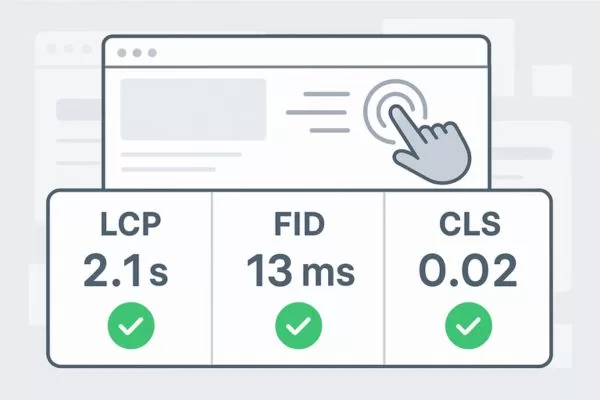
Core Web Vitals focus on essential metrics that strengthen both UX and SEO
Because core web vitals optimization is part of Google’s ranking signals, strong scores can boost organic visibility and overall engagement. Faster load times, smoother visuals, and better responsiveness not only improve search performance but also increase user satisfaction and conversion rates across all digital channels.
Understanding the three core web vitals metrics
Google’s Core Web Vitals highlight three key metrics that shape real user experience, and knowing them is essential for applying effective core web vitals optimization techniques.
Largest contentful paint (LCP)
Largest Contentful Paint measures how long it takes for the largest visible content element to appear on screen. This metric focuses on perceived loading speed-the moment when users feel like your page has actually loaded something meaningful. LCP typically refers to the largest image, video, or text block within the viewport, and Google considers anything under 2.5 seconds to be good performance.
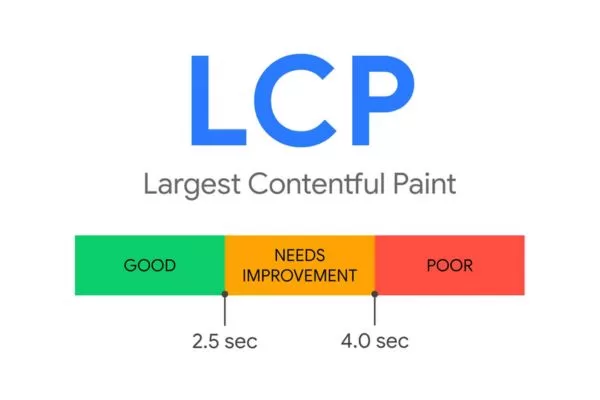
LCP shows how quickly meaningful content appears
Slow loading immediately weakens user trust and increases the chances they abandon your site. Even brief delays of one to three seconds can raise bounce rates and, in e-commerce, lead to lost sales and abandoned carts. With users expecting near-instant content, sites that load slowly face a clear competitive disadvantage.
Cumulative layout shift (CLS)
Cumulative Layout Shift quantifies visual stability by measuring unexpected movement of page elements during the loading process. Have you ever started reading an article only to have the text suddenly jump down the page because an image or advertisement loaded late? That frustrating experience is exactly what CLS aims to prevent. Google considers scores below 0.1 to represent good visual stability.
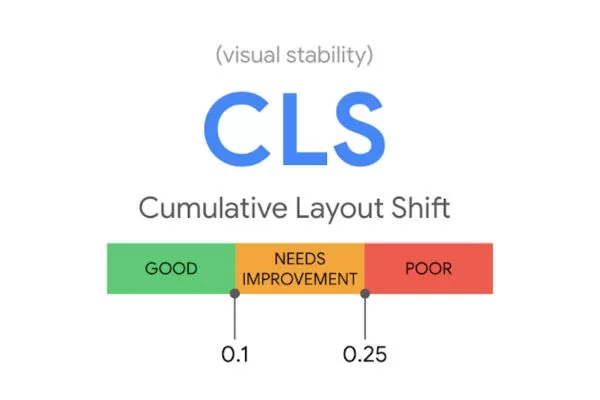
CLS measures how stable your page layout stays while loading
Unexpected layout shifts frustrate users and disrupt navigation, often causing accidental clicks or actions-especially on mobile where precision is limited. This instability also creates accessibility challenges and can trigger motion sensitivity. From a business standpoint, unstable layouts erode user confidence and consistently lower conversion rates.
Interaction to next paint (INP)
Interaction to Next Paint represents the newest addition to Core Web Vitals, measuring the responsiveness of your page throughout its entire lifecycle. INP evaluates the delay between user interactions-clicks, taps, keyboard presses-and the visual response on screen. Google considers interactions that respond within 200 milliseconds to provide good user experience, while delays exceeding 500 milliseconds are rated as poor.
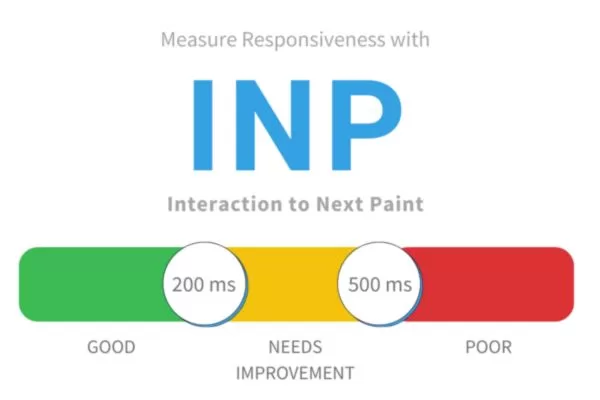
INP reflects how fast your site reacts to user actions
INP is more valuable than First Input Delay because it measures responsiveness across all user interactions, not just the first. When scrolling, clicking, or opening menus feels sluggish, frustration builds quickly, making your site seem outdated and reducing trust in your brand.
Why core web vitals matter for SEO and Google rankings
Understanding how Google core web vitals optimization fits into the broader search ecosystem helps prioritize your performance improvement efforts and justify the technical investment required.
- Page Experience as a Ranking Factor: Google now evaluates user experience-not just keywords, content, or backlinks-as a confirmed ranking signal. When content quality is similar, the page with better UX typically ranks higher.
- Core Web Vitals and Organic Visibility: Failing Core Web Vitals can reduce rankings, especially on mobile. Strong page speed & core web vitals optimization improves engagement metrics like bounce rate, session duration, and pages per session, reinforcing signals of quality.
- Enhanced SERP Opportunities: Pages with excellent Core Web Vitals are more likely to earn featured snippets and other SERP enhancements, boosting overall visibility.
- Business Impact of Performance: Speed, stability, and responsiveness directly affect revenue. Even small delays increase drop-offs, while unstable layouts harm trust and brand perception.
- Responsiveness and User Satisfaction: Fast, smooth interactions improve the entire user journey-from browsing to completing forms-leading to higher satisfaction and stronger conversions.
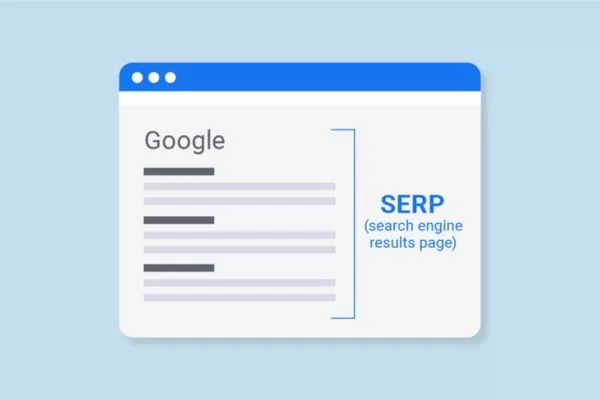
Strong Core Web Vitals boost your chances of earning SERP features
How to measure core web vitals accurately
Effective core web vitals optimization begins with accurate measurement. Google provides multiple tools for assessing your performance, each offering different perspectives on how real users experience your site.
Using Google PageSpeed Insights
Google PageSpeed Insights is the easiest way to check your Core Web Vitals. By entering your URL, you receive a clear report on LCP, INP, and CLS, with both real-user field data and simulated lab data. The tool highlights performance with color-coded scores and offers prioritized recommendations in the Opportunities section, helping you quickly identify issues and understand the improvements that can deliver the biggest impact.

PageSpeed Insights provides clear Core Web Vitals scores and actionable fixes
Reading the Search Console core web vitals report
Google Search Console provides sitewide Core Web Vitals insights, grouping URLs into good, needs improvement, or poor based on real-user field data. Because this data reflects actual devices, connection speeds, and usage patterns, it gives a true picture of everyday performance. By grouping similar pages, the report helps you spot systemic issues-whether from templates, content types, or specific sections-so you can prioritize fixes that benefit the most users.
Chrome DevTools and Chrome extensions
Chrome DevTools offers powerful tools to pinpoint the causes of Core Web Vitals issues. The Performance panel lets you record loading and interaction behavior, while Lighthouse provides flexible audits for specific scenarios. Features like Coverage and Network help uncover unused code and slow resources, and extensions such as Web Vitals show real-time metrics as you browse. The Performance Insights panel also highlights INP-related delays, making it easier to identify sluggish interactions and their sources.

Chrome DevTools pinpoints Core Web Vitals problems efficiently
Understanding CrUX vs. your RUM data
The Chrome User Experience Report (CrUX) provides the field data Google relies on for rankings, while Real User Monitoring (RUM) reflects real-time performance from your own users. These results often differ because lab tests use ideal conditions, whereas real visitors browse on varied devices and networks. CrUX updates slowly over 28 days, while RUM reacts instantly to changes, making both important for accurate evaluation. During Google core web vitals optimization, you should use RUM to test improvements quickly and CrUX to understand how those improvements influence long-term ranking performance.
Core web vitals optimization techniques (practical and beginner-friendly)
Now let’s explore actionable core web vitals optimization techniques that deliver real improvements without requiring advanced technical expertise. These strategies address each Core Web Vital systematically.
Improving LCP – faster loading for key content
Improving Largest Contentful Paint starts with speeding up how quickly key above-the-fold elements load. Preloading hero images, critical fonts, and essential CSS helps the browser fetch important assets immediately, often cutting LCP by hundreds of milliseconds. Ensuring fast server response times-through efficient hosting, caching, optimized queries, and a CDN-also reduces delays and keeps TTFB below recommended thresholds.
Boost LCP by loading key content faster and reducing render-blocking delays
Switching to modern formats like WebP or AVIF further reduces image sizes, while minimizing render-blocking CSS and JavaScript prevents unnecessary pauses before the LCP element appears. Deferring non-critical scripts and inlining critical CSS ensures smoother rendering, delivering faster, more stable performance and supporting stronger page speed & core web vitals optimization.
Improving CLS – ensuring visual stability
To improve Cumulative Layout Shift, the goal is to prevent unexpected movement by reserving space for elements before they load. Set fixed dimensions for images, ads, and embeds, or use CSS aspect-ratio to keep responsive media stable. Placeholder containers help maintain space for ads, while font-display: swap reduces layout jumps by loading fallback fonts first and avoiding invisible text.

Improve CLS by reserving space for elements and preventing unexpected layout shifts
You can further stabilize layouts by using motion-safe animations. Rely on opacity and transform-properties the browser can animate smoothly-while avoiding width, height, margin, or padding animations that trigger layout recalculations. Ensure interactive elements like hover states or expandable sections animate without shifting surrounding content.
Improving INP – better page speed & core web vitals optimization
Improving Interaction to Next Paint begins with making JavaScript more efficient and responsive. Break long tasks into smaller chunks through code splitting and lazy loading so the main thread isn’t blocked. Yield control using setTimeout or requestIdleCallback, and defer non-critical scripts until after the initial load to keep interactions smooth.
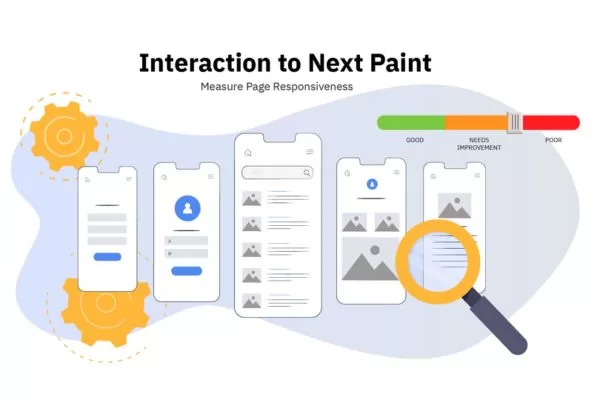
Improving INP focuses on making JavaScript faster and interactions smoother
Clean up unnecessary JavaScript by auditing third-party scripts, removing heavy widgets, and eliminating unused dependencies. Use lighter alternatives where possible, move expensive work to Web Workers, and apply event delegation and throttling for high-frequency events. Profiling interactions in DevTools helps pinpoint bottlenecks and refine these improvements for stronger core web vitals optimization.
Google core web vitals optimization for WordPress sites
WordPress runs over 40% of the web, and Google core web vitals optimization on this platform is now simpler thanks to dedicated tools and plugins.
WordPress-specific improvements
Improving WordPress performance starts with choosing lightweight, speed-focused themes. Many popular themes include unnecessary effects and bloated code that hurt Core Web Vitals. Options like GeneratePress, Astra, and Kadence prioritize clean, efficient design and let you control which features load on each page.
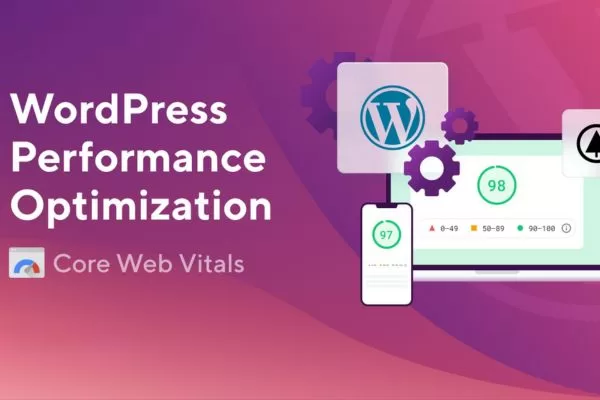
Use lightweight themes and optimized plugins to boost WordPress performance
Plugins also play a major role in site speed. Regularly audit and remove unused plugins, as each one adds extra scripts, styles, and database queries. When adding new functionality, research performance-friendly options and avoid heavy plugins when lighter alternatives exist. Limit third-party scripts and use techniques that delay loading until the user interacts to maintain stronger performance.
Using caching, CDN, and lazy loading
Beginner-friendly performance boosts in WordPress start with caching plugins like WP Rocket, LiteSpeed Cache, or W3 Total Cache. These tools generate static HTML versions of pages, reduce server load, and improve response times. They also handle tasks like CSS/JS minification, browser caching, and database cleanup, helping eliminate multiple bottlenecks at once.
Caching, CDNs, and lazy loading deliver quick WordPress performance gains
Adding a Content Delivery Network further speeds up your site by serving static assets from servers closer to users. Many hosts now offer built-in CDNs, or you can use services like Cloudflare, BunnyCDN, or KeyCDN. Enabling lazy loading delays images and videos until they enter the viewport, lowering initial page weight and improving LCP-especially since plugins can extend this beyond native image lazy loading.
How to detect LCP, INP, and CLS issues on WordPress
A practical testing workflow starts by capturing baseline metrics in PageSpeed Insights and Search Console. Test key templates individually-such as the homepage, blog posts, product pages, and category pages-to see where issues appear. Search Console’s Core Web Vitals report then helps identify site-wide patterns and prioritize which templates need attention first.

Detect WordPress performance issues by testing templates and isolating heavy plugins
On WordPress, enable your caching plugin before testing to reflect real user experience. Then disable plugins one by one to pinpoint performance-heavy extensions. Many CLS issues come from ads, social feeds, or embeds without fixed dimensions; LCP problems often stem from large hero images or render-blocking theme assets; and INP issues are commonly caused by excessive JavaScript loaded by themes or plugins.
Additional best practices for strong performance
Beyond the core metrics, several common implementation patterns deserve special attention during core web vitals optimization techniques deployment.
Handling carousels, fonts, and third-party embeds
Many UX issues stem from interactive elements-especially carousels-that unintentionally hurt performance. Carousels often preload every slide, increasing page weight and slowing LCP. A better approach is to load only the first slide initially and lazy load the rest. Also reassess whether a carousel is truly needed, as static hero images often perform better in A/B tests.
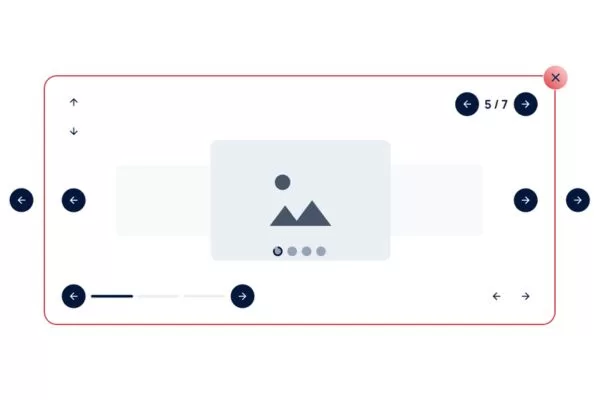
Optimize carousels, fonts, and embeds to prevent performance slowdowns
For safer implementation, limit custom font families and weights, subset fonts to reduce file size, and host them locally to avoid third-party delays. Third-party embeds from platforms like YouTube or Instagram also add heavy scripts, so use facade techniques: show a static preview and load the full embed only when the user interacts. This preserves functionality while minimizing performance impact.
Strategies for infinite scroll and dynamic content
Keeping content stable during continuous loading requires careful management of layout shifts. Infinite scroll often triggers CLS issues because new items appear without reserved space. Using skeleton screens or placeholder containers helps maintain stability, and placing loading indicators in fixed positions prevents unwanted movement in surrounding elements.

Use stable loading techniques to prevent layout shifts in infinite scroll
If possible, replace automatic infinite scroll with a “Load More” button to improve performance and reduce unnecessary JavaScript execution. When infinite scroll is truly needed, use intersection observers to load new items early, ensuring smooth transitions and preventing delays that cause users to scroll back or experience layout instability.
What to do next for core web vitals success
A successful core web vitals optimization strategy starts with measuring your baseline LCP, INP, and CLS performance, then prioritizing improvements that affect your most-visited templates. Focus on high-impact fixes such as image optimization, caching, and CDN configuration before addressing heavier JavaScript issues. Test each change to avoid unexpected tradeoffs and set up ongoing monitoring through Search Console and automated tools to detect regressions early. Treat page speed & core web vitals optimization as a continuous process, ensuring your site remains fast, stable, and competitive over time.
Achieving strong Core Web Vitals can be technical and time-consuming, and even with a detailed guide, implementing Google core web vitals optimization while managing other business priorities can feel overwhelming. If you want top-tier performance without the stress, On Digitals offers expert technical SEO services that help websites boost speed, search visibility, user engagement, and conversions.

Simplify Google core web vitals optimization with expert support
Related services:
- Page Speed Optimization – Comprehensive technical audit and implementation to achieve excellent Core Web Vitals scores
- Comprehensive SEO Service – Holistic search optimization including technical performance, content strategy, and link building
- Professional Website Design – Performance-first web development that delivers beautiful experiences without compromising speed
Don’t let technical performance hold back your digital marketing success. Contact On Digitals today to discuss how we can help your website achieve excellence in core web vitals optimization and deliver the fast, stable, responsive experiences that both users and search engines reward.
Related posts
Read more