
Core Web Vitals Tools: Practical Guide for SEO and Business Decisions
Vincent
16/01/2026
15
Core Web Vitals tools help SEO teams measure whether users experience fast loading, smooth interaction, and stable layouts. In 2026, the right performance workflow for Core Web Vitals should combine field data, lab debugging, Search Console URL groups, web-vitals tracking etc. to prioritize fixes that affect mobile UX and conversion paths.
What Core Web Vitals tools mean and when they matter
Core Web Vitals tools are platforms or libraries used to measure page experience metrics. They matter when SEO teams need to know whether a performance issue affects real users, one template, or the whole site.
Google describes Core Web Vitals as metrics that measure real-world user experience for loading performance, interactivity, and visual stability. The current set uses three stable metrics with clear thresholds.
| Metric | User experience area | Good threshold |
| LCP | Main content loading | 2.5 seconds or less |
| INP | Interaction responsiveness | 200 milliseconds or less |
| CLS | Visual stability | 0.1 or less |
A Core Web Vitals tool is useful only when it answers the right question. Search Console is better for site-level issue groups. PageSpeed Insights is better for a single URL. DevTools is better for debugging. A RUM setup using the web-vitals library is better when the team needs owned production data.
| Team question | Better tool direction |
| Which templates have poor field data? | Search Console Core Web Vitals report |
| What is wrong with one URL? | PageSpeed Insights |
| Which interaction causes weak INP? | Chrome DevTools |
| How do we track production users? | web-vitals library or RUM platform |
| Did a release create regression? | CI or scheduled monitoring |
The main job is tool selection. A single tool cannot answer every performance question well.
Why Core Web Vitals tools matter for search and revenue
Core Web Vitals tools matter because they turn vague performance complaints into measurable user experience issues. A page that loads late, responds slowly, or shifts during use can affect organic visibility and conversion behavior.
Google recommends that site owners achieve good Core Web Vitals for Search success and broader user experience quality. Google also says these signals align with what its core ranking systems seek to reward.
For business teams, the value is prioritization. A poor INP issue on a lead form deserves faster action than a minor lab warning on a low-traffic archive. A poor LCP issue across product pages may need template-level work rather than one-off image compression.
| Performance issue | User impact | Business risk |
| Slow LCP | Main content appears late | Weak first impression |
| Poor INP | Tap response feels delayed | Form or cart friction |
| Poor CLS | Content moves unexpectedly | Misclicks near CTAs |
| Weak mobile field data | Real users struggle | Lower campaign efficiency |
| Template regression | Many URLs degrade | Larger SEO risk |
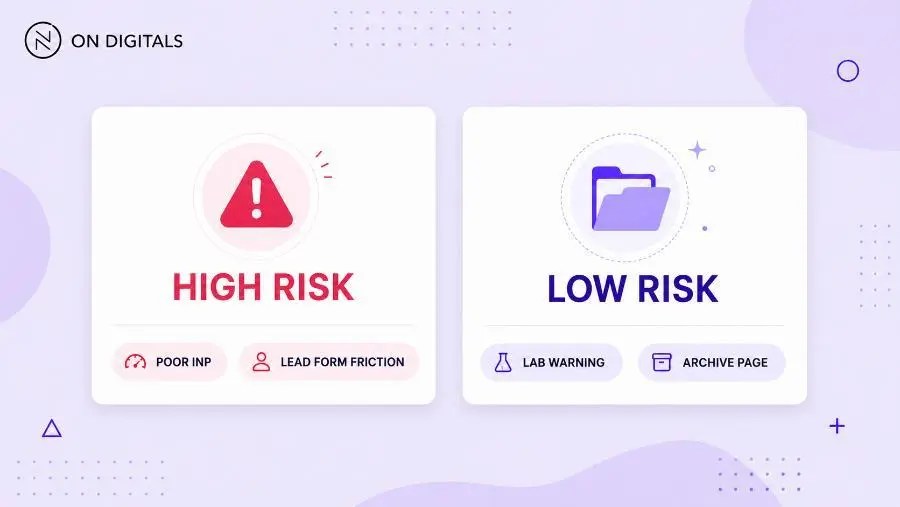 Performance tools turn vague complaints into measurable business risks. A poor INP on a lead generation form deserves immediate, prioritized action over a minor lab warning on a low-traffic archive page.
The best Core Web Vitals tools help teams connect metric status with page value. That prevents score-chasing and keeps technical work tied to search visibility, user trust, or revenue impact.
Measure Core Web Vitals with the web-vitals library
The web-vitals JavaScript library helps teams collect Core Web Vitals from real users. It is useful when Search Console or CrUX does not provide enough detail for specific templates, segments, or conversion journeys.
Google’s Web Vitals guidance says each Core Web Vital can be measured in JavaScript through standard web APIs. It also describes the web-vitals library as a small production-ready wrapper that measures metrics in a way that matches Google tools.
This matters for teams that need their own field data. Search Console groups URLs, while a RUM setup can add business context. For example, a team can compare mobile INP on users who reached a checkout step against users who only browsed a category page.
| Use case | Why web-vitals helps |
| Low-traffic URL | Build your own measurement base |
| Conversion funnel | Connect CWV with user actions |
| A/B testing | Compare performance impact by variant |
| Template release | Detect regressions after deploy |
| Regional issue | Segment field data by market |
The library should not replace official Google tools. Instead, it adds production detail that helps developers and marketers investigate the exact users or journeys affected.
Core Web Vitals workflows with Google tools
A strong Google-tool workflow starts with field data, then moves into debugging. This sequence matters because field data shows user impact, while lab tools explain technical causes.
Web.dev’s Core Web Vitals workflow recommends a continuous cycle: evaluate website health, debug and optimize, then monitor to prevent regressions. It also recommends starting with field data when evaluating site health.
| Workflow stage | Tool direction | Output |
| Evaluate | Search Console or PSI field data | User impact |
| Diagnose | PSI lab section or DevTools | Technical cause |
| Fix | Developer workflow | Template update |
| Validate | Lighthouse or DevTools | Lab confirmation |
| Monitor | Search Console or RUM | Field trend |
Search Console is especially helpful for scale. Its Core Web Vitals report groups URLs by status, metric type, and URL group. The statuses are Poor, Need improvement, and Good.
This makes Search Console more useful than testing random URLs. If one URL group is poor, the issue may live in the template. That gives the SEO team a stronger handoff to developers.
A three-step workflow for keeping Core Web Vitals healthy
Core Web Vitals work should run as a repeatable system. A one-time audit can fix visible problems, while a workflow prevents the same issues from returning after releases.
Step 1: Evaluate field data
Start with the data that represents users. Search Console shows URL groups. PageSpeed Insights shows the exact URL when data is available. A RUM setup can add deeper business segmentation.
PageSpeed Insights can show CrUX data from the last 28 days at the 75th percentile, which helps teams judge whether most users are receiving a good experience.
Step 2: Debug the cause
Once the weak metric is known, use the right diagnostic tool. LCP needs resource and server investigation. INP needs interaction tracing. CLS needs layout shift inspection.
| Weak metric | Debug focus |
| LCP | LCP element, TTFB, critical resources |
| INP | Slow interaction, main-thread work |
| CLS | Moving element and reserved space |
| Mobile field issue | Device and network conditions |
| Template issue | Shared component behavior |
Step 3: Monitor after release
Lab tools can show improvement quickly. Field data needs real visits before trends move. This is why teams should timestamp deployments, track affected URL groups, and review changes after enough traffic has passed.
A healthy workflow does not ask “Which tool is best?” It asks “Which tool answers the next decision?”
Step-by-step implementation framework for marketers and SEO teams
A Core Web Vitals tools framework should begin with page value, then move into metric diagnosis. This keeps performance work connected to SEO and conversion goals.
Use this workflow:
- Choose priority page groups
Start with pages tied to leads, sales, paid traffic etc. These pages carry the clearest business risk. - Open Search Console first
Review mobile and desktop separately. Check which URL groups sit in Poor or Need improvement. - Pick one representative URL
Use PageSpeed Insights to read field data and lab diagnostics for that page. - Match the metric to the tool
Use DevTools for interaction tracing, Lighthouse for lab validation, and RUM for production segmentation. - Identify the template pattern
Check whether the issue affects one page or a shared component. - Assign a technical owner
Hosting, frontend code, image handling, tracking tags etc. may need different owners. - Validate before launch
Use lab tools to confirm that the fix changes the expected metric. - Monitor field movement
Wait for real-user data before calling the issue resolved.
This approach turns tools into a decision system. It also helps marketers avoid sending vague tickets like “please improve the score.”
Common mistakes, risks, and quality checks
Most Core Web Vitals tool mistakes come from mixing up field data and lab data. Lab tools are useful for debugging, while field data is stronger for priority decisions.
Use this QA table before assigning fixes:
| Mistake | Risk | Better action |
| Trusting one lab score | Variance misleads the team | Compare with field data |
| Testing only homepage | Template issues stay hidden | Use URL groups |
| Ignoring mobile | Real user friction remains | Start with mobile field data |
| Treating all warnings equally | Sprint loses focus | Prioritize by business value |
| Skipping INP tracing | Slow interactions remain | Record the user action |
| Closing work too early | Field data has not moved | Monitor after release |
A good performance task should answer three questions. Which metric is weak? Which users or templates are affected? Which technical owner can fix the cause?
If the ticket cannot answer those questions, the tool workflow needs another diagnostic step.
Tools and metrics to review before publishing
The best Core Web Vitals tools setup uses several tools with clear roles. Avoid turning this into a long software list. Each tool should serve one decision.
| Tool | Primary role | Best use |
| Google Search Console | URL group monitoring | Site-level priority |
| PageSpeed Insights | URL field plus lab view | Page-level triage |
| Chrome DevTools | Interaction and rendering trace | Developer debugging |
| Lighthouse | Lab audit | Pre-release validation |
| web-vitals library | Owned field data | RUM and segmentation |
| WebPageTest or DebugBear | Deep monitoring | Regression review |
Before publishing a major template update, review the metric that matters most for that template. A landing page may need LCP review first. A product filter page may need INP testing. A publisher template may need CLS inspection near ad slots.
For templates where users tap, filter, submit, or open menus, use Interaction to Next Paint as the follow-up metric after the tool review. INP helps the team see whether a page only loads well, or actually responds fast when users act.
Useful QA areas include:
- Mobile field data.
- URL group status.
- LCP element.
- Slow interaction target.
- Layout shift source.
- Third-party script pressure.
- Release timestamp.
- Post-launch field trend.
This keeps tool usage practical. The goal is not to run every tool. The goal is to reach the next clear decision.
FAQ about Core Web Vitals tools
What are Core Web Vitals tools?
Core Web Vitals tools measure page experience through loading, responsiveness, and visual stability metrics. The main metrics are LCP, INP, and CLS. Teams use these tools to find weak templates, debug technical causes, and monitor field data after releases.
Which Core Web Vitals tool should SEO teams use first?
SEO teams should usually start with Search Console for site-level patterns. Its Core Web Vitals report groups URLs by Poor, Need improvement, and Good status. After that, PageSpeed Insights can diagnose one representative URL from the affected group.
Is PageSpeed Insights enough for Core Web Vitals?
PageSpeed Insights is useful for a single URL because it combines field and lab context. For site-wide decisions, Search Console is stronger. For code-level debugging, DevTools or Lighthouse gives developers more detail.
What is the web-vitals library used for?
The web-vitals library helps teams measure Core Web Vitals in JavaScript and send that data to an analytics endpoint. It is useful when a team needs owned field data, traffic segmentation, or conversion-path analysis beyond Search Console.
Why do lab data and field data disagree?
Lab data comes from controlled tests. Field data reflects real users with varied devices, networks, and page behavior. Web.dev states that lab measurement is useful during development, while field measurement captures the full picture of real user experience.
How often should Core Web Vitals tools be checked?
Stable sites can review Search Console monthly. High-change sites should review priority templates after major releases. For business-critical pages, automated monitoring or RUM can catch regressions before field reports become a larger issue.
Conclusion: choose Core Web Vitals tools by decision, not popularity
Core Web Vitals tools work best when each tool has a clear role. Search Console shows which URL groups need attention. PageSpeed Insights explains one page. DevTools helps developers trace the cause. The web-vitals library adds production context when the team needs deeper field data.
For On Digitals, this article should position Core Web Vitals tools as part of a performance decision workflow. If your team needs to improve mobile UX, identify weak templates, or connect Core Web Vitals with business outcomes, On Digitals can help turn tool data into a practical roadmap for faster pages, smoother interactions, and stronger search visibility.

NEWEST POSTS
- Advertising Industry In Vietnam: The 2026 Trends, Channels and Market-Entry Strategy
- Best SEO Company in Vietnam: Latest Shortlist For Businesses
- How To Leverage Social Media For Customer Service Like A Pro?
- Social Media Post Tips – 8 Ways To Boost Engagement
- How To Use Social Media for Sales – In-depth Beginner Guide
Read more