
Insights
Crawl Budget Monitoring Tools: How to Track Improve SEO Performance
On Digitals
15/01/2026
31
Every day, Googlebot decides which pages to crawl, and wasted crawl time can prevent your most important content from being indexed and ranked. Crawl budget monitoring tools help SEO teams see exactly how search engines crawl a site, uncover inefficiencies, and prioritize high-value pages.
In this guide, you will learn how crawl budget waste visibility tools SEO professionals use can reveal crawl waste, support smarter technical decisions, and turn crawl data into clear actions that improve indexation and overall search performance.
Understanding crawl budget in the modern SEO landscape
Before using any tactics, you need to understand crawl budget as the limited attention Googlebot gives your site. How you manage it determines how quickly important pages are discovered, shaped by both technical limits and quality signals that influence crawling priorities.
Crawl capacity vs. crawl demand
Your server has a maximum number of requests it can handle before performance degrades. Google respects this limit because overwhelming your server hurts user experience. This creates your crawl capacity: the technical ceiling on how many pages Googlebot can request without causing problems.
Crawl demand works differently. Google determines this based on how popular your content is and how often it changes. A news site publishing dozens of articles daily naturally generates higher crawl demand than a small business site with static pages. Fresh, engaging content that attracts links and traffic signals to Google that frequent crawling makes sense.
The tension between these two forces shapes your crawl budget reality:
- When demand exceeds capacity: You face tough choices about which pages deserve crawling priority.
- When capacity exceeds demand: You might have technical headroom but lack the content quality or freshness to justify more frequent visits.
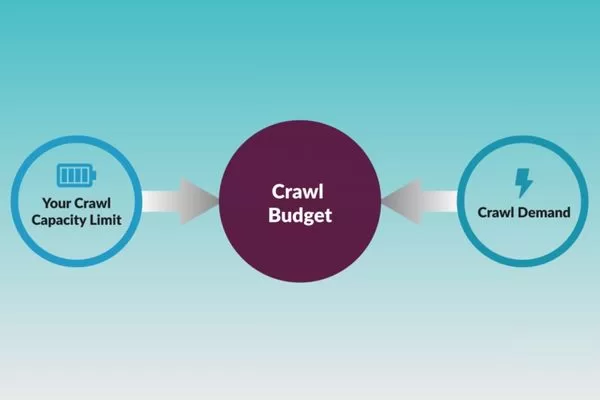
Crawl budget depends on the balance between crawl capacity and crawl demand
The best tools for crawl budget waste visibility help you see exactly where you stand on both sides of this equation.
Why modern websites struggle with crawl waste
Today’s websites have grown increasingly complex, and this complexity creates countless opportunities for crawl inefficiency.
- JavaScript and SPAs: Frameworks render content client-side, creating challenges for crawlers designed for traditional HTML. Single-page applications can generate infinite scroll scenarios that trap crawlers in endless loops.
- URL Parameters: Filter options, session IDs, and tracking parameters can multiply a hundred-page site into thousands of near-duplicate URLs. Each variation consumes crawl budget despite offering minimal unique value.
- Faceted Navigation: In e-commerce sites, this problem is amplified: combining color, size, price, and brand filters can generate millions of parameter combinations.
- Site Architecture: Decisions made for user convenience often create crawl nightmares. Deep pagination burying valuable content six or seven clicks from the homepage means Googlebot might never reach it.
- Redirect Chains and Duplication: Redirect chains where URLs bounce through multiple hops waste crawl budget on navigation rather than content discovery. Duplicate content across multiple URL paths forces Google to spend resources determining canonical versions instead of crawling fresh material.

Modern website complexity causes crawl waste
These modern challenges explain why passive SEO approaches no longer work. You need active monitoring through crawl budget waste visibility tools SEO teams depend on to spot problems before they tank your indexing performance.
Why you can’t ignore crawl budget monitoring
Ignoring crawl budget can limit SEO performance because crawl efficiency affects indexing and organic visibility. Optimizing how search engines crawl your site improves results and helps justify investing in proper crawl budget monitoring tools and processes.
How crawl frequency affects indexing speed
Google cannot rank what it has not indexed, and it cannot index what it has not crawled. This simple truth underpins why crawl frequency matters so much. When you publish a new product page or update critical content, the clock starts ticking. Every hour that page remains uncrawled is an hour your competitors potentially outrank you for relevant queries.
- High-value pages: On well-optimized sites, these get crawled multiple times daily.
- Low-priority pages: On inefficient sites, these might wait weeks between crawls.
This disparity compounds over time. Fresh content on frequently crawled sites enters the index within hours. Similar content on rarely crawled sites languishes in a discovery queue, missing time-sensitive traffic opportunities.

Crawl frequency controls indexing speed.
Crawl frequency also determines how quickly Google recognizes updates. When you fix a technical issue, improve content quality, or optimize for new keywords, those improvements only matter after the next crawl. Sites with healthy crawl budgets see changes reflected in search results within days. Sites with crawl budget problems might wait months for Google to notice improvements.
Crawl budget monitoring tools reveal these patterns clearly. You can see which sections of your site get daily attention and which get neglected. This visibility lets you diagnose why important pages take forever to index while throwaway pages get crawled constantly.
Common red flags of crawl budget inefficiency
Certain patterns scream crawl budget problems. Learning to recognize these signals helps you intervene before they seriously damage your SEO performance.
- Low-value pages consuming resources: The most obvious red flag is when useless pages consume disproportionate crawl resources. When Google spends 40% of its budget on tag archive pages that generate zero organic traffic, you have a prioritization problem.
- Poor crawl-to-index ratios: If Google crawls 10,000 pages monthly but only indexes 3,000, you are wasting 70% of your budget on content Google deems unworthy of the index. This suggests quality issues or technical problems like duplicate or thin pages.
- Response code distribution: Excessive 404 errors indicate broken internal linking or outdated sitemaps. Redirect chains show inefficient site architecture. Soft 404s suggest pages with so little content that Google treats them as errors despite returning 200 status codes.
- Crawl timing patterns: When Googlebot crawls blog archives daily but ignores new product pages for weeks, your internal linking fails to signal importance correctly. If crawl volume drops suddenly without server changes, quality issues may be dampening crawl demand.

Crawl budget inefficiency happens when low value pages get crawled too often
The best tools for crawl budget waste visibility make these patterns obvious through visualizations and reports. Without proper monitoring, these red flags might go unnoticed until they have already cost you months of indexing delays and lost traffic opportunities.
Core data sources for effective crawl budget monitoring
Understanding crawl efficiency requires multiple data sources, as each shows a different aspect of search engine behavior. Combining Google data with server-level tracking reduces blind spots, validates insights, and helps detect crawl issues early.
Google Search Console crawl stats
Google Search Console provides the most authoritative view of how Googlebot interacts with your site. The Crawl Stats report shows exactly what Google’s own systems recorded: no interpretation required. You see total crawl requests, average response time, and crawl request breakdowns by response code, file type, and purpose.
- Trend Analysis: The crawl requests graph reveals trends over time. Sudden drops might indicate server issues blocking the crawler. Gradual declines could suggest quality problems reducing crawl demand. Spikes often correlate with new content publication or improved internal linking.
- Performance Metrics: Response time data tells you whether your server handles requests efficiently. Consistently high response times can reduce your crawl capacity as Google throttles requests to avoid overwhelming slow servers.
- Resource Distribution: File type distribution shows whether Googlebot spends resources on images, JavaScript, and CSS files versus HTML pages containing indexable content.
- Crawl Purpose: The breakdown distinguishes between discovery crawls (finding new content), refresh crawls (checking for updates), and sitemap-based crawls.
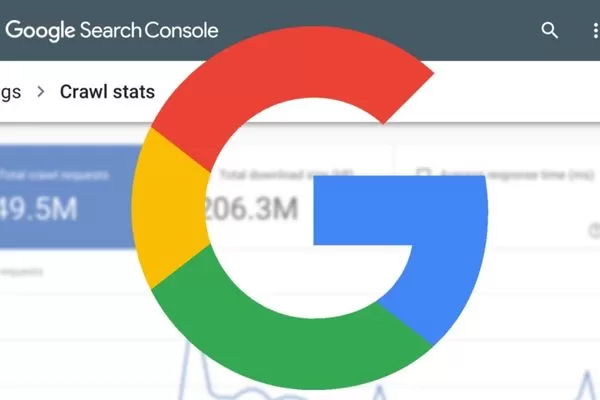
Google Search Console shows basic Googlebot crawl data with limits
Google Search Console’s limitations require supplementing it with other crawl budget monitoring tools. It only shows data Google chooses to report, typically limited to the past 90 days. You cannot segment data by site sections or analyze crawl patterns for specific URL types without exporting and processing the data manually.
Server log files
Server logs provide the complete, unfiltered record of every request hitting your server, including all Googlebot activity. This raw data offers capabilities Search Console cannot match. You see every single crawl request with precise timestamps, full user-agent strings, requested URLs, response codes, and server response times.
- Unfiltered Behavior: Log file analysis reveals behavior Google does not report. You can identify crawl traps where Googlebot repeatedly requests the same low-value URLs. You can also see whether directives like noindex actually prevent crawling or just prevent indexing.
- Granular Segmentation: You can filter crawl activity by site section, content type, or URL parameters. This shows exactly which parts of your site consume budget and which get ignored. You can also compare behavior across different Googlebot types like desktop versus mobile.
- Time-based Patterns: Log analysis helps you discover if Googlebot crawls primarily during specific hours. You can measure exactly how long it takes for Google to discover new content after publication and whether sitemap updates trigger faster crawling.

Server logs show full Googlebot crawl behavior
The challenge with server logs is volume and complexity. Large sites generate gigabytes of log data daily. Parsing this data requires specialized crawl budget waste visibility tools SEO professionals use to transform raw logs into actionable insights. Tools like Screaming Frog Log File Analyser and dedicated log analysis platforms make this practical for sites of all sizes.
Best crawl budget monitoring tools for better visibility
Choosing crawl budget monitoring tools depends on your site size, technical complexity, and team skills. Combining tools for daily monitoring and deeper audits delivers better insights, faster indexing, and long-term crawl efficiency gains.
Must-have features in crawl budget monitoring tools
Any tool you consider should handle log file ingestion and parsing efficiently. The ability to process large volumes of server logs without crashing or taking hours to generate reports is foundational.
- Bot Identification: Look for tools that automatically identify Googlebot requests, filter out other bots, and segment crawl activity by user-agent type.
- URL Categorization: You need the ability to define URL patterns that represent different site sections. A tool should let you create rules that identify product pages, category pages, and blog posts so you can analyze crawl distribution across these segments.
- Visualization: Crawl volume charts showing activity over time reveal trends that raw numbers hide. Heatmaps showing which site sections get crawled most heavily make prioritization issues obvious.
- Alerting Functionality: Set up notifications when crawl volume drops suddenly, when 404 errors spike, or when server response times exceed thresholds.
- Crawl Trap Detection: The best tools for crawl budget waste visibility highlight issues like infinite pagination or parameter combinations automatically rather than requiring manual detective work.
- Data Integration: Connecting crawl data with Google Analytics traffic and Search Console performance helps you understand whether crawl patterns align with actual business value.

Good crawl budget tools combine log analysis, alerts, and insights
Log file analyzers for technical SEOs
Log file analyzers give technical SEO teams direct insight into how Googlebot actually crawls a website. By working with real server data, these tools reveal crawl distribution, wasted requests, and hidden issues that standard SEO tools often miss.
- Screaming Frog Log File Analyser: A desktop log file analyzer that processes server logs locally, giving full control over sensitive data. It identifies Googlebot activity, analyzes crawl distribution by URL type, flags pages crawled despite noindex, and integrates with Google Search Console and Google Analytics to compare crawl behavior with performance metrics. Suitable for small-to-mid-sized sites.
- Botify: An enterprise-level, cloud-based platform designed to handle massive log volumes from very large websites. It combines crawl data with site quality signals, links crawl frequency to content depth and internal linking, and offers crawl budget forecasting to predict the impact of structural changes. Best suited for large-scale sites that require automation and advanced analysis.
Log file analyzers show how Googlebot really crawls your site using server data
Both represent core crawl budget monitoring tools that technical SEOs rely on for different scenarios. Screaming Frog suits smaller sites, while Botify fits enterprise environments where scale and automation justify higher costs.
All-in-one SEO platforms with crawl monitoring
All-in-one SEO platforms go beyond raw log analysis by combining crawl simulation, real crawl data, and performance metrics. They are designed for teams that need a complete view of crawl behavior, early issue detection, and strategic planning at scale.
- OnCrawl: A platform that combines site crawling with log file analysis by comparing how Googlebot should crawl your site versus how it actually does. This helps uncover issues like important pages being ignored. It also offers predictive features to estimate how site changes may impact crawl budget before implementation.
- JetOctopus: An all-in-one solution focused on real-time log file processing, providing up-to-date visibility into crawl behavior. It is strong in anomaly detection, automatically flagging unusual errors or sudden changes in crawl patterns.
All in one SEO platforms provide complete crawl monitoring at scale
Both platforms represent crawl budget waste visibility tools SEO teams use when comprehensive monitoring justifies enterprise pricing. They combine crawl simulation, log analysis, and performance tracking in ways that separate tools cannot match.
Turning data into action: How to reduce crawl waste
Collecting crawl data only matters when you act on it. Crawl budget monitoring tools deliver value by revealing clear problems and guiding fixes that improve crawl efficiency. By prioritizing high-impact issues first and addressing technical blockers early, you can eliminate the most common sources of crawl waste and achieve measurable results.
Eliminating technical crawl waste
Technical crawl waste comes from structural and status code issues that force search engines to spend resources on low-value or broken URLs. Fixing these problems early improves crawl efficiency and ensures Googlebot focuses on pages that truly matter.
- Redirect Chains: These rank among the worst crawl budget offenders. When URL A redirects to B and then to C, Googlebot wastes resources following the chain instead of crawling fresh content. Update all redirects to point directly to final destinations.
- 404 Errors: If Google repeatedly requests URLs that no longer exist, you are wasting resources. Check your log files for the most frequently requested 404s. Consider restoring content or implementing 301 redirects to relevant alternatives.
- Soft 404s: These pages return 200 status codes but contain so little content that Google treats them as errors. Implement proper 404 status codes for missing content or add noindex directives to these low-value pages.
- Duplicate Content: This forces Google to waste budget determining which version deserves indexing. Use canonical tags to indicate preferred versions or 301 redirects to consolidate URLs for non-www vs. www and HTTP vs. HTTPS variations.
- Orphan Pages: Pages that lack internal links but still get crawled consume budget disproportionately. Either incorporate them into your site architecture with internal links or remove them from sitemaps.
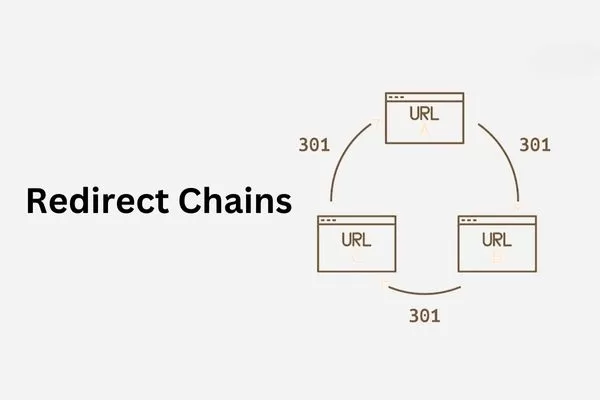
Fixing technical issues helps eliminate crawl waste and improve crawl efficiency
Managing faceted navigation and URL parameters
Faceted navigation creates multiplicative crawl challenges. A product category with multiple filters can generate thousands of parameter combinations that Googlebot might attempt to crawl.
- Define Parameter Value: Determine which combinations provide unique value worth indexing. Use robots.txt to block crawling of parameter combinations that exceed your value threshold.
- Robots.txt Directives: Instruct Google to ignore specific parameters like session IDs or tracking codes that offer no SEO value. This prevents waste without affecting user functionality.
- Canonical Tags: Let Google crawl filtered pages but canonicalize them to the unfiltered category. This allows users to share filtered views while preventing crawl budget waste on near-duplicate indexing attempts.
- Monitoring Patterns: Track which parameters generate the most requests in your log files using the best tools for crawl budget waste visibility. Evaluate whether that attention aligns with their actual business value.

Faceted navigation and URL parameters can waste crawl budget if not controlled
Optimizing site speed for higher crawl capacity
Server response time directly affects crawl capacity. Slow responses signal infrastructure problems, prompting Google to reduce its crawl rate to avoid overwhelming your server.
- Server-Level Caching: Serve cached HTML versions to crawlers. This dramatically increases your crawl capacity without requiring infrastructure upgrades because the pages generate instantly.
- Database Optimization: Slow database lookups create bottlenecks. Index relevant database tables and optimize query logic for pages that Googlebot requests frequently to reduce response times.
- CDN Usage: Content Delivery Networks improve capacity for static resources like images and CSS. This leaves more crawl capacity for HTML pages containing indexable content.
- Protocol Upgrades: HTTP/2 and HTTP/3 improve efficiency by allowing multiple requests over a single connection. Upgrading from HTTP/1.1 can significantly boost capacity with simple configuration updates.
- Request Prioritization: During traffic spikes, ensure crawler requests are processed quickly. Some caching layers support prioritization rules based on the crawler user-agent.
Faster site speed increases crawl capacity and improves crawl efficiency
Measuring success: Crawl budget metrics that matter
Optimizing crawl budget means measuring whether changes truly improve efficiency. Focus on metrics that link crawl activity to indexing and visibility, track trends over time, and avoid overreacting to short-term fluctuations that do not reflect real progress.
Crawl-to-index ratio
This metric divides pages Google indexes by pages Google crawls in a given period.
- High Efficiency: A ratio approaching 100% suggests excellent crawl efficiency where nearly everything crawled deserves indexing.
- Serious Waste: Ratios below 50% indicate that Google spends half its budget on content it deems unworthy of inclusion in search results.

The crawl-to-index ratio shows how efficiently crawled pages get indexed
Calculate this ratio using Google Search Console data combined with log file analysis. Track this monthly to spot trends. Low ratios typically stem from quality issues or technical problems like thin content and parameter proliferation. Be realistic with expectations: even well-optimized sites rarely achieve perfect 100% ratios. Ratios above 70–80% generally indicate healthy efficiency worth maintaining.
Track these ratios separately for different site sections. Your blog might show 90% efficiency while faceted navigation generates 20%. The crawl budget monitoring tools you use should support this segmentation natively to reveal where to focus optimization efforts.
Monitoring Googlebot activity trends
Crawl volume trends reveal whether your SEO efforts improve crawl demand. Healthy sites publishing quality content typically see gradual crawl volume increases. Stagnant or declining volume suggests Google perceives diminishing value in frequent crawling.
- Value-Based Tracking: Break down crawl volume by site section using log analysis. Track whether Google increases attention on high-converting landing pages versus low-value pages.
- Crawl Timing: Monitor when Google primarily crawls your site. If most activity happens during peak traffic hours, you might be sacrificing user experience for SEO.
- Crawl Depth: Track how many clicks from your homepage Google typically crawls. If important pages live five or six clicks down, flatten your architecture with better internal linking to surface content closer to the homepage.
- Technical Health: Response code distribution trends highlight emerging issues. Sudden spikes in 404 errors might indicate a broken migration, while increasing 5xx errors warn of infrastructure problems. Crawl budget waste visibility tools SEO teams deploy should alert on these anomalies automatically.
- Crawler Type Comparison: Compare activity across different crawler types. If image crawler requests dominate while HTML visits decline, you may have image optimization opportunities but significant content quality concerns.
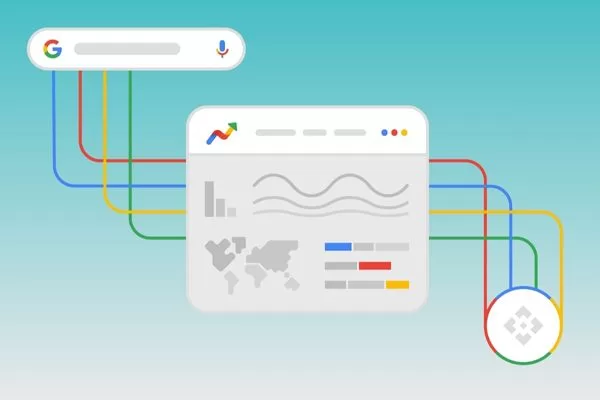
Googlebot trends reveal changes in crawl demand and site value
Frequently asked questions about crawl budget monitoring tools
Understanding common questions helps clarify when and how to apply crawl budget optimization effectively. These questions address the practical realities teams face when deciding whether to invest in monitoring and how to justify the effort.
Do small websites need crawl budget monitoring tools?
Small sites under 10,000 pages rarely have true crawl budget issues, but problems can still appear with slow indexation, JavaScript, or faceted navigation. As sites grow, these issues become harder to manage. Using crawl budget monitoring tools early helps set baselines, spot waste, and prevent crawl inefficiencies before they impact SEO performance.
How often should you perform a crawl budget audit?
Quarterly crawl audits are sufficient for most stable sites, while sites undergoing migrations or major changes should monitor crawl behavior weekly during transitions and monthly afterward. Large, fast-changing sites benefit from continuous monitoring with alerts from the best tools for crawl budget waste visibility, supported by regular trend reviews. Targeted crawl checks after major Google updates also help identify whether performance changes are linked to crawl behavior rather than content issues.

Crawl audit frequency depends on site size, change level and crawl risk
Can improving crawl budget directly improve rankings?
Crawl budget optimization is not a direct ranking factor, but it plays a critical supporting role by ensuring your content is discovered and indexed quickly. Faster crawling helps new and updated pages appear in search results sooner, capturing opportunities competitors may miss. Fixing crawl waste often involves technical improvements like reducing errors, consolidating duplicates, and improving site speed, which do influence rankings. Crawl budget waste visibility tools SEO professionals rely on help maintain this strong foundation so other ranking efforts can deliver better results.
Conclusion: Turning crawl budget into a long-term SEO advantage
Managing crawl budget monitoring tools becomes a strategic advantage when you treat crawl optimization as an ongoing process rather than a one-time fix. Successful sites build systems that continuously monitor, alert, and improve crawl efficiency as the site grows. The right approach depends on scale, from Search Console and basic log reviews for small sites to advanced platforms for larger ones. Always align crawl efforts with business goals and focus on pages that drive traffic or revenue instead of low-value URLs.
Long-term crawl efficiency requires flexibility as technologies, site structures, and Google crawling behavior continue to evolve. Staying current with best practices and using the best tools for crawl budget waste visibility helps you adapt to new challenges and spot issues early. By applying the strategies in this guide, crawl budget monitoring tools ensure every crawl uncovers valuable content that deserves fast indexing and sustained SEO performance.
Partner with On Digitals to elevate your Marketing strategy:
- Stay Ahead of the Curve: Visit our website to explore in-depth articles and the latest digital marketing news—from SEO and paid advertising to multi-channel content strategies.
- Breakthrough SEO Solutions: If you are looking for a reliable partner to solve complex technical issues, optimize crawl efficiency, and boost your keyword rankings, our team of experts is ready to help.
Explore our professional services now at: On Digitals – Comprehensive Digital Marketing Services
Related articles
Read more