
Insights
Crawled – Currently Not Indexed: A Practical SEO Guide to Fix Indexing Issues
On Digitals
13/01/2026
22
Seeing pages stuck in the crawled – currently not indexed status in Google Search Console is frustrating for any website owner or SEO professional. It means Google has crawled your page but chosen not to index it, leaving your content invisible in search results.
This guide explains what crawled – currently not indexed really means, why it happens, and how to fix it with quality focused SEO strategies that help improve indexing, visibility, and long-term search performance.
Understanding the “Crawled – Currently Not Indexed” Status
Before diving into solutions, it’s essential to understand the technical mechanics behind this status and what Google is actually telling you. Many website owners misinterpret this message, leading to wasted effort on ineffective fixes. Let’s clarify what’s really happening when you see this notification in your Search Console.
What Does This Status Actually Mean?
When you encounter the crawled currently not indexed status, Google is communicating a specific sequence of events. Understanding the technical journey of a URL helps demystify this issue. Every URL typically goes through four distinct phases: Crawl, Store, Quality Evaluation, and Index.
- During the crawl phase, Googlebot successfully accesses your page and retrieves its content.
- The store phase involves temporarily holding that content in Google’s systems (often referred to as the Caffeine index infrastructure).
- Then comes the critical quality evaluation phase, where Google’s algorithms assess whether your page meets current indexing quality thresholds.
- Finally, if approved, the page enters the index and becomes eligible to appear in search results.
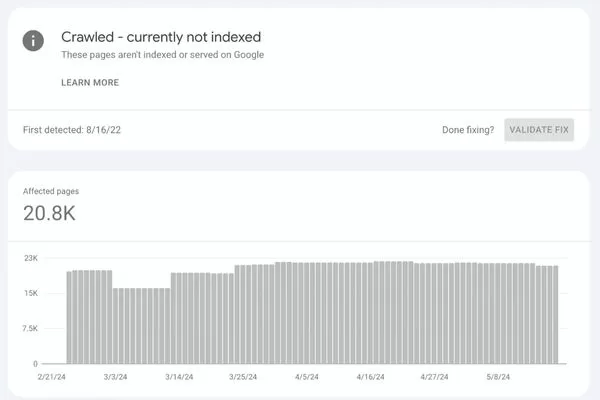
Google crawled the page but didn’t index it due to quality
The crawled – currently not indexed status specifically means Google has successfully accessed the page and evaluated its content, but determined that it does not yet meet its current indexing quality standards. This is not a technical error or crawling failure. Your server responded correctly (usually with a 200 OK status), the page loaded properly, and Googlebot could read the content. However, Google made a deliberate choice not to include it in the index based on quality signals.
Think of it like submitting an application that was received and reviewed, but not approved. The issue is not that your application got lost in the mail; the reviewers simply decided it did not meet their criteria at this time.
Crawled vs. Discovered: The Critical Distinction
One of the most common sources of confusion involves distinguishing between “Discovered – Currently Not Indexed” and crawled but not indexed statuses. These represent fundamentally different situations requiring different approaches.
- Discovered – Currently Not Indexed: Indicates a crawl budget or resource limitation. Google knows the URL exists, perhaps through your sitemap or from finding links to it, but Googlebot has not actually visited it yet. This typically happens with lower priority pages on larger sites where Google allocates its crawl resources strategically.
- Crawled – Currently Not Indexed: On the other hand, this represents a quality or relevance issue. Google visited the page, fully evaluated its content, and made an active decision not to index it for now. This distinction is crucial because it tells you the problem is not about Google finding or accessing your content. The problem is with the content itself or how it fits into your overall site architecture.
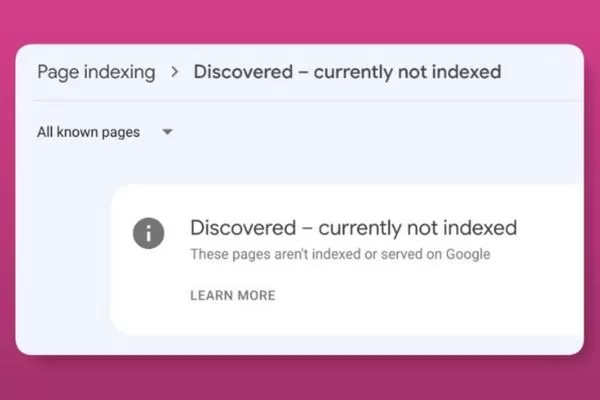
Discovered isn’t crawled; crawled isn’t indexed due to quality
Understanding this difference helps you focus your efforts appropriately. If pages are discovered but not crawled, you might need to improve internal linking or manage crawl budget. If pages are crawled currently not indexed, you need to enhance content quality, relevance, and value proposition.
Why Google Crawls Pages but Chooses Not to Index Them
Google doesn’t make indexing decisions arbitrarily. There are specific, identifiable reasons why the algorithm chooses not to index pages it has successfully crawled. Understanding these reasons is the first step toward developing effective solutions. Let’s explore the most common culprits behind the google crawled but not indexed status.
Thin Content and Low Added Value
The most prevalent cause of indexing rejection is thin content that provides minimal value to users. Pages with sparse text, repetitive templates, or excessive boilerplate content fail to meet Google’s quality bar. Google’s algorithms have become increasingly sophisticated at identifying content that doesn’t add incremental information to the web.
Consider a product category page with only three sentences of description, followed by a standard template used across dozens of similar pages. Even if technically crawlable, this page likely offers nothing unique compared to already indexed competitors. Google sees millions of similar pages daily and prioritizes those offering genuine insights, comprehensive information, or unique perspectives.
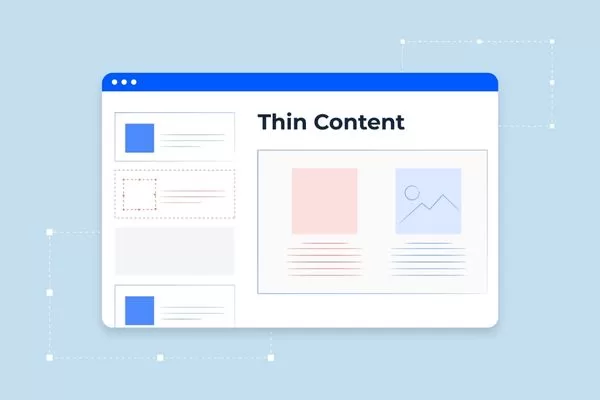
Thin, low-value content is the leading reason pages fail to get indexed
Lack of unique insights compared to already indexed competitors is particularly problematic in saturated niches. If your page essentially restates information available on ten other indexed pages without adding new data, analysis, or perspectives, Google has little incentive to index it. The algorithm actively seeks “information gain”, asking whether including your page in search results would benefit users who already have access to similar content.
Content Cannibalization and Duplication
Internal competition creates another major indexing obstacle. When multiple pages on your site target the same primary keyword with similar content, Google must choose which version deserves indexing priority. Often, this results in some pages being crawled but not indexed while others claim the indexing slot.
Content cannibalization happens more frequently than most site owners realize. You might have a comprehensive guide, several blog posts, a FAQ page, and multiple service pages all competing for variations of the same keyword. From Google’s perspective, these pages create confusion rather than providing clear topical authority.
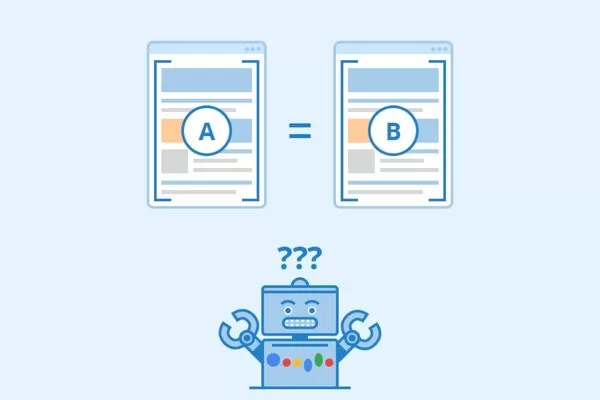
Cannibalized or duplicate content reduces indexing chances
Technical duplication adds another layer of complexity. URL parameters, tag pages, filter combinations, pagination, and session IDs can generate dozens or hundreds of nearly identical URLs. Each variation might have slight differences in sorting order or visible products, but fundamentally presents the same information. Google recognizes this pattern and typically chooses not to index these non-canonical variations, regardless of how cleanly they’re crawled.
Search Intent Mismatch
Even high-quality, unique content can remain unindexed if it doesn’t align with expected search intent. Google has become remarkably sophisticated at understanding the underlying micro-intents behind search queries. A page optimized for the wrong intent type faces indexing challenges regardless of its technical optimization.
Consider a detailed product comparison article targeting a keyword that Google has determined serves primarily transactional intent. Users searching that term want to buy, not read lengthy comparisons. Your informational content, however valuable, mismatches what Google believes users actually need at that moment in their journey.

Content that mismatches search intent often fails to get indexed
Search intent operates on a spectrum including informational, navigational, commercial investigation, and transactional categories. Beyond these broad classifications, Google identifies nuanced micro-intents specific to individual queries. A page that doesn’t serve the dominant intent for its target keywords will struggle to be indexed, let alone rank.
Weak Internal Linking Signals (The “Orphan Page” Effect)
Internal linking architecture communicates page importance to Google in ways many site owners underestimate. Pages with few or no internal links appear as low-priority content, regardless of their actual quality. This orphan-page effect significantly impacts indexing decisions.
Google uses internal links as signals of importance, relevance, and relationships between content. A page linked from your homepage, main navigation, and relevant contextual locations signals higher value than a page accessible only through a deeply buried category structure. The algorithm interprets linking patterns as indicators of which content you consider most important (Internal PageRank).

Weak internal linking makes pages look unimportant and limits indexing
Excessive “click depth” compounds this problem. Pages requiring four, five, or six clicks to reach from the homepage receive less frequent crawls and lower indexing priority. This architectural signal tells Google that even you don’t consider this content particularly important, which influences their indexing decisions accordingly.
How to Analyze Affected URLs in Google Search Console
Effective diagnosis precedes effective treatment. Before implementing fixes for how to fix crawled but not indexed issues, you need to systematically analyze which pages are affected and identify underlying patterns. Google Search Console provides the tools necessary for this analysis, but using them effectively requires a methodical approach.
Filtering and Exporting Data
Start by navigating to the “Indexing” > “Pages” report within Google Search Console. This report provides a comprehensive overview of how Google perceives your site’s pages. Scroll down to the “Why pages aren’t indexed” table to see various status categories.
Locate the Crawled – Currently Not Indexed status in the list and click to view all affected URLs. The interface displays a sample of up to 1,000 URLs, but you’ll want to export the complete list for thorough analysis. Click the export icon in the top right corner and download the data as a Google Sheet or CSV file.
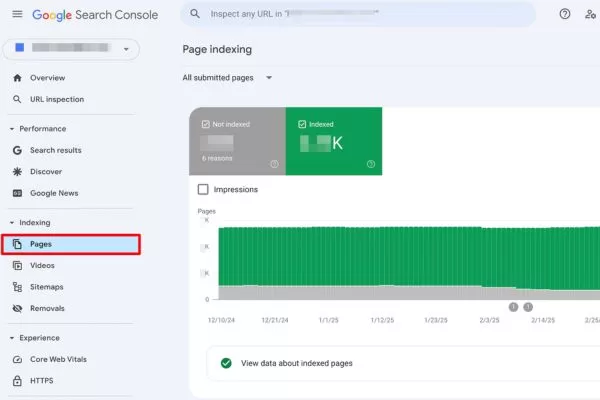
Use Search Console exports to identify patterns behind non-indexed pages
This exported data becomes your working document for systematic analysis. Sort URLs alphabetically to identify clustering patterns. Look for common prefixes, directory structures, or naming conventions that might indicate systemic issues rather than individual page problems. Group similar URLs together to understand whether you’re dealing with isolated incidents or broader architectural challenges.
Pay attention to the total number of affected URLs relative to your site size. If you have 500 pages with 450 showing this status, you’re facing a site-wide quality issue. If only 20 of 500 pages are affected, you’re likely dealing with specific content problems that can be addressed individually.
Identifying Patterns at Scale
Raw data becomes actionable intelligence through pattern identification. Use pivot tables or filtering capabilities in your spreadsheet software to reveal patterns across subfolders, templates, or content types. This analysis often uncovers issues that aren’t apparent when reviewing individual URLs.
Create a pivot table breaking down affected URLs by subfolder or directory structure. You might discover that all URLs in /blog/category/ show the status, while /blog/posts/ index normally. This pattern suggests a template or structural issue with category pages rather than individual content problems.
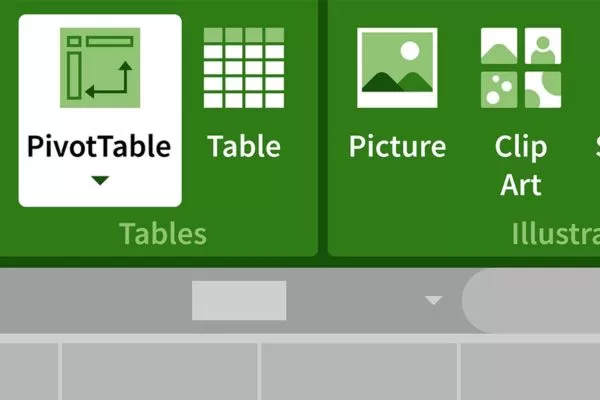
Identifying URL patterns turns raw indexing data into clear, actionable insights
Analyze patterns by content type, publication date, author, word count, or any other relevant metadata you can associate with the URLs. (Note: You may need to use a crawling tool like Screaming Frog to crawl your list of unindexed URLs and merge that data with GSC export for deeper insights into word count or meta tags).
| Pattern Type | What to Analyze | Potential Issue Indicated |
| Directory structure | URLs grouped by folder path | Template or architecture problems |
| Publication date | Timestamps when pages went live | Time-based technical changes |
| Word count | Content length correlation | Thin content thresholds |
| Internal links | Number of links pointing to page | Orphan page identification |
| Template type | Category, tag, product pages | Template-specific quality issues |
Using the URL Inspection Tool Properly
The URL Inspection Tool provides granular insights into individual pages, but interpreting results correctly requires understanding what different test types reveal. Access this tool by pasting a specific URL from your affected list into the search bar at the top of Search Console.
The tool presents two distinct views: the “Google Index” version (how Google currently sees the page in its index) and the “Test Live URL” results (how Googlebot sees the page right now). This distinction is critical for diagnosis:
- The Indexed Version: Shows the state of the page during the last crawl. If it shows “Crawled – currently not indexed“, Google has evaluated it and rejected it.
- The Live Test: Reflects your page’s current state. If the live test shows “URL is available to Google”, it means there are no technical crawl blocks, but the page still needs to pass the quality bar.

Use URL Inspection to distinguish crawlability from indexing quality issues
Look specifically at the “Crawl” section within the report, which shows the “Last crawl” date and “User-declared canonical”. The “Page fetch” section reveals whether Googlebot can access your content. The “Enhancements” section displays structured data validation. Together, these elements paint a complete picture of why a page remains unindexed.
5 Strategic Fixes to Move Pages into the Index
Understanding problems leads to implementing solutions. These five strategic fixes address the root causes of crawled currently not indexed fix challenges, moving beyond surface-level optimizations to create fundamental improvements that convince Google your content deserves indexing. Each strategy requires commitment to quality over quick fixes.
Fix 1: Content Pruning and Consolidation
The “Less Is More” approach runs counter to the common advice to “publish more content,” but quality consistently outperforms quantity in modern SEO. Content pruning involves critically evaluating your existing pages and making difficult decisions about what to keep, what to improve, and what to eliminate.
- Identify related pages: Start by identifying groups of related pages covering similar topics with minimal differentiation. You might have five separate blog posts about slightly different aspects of the same subject, each with 500 to 700 words, when you really need one comprehensive 2,500-word guide.
- Merge into power pages: Merging multiple weak pages into a single authoritative “power page” requires careful planning. Choose the strongest existing URL as your consolidation target. Then systematically integrate the best content from other pages, eliminating redundancy while preserving unique insights.
- Implement 301 redirects: Each retired URL should be 301-redirected to the most relevant section of your new consolidated page. Relevance matters for maintaining link equity and user experience.
- Deliver exceptional value: After consolidation, ensure your new power page clearly exceeds what the separate pages offered. This gives Google one strong signal instead of several weak ones that often lead to a crawled but not indexed status.
Prune and consolidate weak pages into one high-value, authoritative page
Fix 2: Enhancing Quality with E-E-A-T Signals
Google’s emphasis on Experience, Expertise, Authoritativeness, and Trustworthiness (E-E-A-T) directly impacts indexing decisions. Pages lacking these quality signals face uphill battles for index inclusion.
- Increase information gain: Conduct original research, share unique data, or provide expert analysis. “Information gain” answers the question: “What does this page offer that does not exist elsewhere?”
- Include expert input: Feature quotes, interviews, or contributions from recognized authorities in your field to enhance credibility and demonstrate a commitment to accuracy.
- Original visuals: Custom infographics, original photography, and data visualizations created specifically for your content demonstrate an investment in quality that stock photos cannot match.
- Demonstrate experience: Provide evidence through detailed case studies, original photos of the process, or step-by-step walkthroughs of tasks you have personally completed.
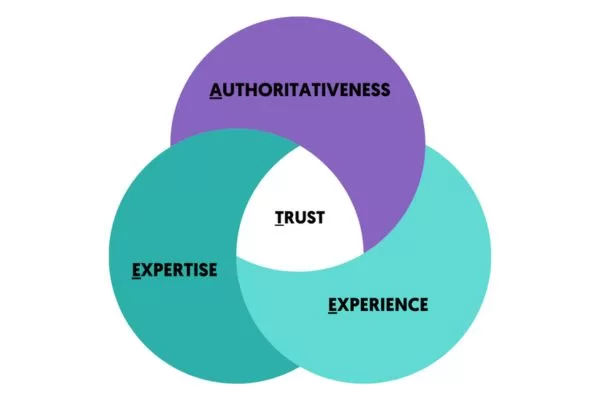
Stronger E-E-A-T signals improve content quality and indexing chances
Fix 3: Re-architecting Internal Linking
The Topic Cluster model organizes content around comprehensive pillar pages that cover broad topics, supported by cluster content addressing specific subtopics.
- Create pillar pages: Identify core topics central to your site’s purpose and create comprehensive resources (typically 2,000+ words) that link naturally to dozens of related subtopics.
- Link to underperforming content: Link from high-authority pillar pages to cluster content using descriptive anchor text. This passes authority (PageRank) while helping Google understand topical connections.
- Reciprocal linking: Create links from cluster content back to pillar pages to establish clear hierarchical relationships.
- Audit link patterns: Ensure your most important pages receive the most internal link equity through strategic placement (e.g., in the main navigation or high-traffic pages).
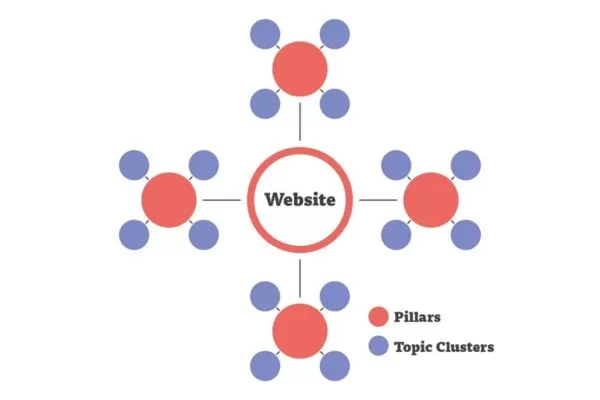
Rebuild internal links using topic clusters to boost authority and indexing
Fix 4: Eliminating Conflicting Technical Signals
Technical inconsistencies confuse Google. Pages displaying crawled but not indexed status sometimes suffer from conflicting signals between your sitemap and technical directives.
- Audit canonical tags: Ensure canonical tags point correctly to the primary version of a page. Avoid “canonical chains” where page A points to B, and B points to C.
- Check for noindex directives: Look for accidental “noindex” directives in meta tags, HTTP headers, or robots.txt rules that might explicitly tell Google not to index the page.
- Optimize XML sitemaps: Only include indexable (200 OK, non-canonicalized) URLs in your sitemap to communicate your priorities clearly to Google.
- Review robots.txt: Confirm it is not blocking important resources like CSS or JavaScript that Google needs to fully render and evaluate your pages via its “Evergreen Googlebot.”
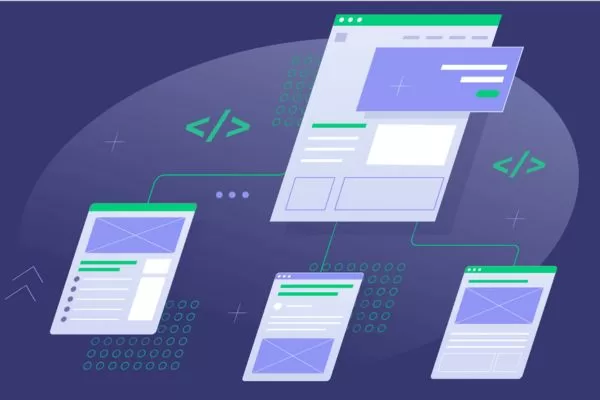
Remove conflicting technical signals that prevent proper indexing
Fix 5: A Quality-First Validation Strategy
Effective validation requires substantive improvements before requesting re-evaluation. Repeatedly requesting indexing for unchanged pages wastes your crawl budget.
- Meaningful updates: Add unique insights, incorporate expert quotes, or restructure content to better serve user intent before requesting re-indexing.
- Use the URL Inspection Tool: After making improvements, use the tool to “Request Indexing” for individual pages sparingly rather than for dozens of URLs simultaneously.
- Avoid overusing “Validate Fix”: Only use this button in the Page Indexing report after you have actually resolved the quality issues across all affected URLs in that group.
- Monitor progress: Re-evaluation typically takes days or weeks. Monitor the Pages report to track the status of URLs you have requested revalidation for.
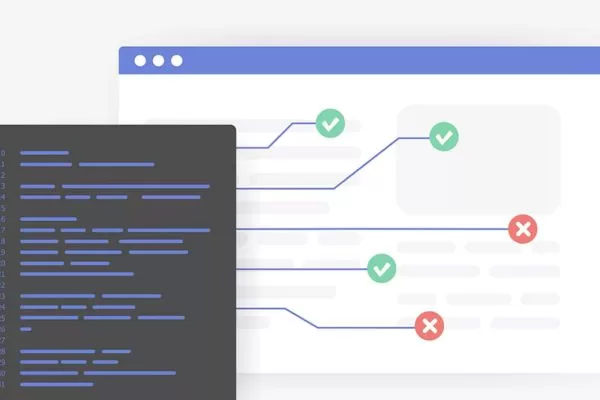
Validate fixes only after real quality improvements, not before
Advanced Tactics for Persistent Indexing Issues
When standard fixes don’t resolve crawled currently not indexed fix challenges, advanced tactics addressing crawl efficiency and strategic communication with Googlebot become necessary. These approaches work best after implementing foundational improvements, not as replacements for quality enhancements.
Optimizing Crawl Budget
Crawl budget refers to the number of pages Googlebot crawls on your site within a given timeframe. While most small to medium sites (under 10,000 pages) do not face crawl budget constraints, larger sites benefit significantly from optimization. Efficient crawl budget allocation ensures Google focuses on your most valuable content rather than wasting resources on low-value URLs.
- Use robots.txt strategically: Limit Googlebot access to low-value areas such as internal search results, which generate infinite URL variations. Similarly, block faceted navigation paths that create exponential URL combinations through filters like price ranges or colors if they don’t provide unique search value.
- Restrict administrative sections: Development directories and duplicate content areas should be blocked. However, be extremely careful not to block CSS, JavaScript, or images, as this prevents proper page rendering and can lead to incorrect quality evaluations. Only block HTML pages that genuinely add no value.
- Focus on priority content: Ensure your most important pages receive optimal crawl frequency through strategic internal linking and regular content updates. Pages that change frequently and maintain high quality naturally receive more crawl attention.
- Monitor crawl stats: Use the “Crawl stats” report in Google Search Console (found under Settings > Crawl stats). This report shows daily requests and average response times. Declining crawl rates might indicate technical issues, server latency, or a decrease in the perceived value of your content, often leading to pages being stuck in the crawled but not indexed category.
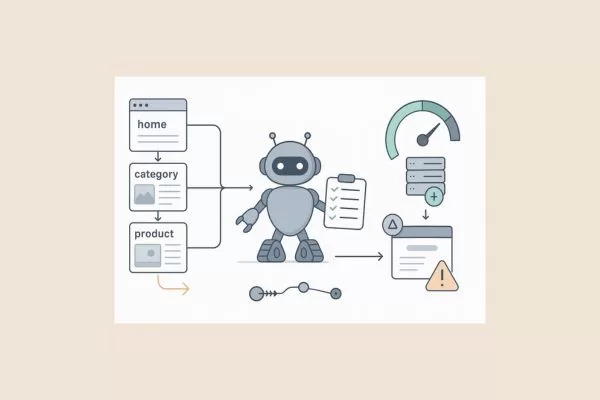
Optimize crawl budget so Google focuses on your highest-value pages
Strategic Use of Temporary Sitemaps
Creating a dedicated sitemap specifically for recently improved URLs provides a strategic communication channel with Googlebot. This approach works particularly well after implementing major content improvements across multiple pages.
- Generate focused XML sitemaps: Create a separate sitemap containing only the URLs you have substantially updated. This helps Google discover and prioritize re-crawling without diluting the signal with your entire site’s URL list.
- Submit through Search Console: Submit this as an additional sitemap and name it descriptively, such as updated-content-2025.xml. This allows you to track its performance separately.
- Use accurate <lastmod> dates: Include <lastmod> dates that accurately reflect when meaningful changes occurred. Do not manipulate these dates for unchanged content, as Google may devalue your sitemap signals if it detects inaccurate timestamps.
- Merge after re-evaluation: Once Google has had the opportunity to re-crawl and re-evaluate your improved pages (indicated by the “Last crawled” date in the URL Inspection Tool), you can remove the temporary sitemap. This provides focused attention during the critical re-evaluation period without creating permanent management complexity.
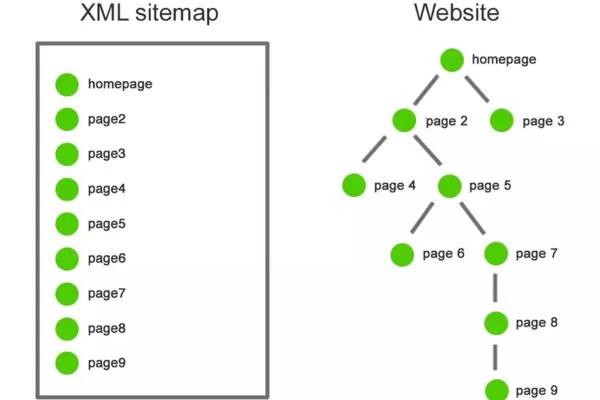
Temporary sitemaps help Google quickly re-crawl improved pages
Best Practices to Prevent Future Indexing Problems
Reactive fixes address existing issues, but proactive practices prevent problems from developing. Building systematic approaches to content creation, site architecture, and monitoring ensures new content avoids google crawled but not indexed status from the beginning. Prevention requires less effort than remediation.
Building an “Index-First” Content Workflow
An “Index-First” mindset shifts content creation focus from quantity to index-worthiness. Before publishing any page, evaluate whether it genuinely deserves a place in Google’s index alongside billions of other web pages. This quality filter prevents the accumulation of low-value content that dilutes overall site authority.
Implement a pre-publish checklist that every piece of content must pass before going live. This checklist should include fundamental questions that assess index-worthiness:
- Does the page add unique value?: Compare your content against the top 10 results currently ranking for your target keyword. If your page doesn’t offer something those results lack (Information Gain), either enhance it until it does or reconsider whether it’s worth publishing. Unique value might come from deeper analysis, more recent data, clearer explanations, better visuals, or addressing specific subtopics competitors ignore.
- Is it internally linked?: Never publish a page without planning how it fits into your existing internal linking architecture. Identify at least three existing relevant pages that should link to this new content and three ways this new page can enhance existing content through outbound links. Orphan pages start their life with a significant indexing disadvantage.
- Does it satisfy a clear search intent?: Articulate specifically what search query or user need this page serves. If you can’t clearly define the intent (Informational, Transactional, Navigational, or Commercial), users and Google will struggle to understand the page’s purpose. Ambiguous content faces consistent indexing challenges.

Publish only content that’s truly index-worthy
Additional checklist elements might include minimum word counts relevant to your niche’s complexity, requirements for original visuals, inclusion of expert sources (E-E-A-T), and technical optimization basics like unique title tags and meta descriptions.
Maintaining a Scalable Site Structure
Site architecture profoundly impacts crawlability and indexing efficiency. A “flat architecture” where key pages are reachable within three clicks from the homepage ensures important content receives clear importance signals (Internal PageRank).
- Information Hierarchy: Design a pyramidal structure where the homepage links to main categories, which then link to subcategories and individual posts. Ensure that your most important “money pages” are as close to the root as possible.
- Avoid Deep Silos: Content buried five or more clicks deep receives less crawl frequency. If your structure is too deep, consider flattening the hierarchy or promoting important pages through HTML sitemaps or footer links.
- Breadcrumb Navigation: Implement Schema-marked breadcrumbs to show the hierarchical path. This provides both user-friendly navigation and structured signals to search engines.
- Regular Audits: Periodically review your site structure as content grows. An annual structural review helps maintain clarity and prevents your site from becoming a confused maze of over-tagged or thin category pages.
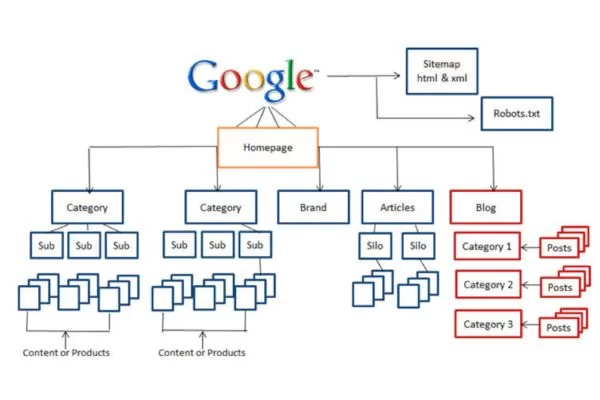
A flat, clear site structure improves crawlability and indexing efficiency
Continuous Monitoring with Google Search Console
Proactive monitoring catches issues early. Monthly indexing audits establish baselines and detect spikes in coverage issues that might indicate emerging technical or quality problems.
- Pages Report: Review the “Indexing” > “Pages” report at least monthly. Sudden drops in indexed pages or spikes in “Excluded” categories signal problems that require immediate investigation.
- Track Patterns: Monitor the Crawled – Currently Not Indexed count over time. Increasing numbers suggest developing quality issues or architectural flaws (e.g., a new plugin creating thin duplicate pages). Stable or decreasing numbers indicate your strategies are working.
- Email Notifications: Set up Search Console alerts to receive immediate notifications when new indexing issues are detected.
- Document Outcomes: Create an institutional knowledge base of what fixes work for your specific site. Recording these solutions becomes increasingly valuable as your site and team grow.

Continuous Search Console monitoring helps catch indexing issues early
Frequently Asked Questions (FAQs)
Here are quick answers to the most common questions about the crawled – currently not indexed status and how it impacts indexing decisions.
Is “Crawled – Currently Not Indexed” an SEO penalty?
No, crawled – currently not indexed is not a traditional penalty. It means Google has algorithmically assessed your page and decided it does not yet meet quality thresholds for indexing, rather than applying a manual action. Unlike penalties, which remove indexed pages and trigger “Manual actions” warnings in Search Console, this status simply reflects a quality-based indexing decision that requires content improvement, not penalty recovery.
How long does it take Google to index a page after fixes?
Google’s timeline for re-crawling and indexing updated pages varies by site authority, crawl budget, and content quality. Well-maintained sites may see results within days, while smaller sites often wait weeks. After making meaningful improvements, requesting indexing via the URL Inspection Tool can speed up review, but inclusion is never guaranteed. Most sites see indexing changes within 2 to 8 weeks.
Why do redirected URLs sometimes show this status?
Redirected URLs showing as “Crawled – currently not indexed” usually reflect a temporary phase while Google processes a 301 redirect and consolidates signals to the new URL. During this transition, both the old and target URLs may appear in Search Console with different statuses as Google updates its link graph. This typically resolves on its own, but if it persists for months, review your redirect setup, avoid redirect chains or loops, and ensure the target page is index-worthy.
Redirected URLs may be temporarily unindexed while Google consolidates signals
Should I noindex pages that remain unindexed?
Generally, no. If a page is already crawled currently not indexed, adding a noindex tag is unnecessary and may be counterproductive if you want that page to eventually rank. This status reflects Google’s choice not to index the page based on quality, not a technical directive issue. Instead, focus on improving the content, consolidating it with related pages, or removing it if it has no value. Use noindex only for pages you permanently want excluded from search results (like thank-you pages or internal search results).
Conclusion: Turning “Crawled” into “Ranked”
Moving from crawled – currently not indexed to consistent search visibility requires a long-term focus on quality, not shortcuts. This guide explained how Google makes indexing decisions, why pages are rejected, and how to address root issues rather than symptoms. The core principle is simple: indexing is earned, not guaranteed. With billions of pages competing for limited index space, only content that demonstrates clear value, relevance, and quality deserves inclusion.
How to fix crawled but not indexed ultimately means evaluating your content through Google’s quality standards. Pages that genuinely help users, offer unique insights, and are supported by strong technical signals, internal linking, and a sound site structure are far more likely to be indexed. When you prioritize real user value and clear site architecture, indexing becomes a natural result of a healthy website instead of a recurring challenge.
The world of Digital Marketing is constantly evolving with new algorithms and trends emerging every day. Don’t let your brand fall behind! Visit the On Digitals website now to stay updated with in-depth analysis, breakthrough SEO strategies, and the latest ‘hot’ news to optimize your business performance.
NEWEST POSTS
Read more